A calm, intentional grocery plan helps retirees cut costs without cutting joy. Fresh food, simple lists, and predictable habits reduce stress.
After retirement, grocery shopping feels different.
You notice prices more. You shop more often. You hesitate more.
And yet food is not just fuel.
It is comfort. Routine. Pleasure. Health.
The goal in 2026 is not extreme frugality.
It is stability without deprivation.
This guide is for adults 55+ who want to:
Lower grocery bills
Avoid impulse spending
Reduce food waste
Protect nutrition
Keep meals enjoyable
Without feeling restricted.
Why Grocery Costs Feel Heavier After 60
After retirement:
Income becomes fixed
Inflation feels personal
Medical expenses increase
Waste feels irresponsible
Food spending becomes emotional.
But reacting emotionally often increases cost.
The 2026 Core Rule
Reduce waste first. Reduce spending second.
Most grocery overspending comes from:
Buying too much
Forgetting what you have
Shopping without a meal plan
Emotional purchases
Not from buying “nice food.”
The 5-Step Calm Grocery System (55+)
Step 1 — The 5-Minute Fridge Reset
Before shopping:
Check produce drawer
Check leftovers
Check freezer
Check expiration dates
Do NOT:
Judge yourself
Panic about waste
Just observe.
Step 2 — The 3-Category List
Instead of writing random items:
Divide your list into:
Essentials (must-have)
Flexible meals (easy swaps)
Joy items (intentional treats)
Table 1: Balanced Grocery Framework
Category
Example
Purpose
Essentials
Eggs, yogurt, oats
Nutrition stability
Flexible
Chicken OR beans
Budget flexibility
Joy
Dark chocolate, good cheese
Emotional satisfaction
This prevents binge spending.
Step 3 — The “One Extra” Rule
Instead of bulk shopping:
Buy one extra of only:
Shelf-stable staple
Frequently used item
Avoid:
Perishable bulk
Large novelty packs
This reduces spoilage.
Step 4 — The 72-Hour Produce Rule
Fresh produce plan:
Buy for 3–4 days only
Replenish midweek if needed
Waste drops dramatically.
Step 5 — The Receipt Review (2 Minutes)
After shopping:
Look at receipt calmly.
Ask:
Was anything impulse?
Did I forget something?
What surprised me?
No guilt.
Just awareness.
Table 2: Where Seniors Commonly Overspend
Pattern
Why It Happens
Fix
Overbuying produce
Optimism bias
72-hour rule
Bulk meat purchases
“Good deal” thinking
Freeze same day
Snack drift
Emotional fatigue
Pre-choose joy item
Duplicate pantry items
Poor visibility
Pantry reset monthly
Shopping hungry
Blood sugar drop
Eat before store
Real Senior Examples
Arthur, 70 Reduced waste by half using 3-category list. Savings: ~$85/month.
Maria, 73 Stopped bulk produce buying. Savings: ~$60/month.
Evelyn, 68 Keeps 2 “joy items.” No longer binge-spends on snacks.
Monthly Grocery Reset Checklist (Printable)
☐ Clear fridge weekly ☐ Write 3-category list ☐ Buy produce for 3 days ☐ Choose 2 joy items ☐ Avoid shopping hungry ☐ Freeze meat same day ☐ Review receipt calmly ☐ Do pantry visibility check monthly
Food stress often reflects broader budget tension.
Disclaimer
This article is for general educational purposes only and does not constitute financial, medical, or dietary advice. Nutritional needs vary by individual health condition. Consult a qualified healthcare provider or registered dietitian for personalized dietary guidance. Financial situations vary; consult licensed professionals for individualized financial planning.
“Yes… even when you mean maybe.” “Yes… even when you’re tired.” “Yes… even when it costs you.”
This guide is not about confrontation.
It’s about kind boundaries — steady, respectful, and protective.
WHY BOUNDARIES MATTER MORE AFTER 60
At this stage of life:
Energy matters more
Recovery takes longer
Finances are often fixed
Emotional peace becomes priceless
Overcommitting after 55 doesn’t just cause inconvenience.
It causes:
exhaustion
resentment
money stress
health setbacks
Boundaries protect all four.
THE 2026 RULE
If it drains your energy, your money, or your peace — pause before agreeing.
Pause creates space.
Space protects clarity.
PART 1: THE 3 TYPES OF BOUNDARIES
Most seniors struggle in three areas:
Time boundaries
Emotional boundaries
Financial boundaries
Let’s look at each calmly.
1️⃣ Time Boundaries
Examples:
Babysitting every weekend
Driving family members frequently
Attending every social event
Saying yes to volunteer roles you don’t enjoy
Gentle script:
“I’d love to help sometimes, but I can’t commit every week.”
Notice: calm tone. No apology spiral.
2️⃣ Emotional Boundaries
Some adults 55+ become default therapists for:
adult children
siblings
friends
It’s loving — but exhausting.
Gentle script:
“I care about you, but I don’t have the energy to solve this right now.”
You can care without carrying.
3️⃣ Financial Boundaries
This is the hardest one.
Common situations:
Lending money repeatedly
Co-signing loans
Paying adult children’s bills
Funding emergencies that repeat
Important truth:
Your retirement is not a revolving credit line.
Gentle script:
“I’m not in a position to help financially, but I can help you think through options.”
Kind. Firm. Protective.
TABLE 1: Boundary vs. Guilt
Feeling
Reality
“I’m selfish.”
You’re protecting capacity.
“They’ll be upset.”
Discomfort is temporary.
“I should help.”
Help should not harm you.
“They need me.”
Adults can adapt.
Guilt often appears before peace.
PART 2: WHY GUILT FEELS SO STRONG
Many seniors grew up believing:
Sacrifice equals love
Saying no equals selfishness
Family always comes first
But after 60, sacrifice without limits becomes instability.
Healthy boundaries improve relationships.
They prevent resentment.
PART 3: A SIMPLE 4-STEP PAUSE METHOD
When asked for something:
Step 1: Do not answer immediately. Step 2: Say, “Let me think about that.” Step 3: Check your energy + finances. Step 4: Respond calmly within 24 hours.
The pause prevents automatic yes.
TABLE 2: The Energy Check
Question
If Yes
If No
Do I have time?
Proceed carefully
Decline
Do I feel calm about it?
Possibly
Reconsider
Will this affect my budget?
Set limits
Decline
Will I resent this later?
Don’t do it
Protect yourself
Resentment is a warning light.
REAL-LIFE EXAMPLES
Example 1: Robert, 72
Before:
Loaned money three times to a family member.
After:
Stopped lending. Offered budgeting help instead.
Result:
Relationship improved.
Example 2: Elaine, 68
Before:
Babysat weekly despite fatigue.
After:
Reduced to twice per month.
Result:
“I enjoy it again.”
Example 3: Martin, 75
Before:
Said yes to every volunteer request.
After:
Chose one meaningful role.
Result:
Less stress. More impact.
PRINTABLE CHECKLIST: KIND BOUNDARY RESET
Time
[ ] I have one free day per week [ ] I am not overbooked
Emotional
[ ] I am not solving others’ problems daily [ ] I allow others to struggle safely
Financial
[ ] I do not lend money I cannot lose [ ] My retirement budget is protected
Pause
[ ] I give myself 24 hours before major yes
WHAT TO EXPECT AFTER SAYING NO
Temporary discomfort. Possibly pushback.
But also:
better sleep
calmer finances
clearer mind
stronger respect
Boundaries build stability.
WHY THIS MATTERS FINANCIALLY
Unclear boundaries often lead to:
retirement savings erosion
emergency fund depletion
hidden resentment spending
delayed personal goals
Kind boundaries protect long-term independence.
Independence is financial security.
WHAT NOT TO DO
Explain excessively
Argue your decision
Apologize repeatedly
Change your answer under pressure
Short and calm works best.
ONE SENTENCE TO PRACTICE THIS WEEK
“I need to think about that.”
That one sentence can change your year.
DISCLAIMER
This article is for general educational purposes only and does not provide legal, financial, or mental health advice. Individual family dynamics and financial situations vary. Consider consulting qualified professionals before making major financial or legal decisions.
Flexible spending [ ] No guilt spiral [ ] One awareness note
Adjustment [ ] One small change chosen
Calendar [ ] Next month’s review scheduled
WHY THIS PROTECTS YOUR FUTURE
Monthly review protects:
emergency fund
retirement timeline
stress levels
sleep quality
Financial calm is health protection.
IF MONEY ANXIETY SPIKES
Pause.
Take 3 slow breaths.
Remind yourself:
“I am reviewing, not reacting.”
That sentence changes everything.
DISCLAIMER
This article is for general educational purposes only and does not provide financial, investment, or tax advice. Individual retirement accounts, income sources, and expenses vary. Consult a qualified financial professional for personalized guidance.
Where can you sit comfortably (with back support)?
Where can you eat without rushing?
Even one planned, unhurried meal or café stop can keep the whole day from becoming a blur.
PART 4: TRANSPORT CHOICES THAT REDUCE FOGGY FATIGUE
How you get there often matters more than where you go.
Questions to ask while planning:
How long is the total travel time (there and back)?
Are there many stairs, transfers, or tight connections?
Who is driving, and how do they handle longer days?
Simple travel guidelines after 55:
For drives longer than 90 minutes, plan at least one stretch stop.
For public transport, favor routes with fewer transfers, even if slightly longer.
If possible, avoid late-night returns; dusk or dark driving can be tiring and harder on vision.
If friends or family are planning to “squeeze in one more stop,” remember the core rule: Half the distance, double the buffer.
It’s okay to say:
“I’d love to do one or two things fully, not five things half-tired.”
PART 5: A GENTLE PACKING LIST THAT PREVENTS MELTDOWNS
You don’t need a suitcase, but a well-packed day bag can make or break the day.
Aim for light but complete:
Essentials:
small wallet with ID, card, and some cash
phone, fully charged + small power bank if you use it a lot
any medications needed during the day (plus a small list of what you take)
water bottle that’s easy to carry and refill
light snack in case meals are delayed
Comfort items:
light scarf or layer (AC or evening chill)
small pack of tissues, hand wipes, and any personal care items
hat or sunglasses for sun
small notebook or notepad if you like jotting things down
Safety/health extras:
list of emergency contacts
simple printed card with health notes (allergies, major conditions)
if needed: walking aid, brace, or support device
Everything should fit in:
one small backpack, or
a crossbody bag that leaves hands free
If your bag makes your shoulder or back ache before you leave the house, it’s too heavy.
PART 6: REAL-LIFE DAY TRIP EXAMPLES (CALM VERSION)
Example 1: “Short town visit, big enjoyment” – Elaine, 72
Before: Elaine tried to see a whole coastal region in one day. She came home with swollen ankles and needed two days on the couch.
2026 plan:
chose one seaside town within a 75-minute drive
planned to arrive at 11 a.m. and leave at 4 p.m.
mapped one short harbor walk, one café lunch, and one optional small museum
How it felt: “I saw less, but I remembered more. And I was okay to meet a friend the next day instead of cancelling.”
Example 2: “Museum without meltdown” – Carlos, 68
Before: He loved museums but always overdid it—three floors, every exhibit, then total exhaustion.
2026 plan:
chose a smaller museum and a single special exhibition
limited himself to two hours inside with sitting breaks
planned a 45-minute café rest after the visit, not “if we have time”
How it felt: “I walked less, sat more, and enjoyed the art instead of stubbornly checking every room.”
Example 3: “Family day at my speed” – Margaret, 76
Before: When her adult children visited, they packed the day with activities. She went along, then collapsed afterwards.
2026 plan:
discussed the One Great Day Trip Rule with them ahead of time
chose one family destination (a park with a café and easy paths)
planned an early return and gave herself permission to sit on benches while others explored a bit more
How it felt: “I was present for the moments that mattered, not pushing through the parts that didn’t.”
PART 7: CALM SCRIPTS FOR SAYING WHAT YOU NEED
Sometimes the hardest part isn’t planning—it’s speaking up.
Here are gentle sentences you can borrow:
When friends or family overfill the schedule:
“I’d rather do one or two things fully and enjoy them, instead of rushing from place to place.”
“I have more fun when there’s time to sit and talk. Could we build in an extra break or two?”
When you need a rest:
“I’m going to sit for a bit and enjoy the view. Please go ahead and I’ll meet you back here.”
“My joints are talking to me—mind if we find a bench for a few minutes?”
When you want to leave earlier than others:
“This has been lovely. My body is telling me it’s time to head home so I can still feel good tomorrow.”
When someone offers to change the plan:
“Thank you—that means a lot. Slow and steady really helps me enjoy the whole day.”
Remember: you’re not spoiling the fun. You’re protecting your ability to keep showing up for future days.
PRINTABLE CHECKLIST: 2026 One Great Day Trip Plan (Seniors 55+)
You can copy, print, and keep this near your calendar.
Before you choose a destination
I checked my energy pattern (best time of day, total hours I can be comfortably out).
I chose one main activity for the trip, plus one simple backup option.
Planning the pace
I built the day in 60–90 minute blocks with sitting breaks.
I identified where we can sit comfortably (benches, cafés, quiet spots).
I know where the main bathrooms are at or near the destination.
Travel
Total travel time (round trip) feels realistic for my body.
If driving, we planned at least one stretch stop on longer routes.
We avoided late-night return times if those are hard for me.
Packing
I packed a small, light bag I can carry without strain.
I included medications needed during the day and a basic health information card.
I have water, a small snack, and one extra layer (scarf, sweater, or jacket).
My phone is charged, and I have important numbers saved or written down.
During the day
I notice when my body needs a pause and take sitting breaks without guilt.
I use gentle sentences to ask for a slower pace if needed.
I give myself permission to do less and enjoy more.
After the trip
I check in with my body the next day: How do I feel?
I note what worked and what was too much, so the next trip can be even kinder.
If most of these boxes are ticked, you’ve planned a day that’s about joy, not survival.
DISCLAIMER
This article is for general educational purposes only and does not provide medical, physical therapy, mobility, or travel insurance advice. Energy levels, mobility, health conditions, and safety needs vary widely between individuals. Before changing your activity level, using mobility aids, or planning trips that may affect your health, consult with your healthcare provider or other qualified professionals. Always follow local laws, safety rules, and accessibility guidance when traveling, and review the terms and coverage of any tickets, reservations, or insurance policies.
“Travel feels different with mobility changes—but a comfort-first plan can make the journey part of the joy again.”
Cindy’s Column × Senior AI Money
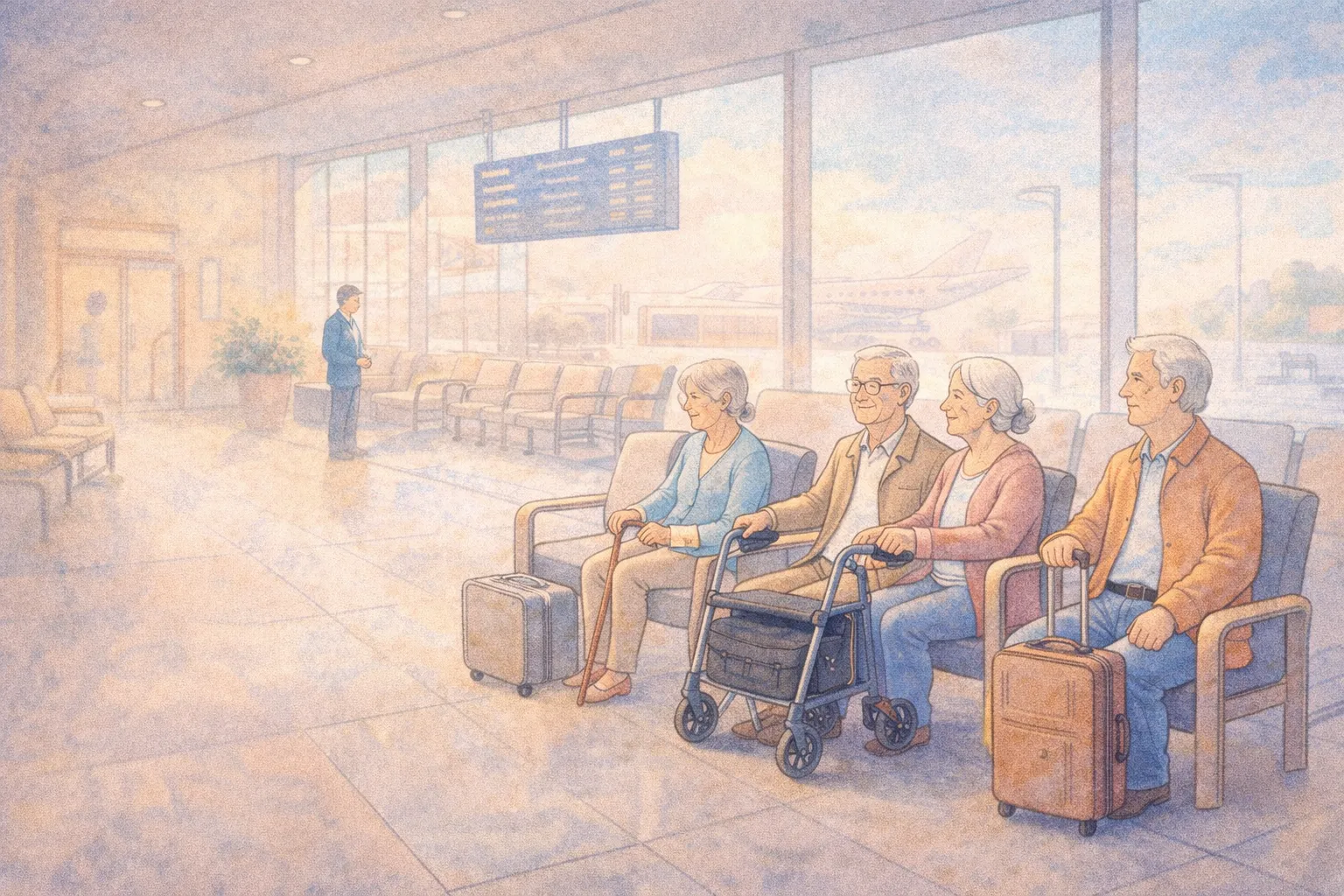
Travel doesn’t have to end when your knees, hips, or energy change. It just needs a new plan that respects your body as it is now—not as it was 20 years ago.
Many adults 55+ tell me:
“I still want to travel, but I’m scared of the airport marathon.” “I worry more about the walk to the gate than the flight itself.” “I’m fine most days… until there’s a long line or a broken escalator.”
If that sounds familiar, this 2026 guide is for you.
This is not a “push through the pain” guide. It’s a calm, practical planning checklist for:
seniors with arthritis, joint replacements, or back pain
anyone who uses a cane, walker, or rollator
travelers who can walk but not fast or far
older adults who tire easily or need more bathroom breaks
You can still enjoy planes, trains, and hotels. You just deserve more comfort, more honesty, and less pressure.
Why travel planning changes after 55 (and that’s normal)
In your younger years, you might have:
booked the cheapest connection with short layovers
carried heavy bags “just this once”
sprinted to a gate or train platform
shrugged off stiff seats or late meals
After 55—especially with mobility changes—small details matter more:
distance between check-in and gate
availability of elevators, ramps, and seating
time needed for security and bathroom stops
height of hotel beds and firmness of chairs
how long you can stand in line or walk without pain
None of this means you’re “too old to travel.” It means your body now sends clearer invoices for discomfort.
Good news: a lot of exhaustion, pain spikes, and “never again” trips can be prevented on paper—before you ever zip the suitcase.
The 2026 Travel Comfort Rule
One Core Rule: Trade a little speed for a lot of comfort.
If you must choose between:
the fastest schedule and
the least painful schedule
…choose the one your knees, hips, back, or energy can live with.
In 2026, your travel wins are measured less by miles and more by how you feel when you arrive.
Part 1: Get honest about your mobility today (not five years ago)
Before booking anything, answer three gentle questions:
How far can I walk comfortably without a break?
Around the house
From parking lot to store
Through a large supermarket
How long can I stand in a line before I really need to sit?
5 minutes? 10? 20?
What movements are hardest right now?
Stairs? Steep ramps? Stepping into high bathtubs?
Lifting overhead? Bending to plug things in?
Write down honest answers. This is not a test; it’s a travel tool.
Table 1: Mobility Snapshot → Travel Adjustments
If this sounds like me…
Then consider planning for…
“I can walk short distances but need breaks.”
wheelchair/assistance at airports, seats near elevators, longer layovers, hotel rooms closer to lobby or lift
“I can’t stand in long lines.”
priority/assistance lanes where available, early boarding, check-in help, sitting spots planned near gates and platforms
“I use a cane/walker/rollator.”
accessible routes without stairs, enough trunk space for device, rooms with step-free showers, wider pathways
“I’m okay walking but stairs are very hard.”
elevators instead of escalators, ground-floor rooms, avoiding old buildings with no lift
The point is not to label yourself. It’s to match your trip to your real body, so travel feels kind.
Part 2: Plan by transport type (planes, trains, and cars)
Different transport modes challenge your body in different ways.
Plane = long walks + security + sitting still Train = platform gaps + steps + luggage on/off Car = sitting posture + restroom timing + getting in/out
Table 2: Planes, Trains, Cars – Main Mobility Traps and Fixes
Mode
Common mobility challenge
Comfort-focused planning idea
Plane
Long walks between check-in, security, and gate
Request wheelchair or assistance when you book; arrive earlier to move at your own pace
Plane
Standing in security lines
Ask about disability/assistance lanes; use bins only for essentials to reduce bending
Plane
Tight seats, limited leg room
Choose aisle seats when possible; consider paying a little extra for extra-legroom on longer flights
Train
Stepping up into the carriage
Ask which cars have lower steps or ramps; board early with assistance if available
Train
Managing luggage on/off quickly
Pack one wheeled bag you can manage; use small backpack instead of extra hand bags
Car
Stiffness and back pain from long sitting
Plan stretch stops every 60–90 minutes; use cushions or lumbar support
You don’t have to fix everything. You just need enough supports in place that your body doesn’t pay for the trip for a week afterward.
Part 3: Booking smarter: seats, times, routes
When you book, look beyond price.
Consider:
Time of day (Does your body behave better in the morning or later?)
Number of changes (More direct often beats more connections.)
Seat type (Aisle, near restroom, lower-level on trains if there are stairs.)
Gentle booking rules that help many seniors:
Favor non-stop or fewer-stop routes, even if they cost a bit more.
Avoid tight connections with short transfer times.
Ask for wheelchair assistance at airports if walking long distances is hard—many people who “can walk” still benefit from this.
On trains, choose seats near doors, restrooms, or accessible coaches when possible.
For hotels, contact them directly to request an accessible or “mobility friendly” room (not just “nice view”).
Example phrasings when you call or email:
“I walk, but long distances are hard. May I request a room close to the elevator?”
“Do you have walk-in showers (not bathtub/shower combos) on a lower floor?”
“Which entrance has the fewest stairs for drop-off?”
You’re not asking for favors; you’re matching your room or seat to your needs—just like choosing a shoe size.
Part 4: Packing for comfort (not for “just in case”)
Overpacking is a hidden mobility problem.
Each extra “maybe” item:
makes the bag heavier
increases strain on shoulders and back
makes lifting into cars or overhead racks more dangerous
Aim for:
one main wheeled suitcase you can handle
one smaller personal item (backpack or crossbody)
devices and medications always in your personal item
Comfort-focused packing list highlights:
medications + written list (generic and brand names)
compression socks (if recommended by your doctor)
simple slip-on shoes that are easy at security and in hotels
light scarf or layer for temperature changes
small travel pillow or lumbar cushion
basic pain relief and any regular supports (braces, wraps)
a copy of your mobility aids instructions/parts info if needed
Table 3: “Nice to Have” vs “Must Have” (Mobility Travel Edition)
Item type
Nice to have (optional)
Must have (protect your body)
Clothing
extra outfit “just in case,” fancy shoes
comfortable walking shoes, socks that fit well, layers you can take on/off easily
Toiletries
full-size bottles, extra makeup
medications, any creams/ointments for pain, basic toiletries in travel size
Gadgets
multiple books, heavy laptop
one light device (tablet/phone), chargers, simple headphones
Comfort
decorative accessories
cushion, small pillow, eye mask, earplugs if noise bothers you
If the bag makes you lean or hold your breath to lift it, it’s too heavy. Your future self at the platform will thank you for being picky now.
Part 5: Hotel and lodging comfort for mobility changes
The hotel room is where your body recovers—or doesn’t.
Pay attention to:
bed height (too high or too low can strain knees and hips)
type of shower (walk-in vs step-over tub)
grab bars (or lack of them)
places to sit while dressing (chair with back)
distance from elevator to room
flooring type (slippery vs secure)
Comfort questions you can ask before booking:
“Do you have rooms with a walk-in shower and grab bars?”
“Can you tell me if the elevator is near certain room numbers or floors?”
“Is there a chair with a back in the room, not just stools?”
Once you arrive, do a quick “safety scan” before you unpack:
Where is the light switch from the bed?
Is the path to the bathroom clear at night?
Do you need to move furniture slightly to create a safe route?
Is there a towel or non-slip mat you can use in the bathroom?
Small adjustments can prevent major falls.
Part 6: Real-life travel examples (with different mobility levels)
Example 1: Carla, 68 – Knee replacement, first flight in years Trip: 2-hour flight to visit her sister.
What changed in 2026:
requested wheelchair assistance from check-in to gate
booked an aisle seat near the restroom
wore compression socks (approved by her doctor)
kept pain medication and a small cushion in her personal bag
Result: She arrived a bit tired but not in tears, and said, “I didn’t feel like a burden. I felt like a passenger who planned ahead.”
Example 2: David, 74 – Uses a rollator, loves trains Trip: 5-hour daytime train journey.
What he did:
called the train company to ask about accessible coaches and ramps
booked a seat near the door and accessible restroom
boarded early with assistance so he wasn’t rushed
packed only one wheeled suitcase and a backpack
Result: He could park his rollator safely and get up without blocking others. He told me, “The journey felt like part of the vacation—not an obstacle to survive.”
Example 3: Lila, 79 – Arthritis, prefers car trips Trip: 4-hour drive to a family gathering.
Planning changes:
turned it into two 2-hour segments with a planned rest stop
used a small cushion behind her back and adjusted seat height
wore comfortable clothing and slip-on shoes
chose a hotel with a walk-in shower and a chair in the room
Result: No “I can’t move” moment upon arrival. Her comment: “I still got stiff, but I bounced back after a short rest, not two days.”
These are not heroic stories. They’re examples of trading a little speed for a lot of comfort.
Part 7: 2026 Comfort Checklist – Travel With Mobility Changes
You can copy/print this and keep it with your passport or ID.
Mobility Snapshot [ ] I know roughly how far I can walk and how long I can stand without pain spikes. [ ] I’ve written down my biggest challenges (stairs, long walks, standing, heavy lifting).
Before Booking [ ] I chose routes with fewer connections, even if slightly longer. [ ] I avoided short transfer times that require rushing. [ ] For flights, I requested wheelchair/assistance if long walks are difficult. [ ] For trains, I asked about accessible coaches, ramps, and seat locations.
Seats & Times [ ] I selected aisle or easy-access seats where possible. [ ] I considered time of day when my body feels best. [ ] I avoided late-night arrivals if they make my joints or balance worse.
Hotel / Lodging [ ] I requested a room near the elevator or on a lower floor if helpful. [ ] I asked about walk-in showers and grab bars (or planned how to manage safely). [ ] I confirmed there is at least one sturdy chair with a back in the room.
Packing [ ] I chose one main wheeled suitcase I can manage myself. [ ] Medications, list of meds, and key health info are in my personal bag. [ ] I packed comfort items: cushion, simple layer, easy shoes, any supports (braces etc.). [ ] I left behind “just in case” heavy extras that make bags harder to lift.
During Travel [ ] I give myself extra time so I don’t have to rush or run. [ ] I take stretch breaks or short walks when it’s safe to do so. [ ] I use handrails, elevators, and help that is offered—without guilt.
On Arrival [ ] I do a quick safety scan of the room (paths, lighting, bathroom). [ ] I schedule a short rest before jumping into activities. [ ] I adjust plans if my body sends clear “too much” signals.
If most of these boxes are ticked, your trip is set up to be kinder to your body—and kinder to your future self.
Disclaimer
This article is for general educational purposes only and does not provide medical, physical therapy, or travel insurance advice. Mobility levels, health conditions, pain patterns, and accessibility laws vary by person and location. Before planning or changing your travel routine—especially if you have heart, lung, circulation, balance, or severe joint issues—consult with your healthcare provider and follow their guidance. Always check current airline, train, bus, and hotel accessibility policies and local regulations before you travel.
Part 4: The “exit plan” (the part that makes decluttering work)
A bag that stays in your hallway is still mental clutter.
So we decide the exit before we start:
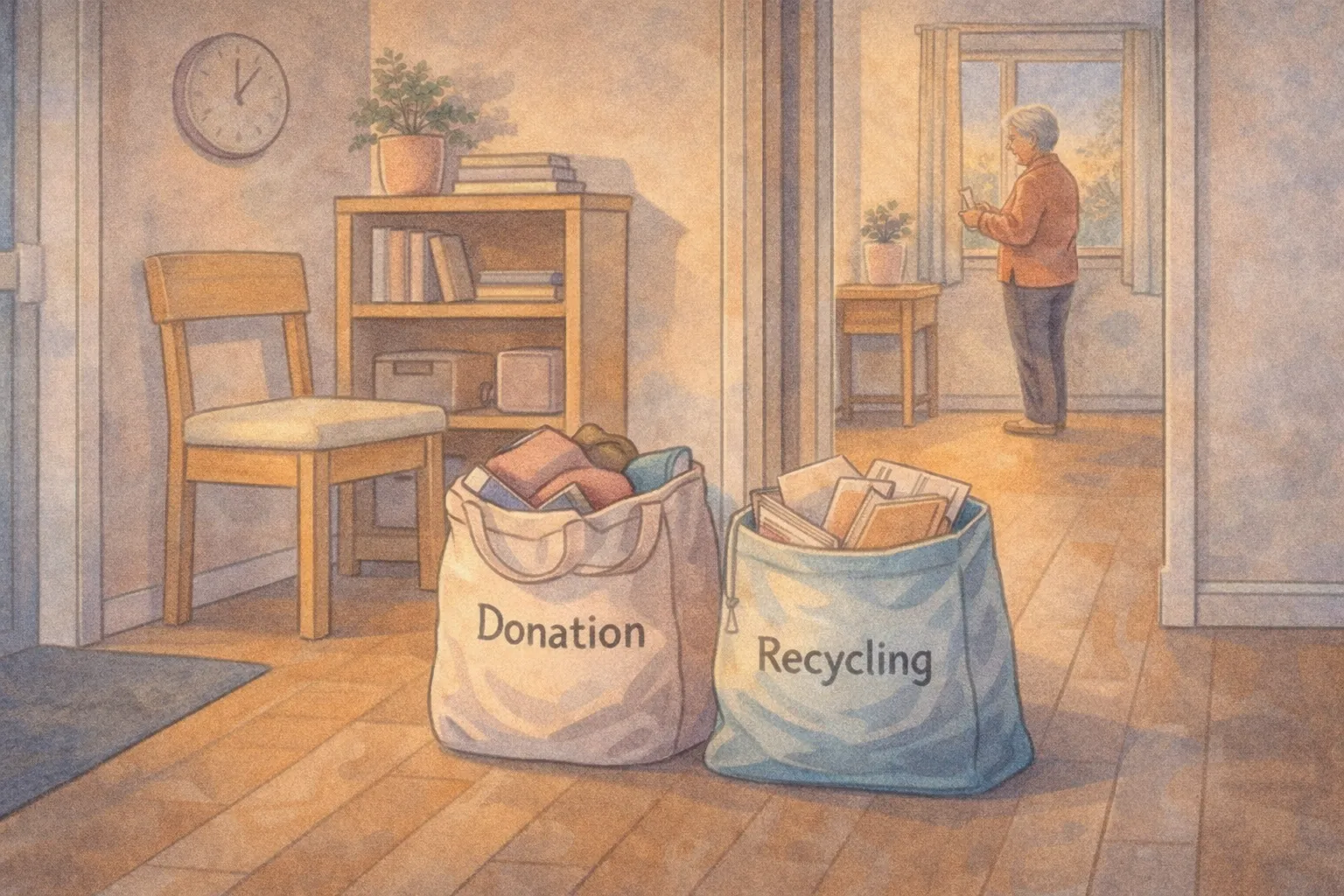
Trash bag → goes to the bin today
Recycling bag → goes to recycling today
Donation bag → goes into the car trunk today (or placed by the door with a pickup scheduled)
If leaving the house is hard:
ask a neighbor or family member to take donations once a month
use a donation pickup service where available
create one “donation day” each month and keep donations in one safe, contained place
The key is that bags leave your living space quickly.
Table 2: How to Keep Bags From Getting Stuck
Situation
What usually happens
Calm fix (one step)
Donation bag sits by door for weeks
guilt + clutter returns
put it in trunk immediately
Mobility makes drop-off hard
bag becomes a “project”
schedule one pickup / ask one helper
You overfill the bag
heavy + unsafe
use smaller bags only
You start too big
piles form
shrink the zone (one drawer)
You get emotional mid-session
you stop completely
switch to trash/recycling zone next time
You “relocate” too much
clutter moves rooms
limit relocate to 5 items per session
Decluttering is not about willpower. It’s about removing friction.
Part 5: What to do with “maybe” items (without getting stuck)
Many seniors get stuck on the middle category: “I might need it.”
Try a calmer question:
“If I needed this again, could I borrow it, replace it cheaply, or do without it?”
And a calmer rule: If you’re unsure, don’t decide today. Put it back and keep moving. Your goal is to fill one bag, not solve every decision.
You’ll meet “maybe” items again later, and decisions often get easier after you’ve had a few wins.
Part 6: Gentle decluttering when you have pain, low energy, or balance concerns
This method is already gentle, but you can make it even safer.
Try these upgrades:
sit while you declutter (chair at counter height is great)
avoid bending: bring items to table level first
choose zones between waist and shoulder height
avoid step stools when alone
wear supportive shoes, not socks
keep pathways clear while you work
do shorter sessions: 8 minutes instead of 12
Decluttering should never create a fall risk. Safety is part of calm.
Part 7: The emotional side (because clutter is often love, memory, and identity)
Some items aren’t “stuff.” They’re stories.
If an item carries grief or deep memory, you do not need to force a decision.
A gentle approach:
choose one small memory item and create a “display home” for it
keep a small memory box (one box, not ten)
photograph items you don’t have space for
keep the best version (one sweater, not six)
Prepared doesn’t mean cold. Calm decluttering can still honor meaning.
Real-life senior examples (how this looks in real homes)
Example 1: Carol, 73 — “I stopped making piles”
Carol had tried decluttering before, but she’d start by pulling everything out of a closet. She’d get tired, and then the closet would stay half-empty and half-piled for weeks.
She switched to “one bag in, one bag out” and started with recycling:
catalogs
expired coupons
old packaging
Her first session took 10 minutes. The bag left the house immediately.
Two weeks later she told me:
“I didn’t dread it because I knew I would finish.”
Example 2: Thomas, 67 — “My kitchen felt calmer in three bags”
Thomas wasn’t interested in a big purge. He just wanted the kitchen counters clear.
He did three sessions over one week:
Bag 1: trash (broken tools, expired spices)
Bag 2: donation (duplicate gadgets)
Bag 3: recycling (boxes and paper clutter)
He didn’t reorganize the whole kitchen. He simply removed what didn’t belong.
He said the biggest benefit was daily:
“I stopped feeling annoyed every time I cooked.”
Example 3: Mina, 79 — “I used smaller bags and it finally worked”
Mina had arthritis and balance concerns. Carrying large bags was painful, so she avoided decluttering.
We adjusted the system:
tiny bags only
seated sessions
a monthly donation pickup arranged by her daughter
She filled one small bag every few days for two weeks.
Her words:
“I didn’t feel like I was ‘decluttering.’ I felt like I was gently editing my home.”
Printable Checklist: One Bag In, One Bag Out (2026)
Copy/paste or print:
I chose a small bag/container I can safely lift.
I chose one simple bag type: Trash, Recycling, or Donation.
I picked one small zone (one drawer, one shelf, one surface).
I set a timer (8–12 minutes).
If I hesitate more than 10 seconds, I skip the item for now.
When the timer ends, I stop—no expanding the project.
I close the bag and move it to the exit spot immediately.
The bag leaves my living space the same day (or pickup is scheduled).
I keep the next session easy so I’ll repeat it.
Small reminder: progress you can repeat is the kind that lasts.
Disclaimer
This article is for general educational purposes only and does not provide medical, safety, or professional organizing advice. Individual health conditions, mobility levels, and home environments vary. If you have balance concerns, pain, or safety risks, consider adapting tasks to your abilities and consulting qualified professionals for personalized guidance.
Watercolor-style illustration showing digital decluttering for seniors in 2026, with a simplified smartphone screen, essential apps only, reduced notifications, and a calm home setting that supports lower screen stress.
Cindy’s Column × Senior AI Money Calm technology habits for a calmer daily life.
Many seniors tell me this:
“I like technology… I just don’t like how it makes me feel sometimes.”
Phones buzz too often. Emails pile up. Apps update when you didn’t ask them to. And suddenly, something meant to help feels exhausting.
This 2026 guide is for adults 55+ who want to:
reduce screen stress without going offline
stop feeling controlled by notifications
use technology with more intention
protect attention and energy
keep the benefits of digital tools without the overwhelm
This is not about becoming “less modern.” It’s about becoming more comfortable.
Why digital clutter affects seniors differently
Digital clutter isn’t just visual. It’s mental.
After 55:
attention is more precious
interruptions feel heavier
learning new interfaces takes more energy
constant alerts increase anxiety
recovery from screen fatigue takes longer
The problem isn’t technology. It’s too much digital noise competing for your focus.
The 2026 Digital Declutter Rule
Keep the tools. Remove the noise.
You don’t need fewer devices—you need fewer distractions.
Part 1: What digital clutter really looks like
Digital clutter isn’t just unused apps.
It includes:
notifications that interrupt rest
emails you never read
apps you don’t trust
alerts that create urgency without importance
devices that demand attention all day
Clutter drains energy even when nothing is “wrong.”
Part 2: The 3 digital zones every senior needs
Instead of managing everything, create zones.
Zone 1: Essential
phone calls
texts from family
medical portals
banking access
Zone 2: Useful
maps
weather
music
photos
shopping
Zone 3: Optional
news apps
games
social media
promotional emails
Only Zone 1 deserves immediate attention.
Table 1: Digital Zones Explained
Zone
Role
Attention Level
Essential
Safety & connection
Immediate
Useful
Convenience
When needed
Optional
Entertainment
Limited
This alone reduces mental load.
Part 3: Notification cleanup that takes 10 minutes
Notifications cause the most stress.
Try this:
Open phone settings
Turn off alerts for Optional apps
Keep alerts only for calls, texts, and calendar
Silence news notifications entirely
Your phone becomes calmer immediately.
Part 4: Email declutter without deleting everything
You don’t need inbox zero.
Simple email rules:
unsubscribe from newsletters you don’t open
create one folder: “Keep”
let the rest stay unread
Unread emails are not a failure. They’re just noise.
Table 2: Email Stress vs Email Calm
Habit
Stress Level
Calm Alternative
Reading everything
High
Read what matters
Many folders
Confusing
One simple folder
Constant alerts
Distracting
Scheduled checking
Part 5: Social media without emotional overload
Social media can connect—or exhaust.
Gentle boundaries:
unfollow accounts that create tension
limit checking to once or twice daily
skip comment sections
remember: posts are highlights, not full lives
You’re allowed to protect your mood.
Part 6: Screen-free anchors that restore balance
Digital declutter works best when paired with analog anchors.
Examples:
morning without screens
phone-free meals
evening reading
outdoor time
music instead of scrolling
You don’t need to quit screens—just balance them.
Part 7: When technology still feels like too much
Some days, even helpful tools feel heavy.
That’s a signal, not a flaw.
On those days:
silence notifications
put the phone in another room
ask for help when needed
return later
Digital rest is real rest.
Real stories (quiet relief)
Susan, 70 Turned off news alerts.
“My anxiety dropped in a week.”
Paul, 77 Deleted unused apps.
“My phone stopped feeling crowded.”
Nina, 65 Set screen-free mornings.
“My days started calmer.”
Printable checklist: 2026 Digital Declutter for Seniors
Identify Essential apps
Silence Optional notifications
Unsubscribe from unused emails
Keep one simple email folder
Limit news alerts
Add one screen-free anchor
Disclaimer
This article is for general educational purposes only and does not provide medical, psychological, or financial advice. Technology use should be adjusted based on individual comfort, health conditions, and accessibility needs.
This article is for general educational purposes only and does not provide medical advice. Morning routines should be adapted to individual health conditions, medications, and mobility needs. Consult a qualified healthcare professional if you experience dizziness, pain, or worsening symptoms.
A 2026 digital calm reset: simple tech choices that reduce stress without giving up connection.
Cindy’s Column × Senior AI Money Practical, senior-friendly guides for a calmer, safer life.
If technology feels louder every year, you’re not imagining it.
Phones buzz. Emails pile up. Apps update themselves. Passwords expire. And somehow, tools that were meant to make life easier now compete for your attention—especially after 55, when you value clarity more than novelty.
This 2026 guide is not about becoming “better at tech.” It’s about creating digital calm: using just enough technology to stay connected, safe, and informed—without feeling watched, rushed, or overwhelmed.
You don’t need a new phone. You don’t need to learn every app. You don’t need to keep up with anyone younger than you.
You need a system that respects your energy.
What “Digital Calm” actually means in 2026
Digital calm does not mean:
deleting everything
becoming unreachable
giving up convenience
feeling behind
Digital calm does mean:
fewer interruptions
clearer boundaries
easier decisions
less fear of “doing something wrong”
more confidence using the tools you do keep
Think of it like decluttering a room: you don’t throw everything away—you keep what supports your life now.
Why digital stress hits harder after 55
Many older adults experience tech stress differently than younger users:
Cognitive load: too many notifications, menus, and choices
Risk anxiety: fear of scams, mistakes, or “breaking something”
Fatigue factor: managing updates, passwords, and settings takes energy
Emotional pressure: “I should understand this by now”
Access issues: vision, hearing, or dexterity changes
None of this means you’re bad at technology. It means technology wasn’t designed with your nervous system in mind.
Digital calm is about redesigning your experience.
The 2026 Digital Calm Framework (3 decisions, not 30)
Instead of fixing everything, you’ll answer just three questions:
What actually matters?
What creates noise without benefit?
What needs guardrails to stay safe?
Everything else becomes optional.
Part 1: Decide what actually matters (your “core tech list”)
Most seniors only need 5–7 core digital tools.
Common examples:
Phone (calls + texts)
Email (one main inbox)
Calendar (paper or digital)
Banking access (viewing + basic actions)
One messaging app (family or close friends)
One photo storage method
One navigation or transport app (optional)
Table 1: Core vs Optional Tech (example)
Category
Keep
Optional
Remove/Ignore
Phone calls
✔
Text messages
✔
Email (1 inbox)
✔
extra inboxes
Social media
✔ (1 platform)
others
News apps
✔ (1–2)
overload feeds
Shopping apps
✔ (1–2)
duplicates
Games
✔ (if enjoyed)
guilt-based installs
If a tool doesn’t clearly support connection, safety, money, or joy, it doesn’t earn space.
The “one inbox” rule (huge relief for many people)
Multiple email inboxes = multiplied stress.
For 2026, aim for:
one main email inbox you actually check
others forwarded or ignored
newsletters unsubscribed aggressively
You are not required to read everything sent to you.
Part 2: Reduce noise without losing access
Digital calm is mostly about less interruption, not less information.
Step 1: Notification reset (10 minutes)
On your phone:
Turn off notifications for:
shopping apps
games
news
social media (or keep one type only)
Keep notifications for:
calls
texts from contacts
calendar reminders
medication or safety alerts (if used)
You can still open apps when you choose. They just stop demanding attention.
Step 2: Home screen simplification
Your home screen should answer one question:
“What do I need right now?”
A calm setup often includes:
Phone
Messages
Camera
Calendar
One navigation app
One emergency/contacts folder
Everything else can live on later screens.
Step 3: Visual comfort adjustments
Small changes reduce fatigue:
Increase text size
Increase contrast
Reduce motion/animations
Enable dark mode if helpful
Comfort improves confidence.
Part 3: Digital safety without constant fear
Safety doesn’t come from panic. It comes from simple rules.
The 2026 “Pause – Verify – Protect” habit
Before clicking, replying, or paying:
Pause – don’t rush
Verify – check sender, URL, or call back using an official number
Protect – never share codes, passwords, or full details
If something creates urgency or fear, that’s your cue to slow down.
Simple password strategy (no tech heroics)
You do not need to memorize dozens of passwords.
Choose one of these:
a written password list stored securely at home
a trusted password manager (optional)
a hybrid: simple passwords + two-factor authentication
What matters is consistency, not perfection.
Part 4: A calm digital money setup (especially important)
Money apps can either reduce stress—or multiply it.
Digital calm rules for finances:
Use view-only access when possible
Turn on alerts for large transactions
Avoid logging in on public Wi-Fi
Keep bank + credit card apps limited
Check accounts on scheduled days, not constantly
This aligns with emotional calm, not avoidance.
Table 2: Digital money boundaries (example)
Action
Frequency
Why
Check balances
1–2×/week
awareness without obsession
Pay bills
scheduled days
prevents late fees
Review transactions
monthly
catch errors calmly
Update passwords
as needed
security without churn
Part 5: Connection without exhaustion
You don’t need to be available all the time to be loved.
Choose your connection lanes:
Lane 1: urgent (calls/texts from key people)
Lane 2: regular (weekly messages, photos)
Lane 3: optional (social media, group chats)
You are allowed to mute Lane 3.
Emotional permission many seniors need
You can reply later.
You can say “I don’t use that app.”
You can prefer phone calls over video.
You can take tech-free days.
Digital calm supports independence—it doesn’t reduce it.
Part 6: The 7-Day Digital Calm Reset (2026)
Table 3: One-Week Reset Plan
Day
Focus
Action
Day 1
Core list
Decide what actually matters
Day 2
Notifications
Turn off non-essential alerts
Day 3
Home screen
Simplify to essentials
Day 4
Visual comfort
Adjust text, contrast, motion
Day 5
Safety habit
Practice Pause–Verify–Protect
Day 6
Money calm
Set alerts + check schedule
Day 7
Boundaries
Choose connection lanes
This reset works best when done slowly.
Real-life examples (not miracles)
Example 1: “My phone stopped bossing me around” (Helen, 70)
Helen turned off shopping and news notifications and simplified her home screen.
Result:
fewer interruptions
less impulse spending
more intentional phone use
Example 2: “I stopped panicking about scams” (George, 74)
George adopted the Pause–Verify–Protect habit and stopped answering unknown calls.
Result:
fewer scam interactions
more confidence
less fear
Example 3: “I felt permission to do it my way” (Lena, 66)
Lena chose one messaging app and ignored the rest.
Result:
less guilt
more meaningful conversations
Printable checklist: Digital Calm Basics (2026)
Choose 5–7 core digital tools
Reduce notifications to essentials
Simplify home screen
Increase text/contrast for comfort
Use Pause–Verify–Protect for safety
Schedule money check-ins
Set communication boundaries
Take guilt-free tech breaks
Disclaimer
This article is for general educational purposes only and does not provide technical, financial, or security advice. Digital tools, devices, and risks vary. For personalized assistance, consult trusted professionals or official service providers. Always verify requests involving personal or financial information using official contact methods.
De bonne foi, le gouvernement de Sébastien Lecornu a tenté sa méthode pour faire adopter le budget. Cette méthode n’a pas marché.
Le gouvernement doit reprendre la main sur le budget et sur la construction du compromis politique : proposer un texte soutenable, compatible avec le socle commun et acceptable pour le Parti socialiste. Le 49.3 n’est que l’outil qui permet de sceller cet accord.
En France, sous la Ve République, c’est le gouvernement qui fixe la politique de la Nation sous le contrôle et le vote du Parlement. Assumer ce rôle, c’est prendre son risque mais c’est être utile aux Français.
C’est ce que j’ai défendu dans mon entretien à Libération ➜ tinyurl.com/4n5szr3a
This article is for general educational purposes only and does not provide medical advice. Fatigue and energy levels vary by individual health conditions and medications. Consult a qualified healthcare professional if low energy is persistent or worsening.