Category: Senior Life

  • 2026 Paper System for Seniors Who Hate Apps: A Calm, Simple Setup You’ll Actually Use (55+)

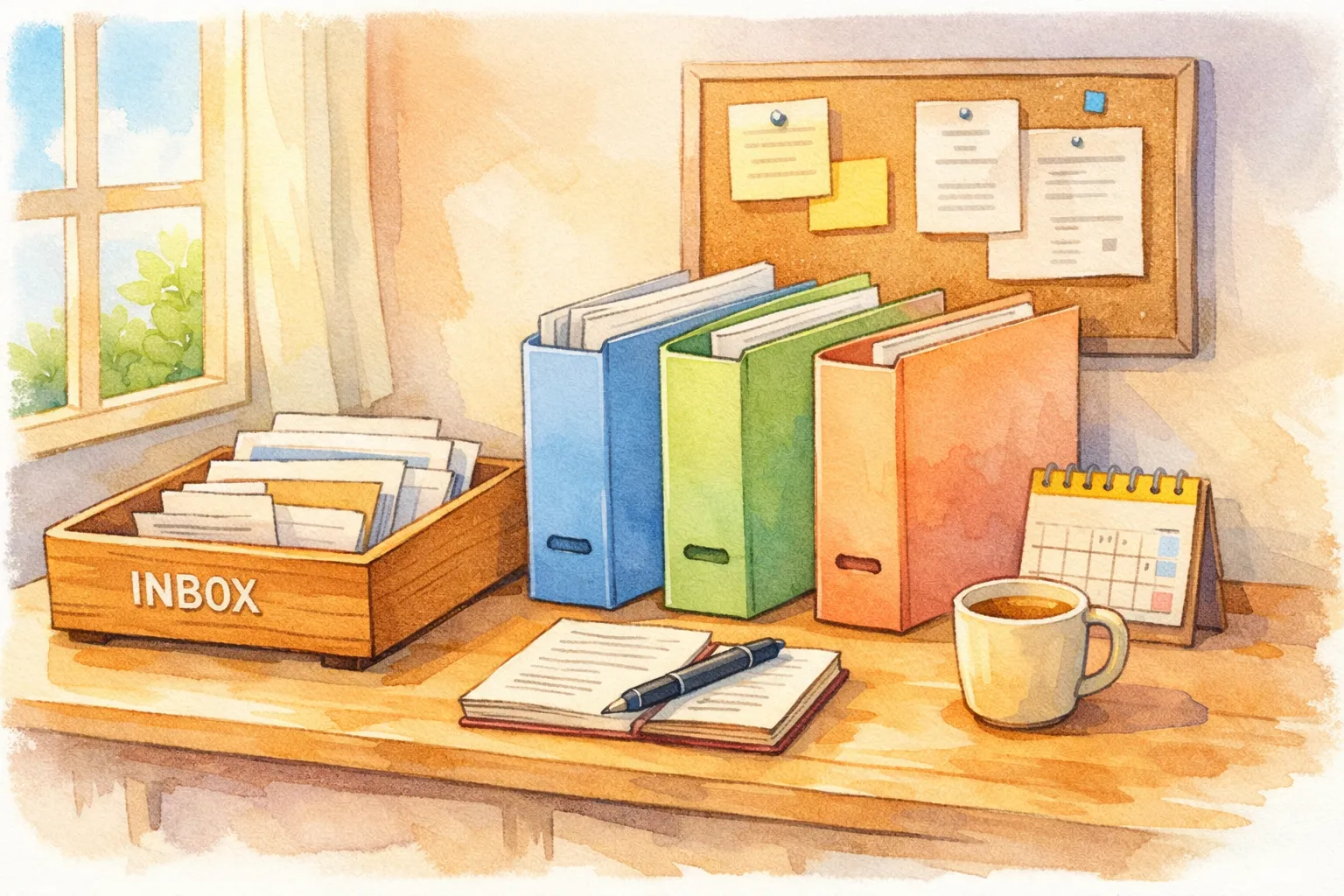
    “Calm paper organization system for seniors who hate apps with an inbox tray and three folders for to-do, file, and shred”
    “A calm paper system isn’t fancy—it’s predictable. One inbox, three folders, and a 10-minute weekly reset.”

    Cindy’s Column × Senior AI Money

    Prepared doesn’t mean complicated. It means steady.

    If you’ve ever tried an app “to get organized” and felt more stressed than before, you’re not alone. Many adults 55+ tell me the same things:

    • “I don’t want more passwords.”

    • “I don’t want notifications.”

    • “I just want to know where my paperwork is.”

    • “I’m tired of searching for things when I need them.”

    This 2026 guide is for seniors who want a paper system that feels calm, practical, and easy to maintain—without turning your home into a filing cabinet.

    This is not about being perfect.
    It’s about building a small system that keeps important things findable—especially when you’re tired, sick, or in a hurry.


    Why a paper system still works (especially after 55)

    Paper has a few quiet advantages:

    • It doesn’t need charging.

    • It doesn’t update or change layouts.

    • It doesn’t lock you out.

    • It works during internet outages.

    • It’s faster than searching through “where did I save that?”

    For many seniors, the real goal isn’t “organization.”
    It’s reducing stress, avoiding missed bills or appointments, and making it easy for your future self.


    The 2026 Paper Rule

    One Core Rule: Paper only does three jobs—Capture, Decide, Store.

    That’s it.

    • Capture: papers enter one place, not many places

    • Decide: you make one small decision about what happens next

    • Store: important papers live in predictable homes

    If a paper system tries to do more than that, it usually collapses under its own weight.


    Part 1: The only supplies you actually need

    You don’t need a printer, label maker, or fancy binders.

    Start with:

    1. One “INBOX” tray or basket (for incoming papers)

    2. Three folders (or three thin file pockets)

    3. One small notebook OR one single page “weekly plan”

    4. A pen you like

    Optional (only if helpful):

    • a zip pouch for medical cards / copies

    • a 12-pocket file organizer (for simple monthly sorting)

    The calm goal is: fewer tools, fewer decisions.


    Part 2: The simple 3-folder method (works in almost any home)

    Name your three folders:

    1. TO DO (things that need action)

    2. TO FILE (things you’re keeping, but not urgent)

    3. TO SHRED / RECYCLE (things leaving your life)

    That’s the whole sorting system.

    Most paper clutter isn’t “hard.”
    It’s just undecided.

    A folder system gives paper a place to land while you stay calm.


    Table 1: The Calm Paper System in One Page (2026)

    Section What goes here When you touch it Time needed
    INBOX tray mail, forms, receipts, notices once a week 10 minutes
    TO DO folder bills, calls, appointments, renewals 1–2 times/week 5–15 minutes
    TO FILE folder statements you keep, medical summaries, home docs once a week 5 minutes
    TO SHRED/RECYCLE junk mail, duplicates, expired papers once a week 3 minutes
    Home File (Archive) truly important long-term papers once a month 10 minutes

    If you can keep the INBOX small, your system stays light.


    Part 3: The “mail moment” that prevents piles

    Many seniors don’t struggle with paperwork because they’re disorganized.
    They struggle because mail arrives daily and life is already full.

    Try one calm rule:

    Mail gets opened near a trash can. Immediately.

    Then do this:

    • Toss obvious junk right away

    • Put “action items” into TO DO

    • Put “keep but not urgent” into TO FILE

    • Put anything uncertain into the INBOX (not the kitchen counter)

    You’re not finishing tasks in this moment.
    You’re simply keeping paper from spreading.


    Part 4: How to file without turning it into a project

    This is where many systems fail: people try to “file perfectly.”

    A calmer approach is a small archive with a few broad categories:

    • Medical

    • Home (lease, repairs, insurance, manuals)

    • Money (tax, banking, retirement, benefits)

    • Identity (ID copies, important records)

    • Car / Travel (if relevant)

    Inside each category, you can keep things in a simple stack.
    Perfect labeling is optional. Calm is the priority.

    If you have to make 20 decisions to file one paper, you won’t file it.
    If you have to make 2 decisions, you probably will.


    Part 5: The “10-minute weekly paper reset” (the part that makes it sustainable)

    A paper system survives when it has a weekly rhythm.

    Pick one day—many people like Friday or Sunday.

    Set a timer for 10 minutes:

    1. Empty your INBOX (not perfectly—just move papers into the three folders)

    2. Pull the TO DO folder and choose the next 1–3 actions

    3. Put everything else back where it belongs

    That’s it.

    You’re not solving your entire life in one sitting.
    You’re keeping your system from overflowing.


    Table 2: Weekly Paper Reset (10 Minutes) — a realistic rhythm

    Minute What you do Why it works
    0–2 Gather papers into INBOX stops the “paper spread”
    2–6 Sort into TO DO / TO FILE / TO SHRED reduces decisions later
    6–9 Choose 1–3 actions only prevents overwhelm
    9–10 Put folders back in place system stays visible and usable

    If you only do the first 6 minutes, you still win.
    Because the pile shrinks.


    Part 6: What goes in “TO DO” (and what doesn’t)

    Your TO DO folder should contain only papers that lead to a clear action.

    Good examples:

    • a bill you need to pay

    • an appointment reminder that needs scheduling

    • a renewal notice

    • a medical form that needs filling out

    • a letter that requires a call

    Not good for TO DO:

    • statements you’re simply keeping

    • catalogs

    • “maybe someday” papers

    If you put “maybe someday” into TO DO, your brain starts avoiding the folder.


    Part 7: A calm system for medical paperwork (the one most seniors care about)

    Medical paperwork causes stress because it can feel high-stakes.

    Try a very simple medical mini-system:

    • One Medical Folder (Active): recent visit summaries, referral notes, current test results

    • One Medication List Page (one sheet, updated when needed)

    • One Insurance/Benefits Folder (cards copies, letters, approvals)

    That’s enough for most people.

    The calm goal is: when a clinic asks a question, you can find the answer within 2 minutes—not 20.


    Part 8: Real senior examples (what “calm paper” looks like)

    Elaine, 69 (lives alone, hates apps)
    Elaine used to keep mail in three places: a kitchen pile, a side table pile, and a “I’ll deal with it later” bag. She switched to one INBOX basket and the 3-folder method.
    After 3 weeks, she told me the biggest change wasn’t organization—it was mood.
    “I don’t feel chased by paper anymore.”
    Her weekly reset took 9 minutes most weeks. She paid two bills on time that month without last-minute stress.

    Dennis, 76 (caregiver stress + paperwork overload)
    Dennis was managing paperwork for himself and occasionally helping a sibling. He didn’t want more systems.
    He used one TO DO folder and a rule: “Only 3 actions per week.”
    His stress dropped because he stopped trying to do everything at once.
    Within 6 weeks, he reduced his “paper panic” episodes from about 3 times a week to about once every two weeks—simply because the pile stopped growing.

    Maria, 66 (medical-heavy year)
    Maria had frequent appointments and was overwhelmed by test results. She created a “Medical Active” folder and kept only the last 90 days there, moving older items to archive monthly.
    She told me the biggest benefit was not having to re-read old paperwork every time she opened the folder.


    Printable Checklist: 2026 Calm Paper System (Seniors 55+)

    Copy/paste or print this checklist:

    • I have one INBOX tray/basket for all incoming paper

    • I have three folders: TO DO / TO FILE / TO SHRED

    • Mail gets opened near a trash can (junk removed immediately)

    • Action papers go into TO DO (not on counters)

    • I chose one weekly “paper reset” day (10 minutes)

    • During the reset, I pick only 1–3 actions to do next

    • Important categories have simple homes (Medical / Home / Money / Identity)

    • I keep a one-page medication list updated when needed

    • I do a monthly 10-minute archive tidy (optional, but helpful)

    Small note: A calm paper system is one you can repeat even on tired weeks.


    Common sticking points (and gentle solutions)

    “I don’t know what to keep.”
    If it feels unclear, place it in TO FILE temporarily. Decide later during your weekly reset.

    “I’m behind. I have piles.”
    Start with today forward. Then do one small “catch-up scoop” per week (only 10 minutes). The pile didn’t form in one day; it doesn’t need to disappear in one day.

    “I feel guilty throwing things out.”
    You’re not throwing out “responsibility.” You’re removing noise. Keep what supports your life now.


    Disclaimer (important)

    This article is for general educational purposes only and does not provide medical, financial, legal, or professional organizing advice. Individual health conditions, cognitive needs, mobility levels, and household situations vary. For personalized guidance, consider speaking with qualified professionals.


    Read More Post at artanibranding.com 

    Facing Fears by Ho Chang

  • 2026 Retirement “Calm Month” Plan (55+): A Simple Routine to Lower Bills, Reduce Stress, and Make Life Feel Lighter

    Two-panel pastel cartoon illustration showing a calm month plan for seniors in 2026, contrasting a cluttered, stressful month with a simplified, organized routine that reduces bills and daily stress.
    A 2026 Calm Month Plan for seniors: fewer surprises, simpler routines, and a month that feels lighter and more manageable.

    Cindy’s Column × Senior AI Money
    Calm systems for real life after 55.

    Some months feel like they swallow you.

    Bills come in waves.
    Appointments stack up.
    One “small” problem turns into five phone calls.
    And even if nothing terrible happens, you still feel… behind.

    A lot of seniors assume this is just how life is now.

    But often, it’s not age—it’s the lack of a calm monthly rhythm.

    This 2026 guide is for adults 55+ who want to:

    • lower day-to-day stress without becoming “disciplined”

    • reduce recurring costs without living in deprivation

    • avoid surprise bills and late fees

    • protect energy and independence

    • feel like life has more space in it

    This is a Calm Month Plan: a simple, repeatable routine you can run every month—paper-first, app-optional, and gentle.


    Why a “calm month” matters more than a “perfect budget”

    Many retirement money systems fail because they require:

    • tracking every purchase

    • constant attention

    • ongoing decisions

    • complicated categories

    That’s exhausting. And exhaustion creates expensive mistakes.

    A calm month approach does something different:

    • it reduces friction

    • it prevents surprises

    • it builds trust with yourself

    • it makes money feel less like a threat

    You’re not trying to control every dollar.
    You’re trying to stop money from stealing your peace.


    The 2026 Calm Month Principle

    Stability first. Optimization later.

    When your month is stable, everything gets easier:

    • decisions

    • health follow-through

    • relationships

    • spending

    • sleep


    Part 1: What causes a “messy month” after 55?

    Most messy months come from a few predictable patterns:

    Pattern A: Bills are scattered

    Different due dates. Different logins. Different payment methods.

    Pattern B: Small renewals pile up

    Subscriptions, insurance changes, price creep.

    Pattern C: Fatigue drives spending

    Takeout because cooking feels hard. Delivery because errands feel heavy.

    Pattern D: Too many commitments

    Appointments + errands + family needs = no recovery time.

    A calm month reduces these patterns with simple structure.


    Part 2: The 5-Part Calm Month Routine (done in short blocks)

    You’ll do five things during the month—each one is small.

    1. Calm Week 1: Money orientation

    2. Calm Week 2: Bills & renewals

    3. Calm Week 3: Home & health stability

    4. Calm Week 4: Joy planning (yes, intentionally)

    5. A 10-minute “month close”

    This is not a bootcamp.
    It’s maintenance that protects your life.


    Table 1: Calm Month Overview (copy/paste friendly)

    Week Focus Time Needed Outcome
    Week 1 Orientation 15–25 min You know where you stand
    Week 2 Bills & renewals 20–40 min Fewer surprises & leaks
    Week 3 Stability 20–45 min Less friction at home/health
    Week 4 Joy planning 15–30 min Less deprivation & impulse spending
    Month close Reset 10 min A clean start next month

    Part 3: Week 1 — Money orientation (no spreadsheet)

    This is the “am I okay?” check.

    Do these 3 steps

    1. Look at your main account balance

    2. List income sources coming this month

    3. Write top 5 essentials you must cover (housing, utilities, food, meds, transport)

    That’s enough to reduce background anxiety.

    The one sentence that matters:

    “My essentials are covered, or I need an adjustment plan.”

    If you need an adjustment plan, you still won—because you know early.


    Part 4: Week 2 — Bills & renewals (where most calm comes from)

    This week prevents late fees and silent leaks.

    Step A: Make a “Bills Page” (one page only)

    • bill name

    • due window

    • how it’s paid (autopay/manual)

    • where you access it (paper statement / portal / phone)

    Step B: Find one leak and fix it

    Leaks are usually:

    • unused subscriptions

    • insurance creep

    • duplicate charges

    • “convenience fees”

    • forgotten memberships

    Fix one leak per month and you’ll feel real progress.


    Table 2: Common Retirement Leaks (and gentle fixes)

    Leak How it shows up Gentle fix
    Subscription creep “I don’t remember this charge” Cancel 1 per month
    Delivery fatigue Fees + tips add up Keep 2 backup meals at home
    Insurance creep Premium increased quietly Review annually; ask about options
    Bank fees Overdraft/late fees Alerts + calendar reminders
    Duplicate services Multiple protection plans Keep one, remove extras

    The goal is not “cut everything.”
    The goal is “remove what doesn’t help.”


    Part 5: Week 3 — Stability (home + health + energy)

    You can’t have a calm month if daily life is full of friction.

    Pick one stability project:

    • clear one surface that creates stress (counter, bedside, entryway)

    • refill or organize medications for the week

    • schedule one important appointment

    • improve one safety point (lighting, cords, tripping hazards)

    Small stability wins reduce fatigue spending and help you follow through.

    Simple rule:

    Fix what makes you sigh every day.

    That sigh is your data.


    Part 6: Week 4 — Joy planning (this prevents impulse spending)

    Here’s the truth:
    Many overspending patterns happen because people feel deprived.

    So we plan joy on purpose.

    Choose 2 “low-cost joys” for the next month

    Examples:

    • one coffee outing

    • one library trip

    • one small hobby purchase (capped amount)

    • one visit with a friend

    • one scenic walk

    • one matinee movie

    Planned joy reduces:

    • impulse shopping

    • emotional spending

    • “I deserve it” splurges that lead to regret


    Table 3: Joy Planning Menu (low-cost, senior-friendly)

    Joy Type Example Cost Range
    Social coffee with a friend $5–$15
    Outdoors park walk + bench time $0
    Comfort cozy meal at home $5–$12
    Curiosity library + new book $0
    Creativity small craft project $5–$25
    Calm guided breathing / music $0–$5

    Joy doesn’t need to be expensive to be real.


    Part 7: The 10-minute “Month Close” (the magic step)

    At the end of the month, do this:

    1. Look at your balance and notice: surprising or expected?

    2. Write down one thing that worked

    3. Write down one friction point you want to reduce next month

    4. Choose one leak to fix next month

    5. Choose one joy you want to plan

    That’s it.

    This creates a calm loop:

    • awareness → small action → relief → repeat


    Table 4: Month Close Prompt (paste into a notes app)

    Prompt Your answer
    One thing that worked
    One thing that drained me
    One leak to fix next month
    One stability project
    Two planned joys

    Part 8: If you’re overwhelmed, start with the “minimum calm month”

    If your energy is low, do only these:

    • Week 1: essentials list

    • Week 2: one leak fix

    • Week 4: one planned joy

    • Month close: one sentence (“This month felt ____ because ____.”)

    Even the minimum version helps.


    Real-life examples (quiet wins)

    Diane, 67
    Did one leak fix: canceled a forgotten subscription at $12.99/month.
    But her biggest win was emotional:

    “I stopped feeling like money was sneaking up on me.”

    Ron, 74
    Chose one stability project: cleared the entryway and added a place for keys.

    “I didn’t realize how much that daily searching drained me.”

    Helen, 70
    Planned joy: two low-cost outings per month.

    “When joy was planned, I stopped ‘treating myself’ out of stress.”

    No miracles—just less friction.


    Printable checklist: 2026 Calm Month Plan

    • Week 1: “Am I okay?” essentials orientation

    • Week 2: Bills page + fix one leak

    • Week 3: One stability project

    • Week 4: Plan 2 low-cost joys

    • Month close: 10-minute reset


    Disclaimer

    This article is for general educational purposes only and does not provide financial, legal, tax, or investment advice. Individual circumstances vary. For guidance tailored to your situation—especially regarding debts, benefits, or retirement withdrawals—consult a qualified professional.


    Read More Post at artanibranding.com

    Facing Fears by Ho Chang


  • 2026 Digital Declutter for Seniors (55+): Reduce Screen Stress Without Giving Up the Technology You Enjoy

    Watercolor-style illustration showing digital decluttering for seniors in 2026, with a simplified smartphone screen, essential apps only, reduced notifications, and a calm home setting that supports lower screen stress.
    Watercolor-style illustration showing digital decluttering for seniors in 2026, with a simplified smartphone screen, essential apps only, reduced notifications, and a calm home setting that supports lower screen stress.

    Cindy’s Column × Senior AI Money
    Calm technology habits for a calmer daily life.

    Many seniors tell me this:

    “I like technology… I just don’t like how it makes me feel sometimes.”

    Phones buzz too often.
    Emails pile up.
    Apps update when you didn’t ask them to.
    And suddenly, something meant to help feels exhausting.

    This 2026 guide is for adults 55+ who want to:

    • reduce screen stress without going offline

    • stop feeling controlled by notifications

    • use technology with more intention

    • protect attention and energy

    • keep the benefits of digital tools without the overwhelm

    This is not about becoming “less modern.”
    It’s about becoming more comfortable.


    Why digital clutter affects seniors differently

    Digital clutter isn’t just visual. It’s mental.

    After 55:

    • attention is more precious

    • interruptions feel heavier

    • learning new interfaces takes more energy

    • constant alerts increase anxiety

    • recovery from screen fatigue takes longer

    The problem isn’t technology.
    It’s too much digital noise competing for your focus.


    The 2026 Digital Declutter Rule

    Keep the tools. Remove the noise.

    You don’t need fewer devices—you need fewer distractions.


    Part 1: What digital clutter really looks like

    Digital clutter isn’t just unused apps.

    It includes:

    • notifications that interrupt rest

    • emails you never read

    • apps you don’t trust

    • alerts that create urgency without importance

    • devices that demand attention all day

    Clutter drains energy even when nothing is “wrong.”


    Part 2: The 3 digital zones every senior needs

    Instead of managing everything, create zones.

    Zone 1: Essential

    • phone calls

    • texts from family

    • medical portals

    • banking access

    Zone 2: Useful

    • maps

    • weather

    • music

    • photos

    • shopping

    Zone 3: Optional

    • news apps

    • games

    • social media

    • promotional emails

    Only Zone 1 deserves immediate attention.


    Table 1: Digital Zones Explained

    Zone Role Attention Level
    Essential Safety & connection Immediate
    Useful Convenience When needed
    Optional Entertainment Limited

    This alone reduces mental load.


    Part 3: Notification cleanup that takes 10 minutes

    Notifications cause the most stress.

    Try this:

    1. Open phone settings

    2. Turn off alerts for Optional apps

    3. Keep alerts only for calls, texts, and calendar

    4. Silence news notifications entirely

    Your phone becomes calmer immediately.


    Part 4: Email declutter without deleting everything

    You don’t need inbox zero.

    Simple email rules:

    • unsubscribe from newsletters you don’t open

    • create one folder: “Keep”

    • let the rest stay unread

    Unread emails are not a failure.
    They’re just noise.


    Table 2: Email Stress vs Email Calm

    Habit Stress Level Calm Alternative
    Reading everything High Read what matters
    Many folders Confusing One simple folder
    Constant alerts Distracting Scheduled checking

    Part 5: Social media without emotional overload

    Social media can connect—or exhaust.

    Gentle boundaries:

    • unfollow accounts that create tension

    • limit checking to once or twice daily

    • skip comment sections

    • remember: posts are highlights, not full lives

    You’re allowed to protect your mood.


    Part 6: Screen-free anchors that restore balance

    Digital declutter works best when paired with analog anchors.

    Examples:

    • morning without screens

    • phone-free meals

    • evening reading

    • outdoor time

    • music instead of scrolling

    You don’t need to quit screens—just balance them.


    Part 7: When technology still feels like too much

    Some days, even helpful tools feel heavy.

    That’s a signal, not a flaw.

    On those days:

    • silence notifications

    • put the phone in another room

    • ask for help when needed

    • return later

    Digital rest is real rest.


    Real stories (quiet relief)

    Susan, 70
    Turned off news alerts.

    “My anxiety dropped in a week.”

    Paul, 77
    Deleted unused apps.

    “My phone stopped feeling crowded.”

    Nina, 65
    Set screen-free mornings.

    “My days started calmer.”


    Printable checklist: 2026 Digital Declutter for Seniors

    • Identify Essential apps

    • Silence Optional notifications

    • Unsubscribe from unused emails

    • Keep one simple email folder

    • Limit news alerts

    • Add one screen-free anchor


    Disclaimer

    This article is for general educational purposes only and does not provide medical, psychological, or financial advice. Technology use should be adjusted based on individual comfort, health conditions, and accessibility needs.


    Read More Post at artanibranding.com

    Facing Fears by Ho Chang

  • 2026 Simple Weekly Routine for Seniors (55+): A Calm Structure That Keeps Life from Feeling Overwhelming

    Watercolor-style illustration showing a calm weekly routine for seniors in 2026, with a simple planner, gentle daily activities, and balanced rest and errands creating a sense of structure without pressure.
    A simple weekly routine for seniors in 2026: gentle structure that keeps life organized without feeling rushed or overwhelming.

    Cindy’s Column × Senior AI Money
    When life feels steadier, everything else becomes easier.

    Many seniors don’t feel overwhelmed because life is dramatic.
    They feel overwhelmed because nothing has a clear rhythm anymore.

    Days blend together.
    Errands pop up randomly.
    Appointments interrupt rest.
    Tasks float around in your head instead of landing somewhere solid.

    This 2026 guide is for adults 55+ who want to:

    • stop feeling scattered during the week

    • reduce mental load without rigid schedules

    • keep up with life tasks without constant reminders

    • protect energy and mood

    • feel a sense of “I’m on top of things” again

    This is not a productivity system.
    It’s a gentle weekly structure that supports real life.


    Why weekly routines matter more after 55

    After midlife:

    • recovery time matters more

    • memory load feels heavier

    • too many open tasks increase anxiety

    • irregular days drain energy

    • motivation drops when nothing feels anchored

    A weekly routine doesn’t restrict freedom.
    It creates a soft container that makes freedom easier.


    The 2026 Weekly Routine Rule

    Anchor your week with just a few predictable moments. Leave the rest open.

    You don’t need full schedules—just reliable touchpoints.


    Part 1: What a weekly routine is (and is not)

    A weekly routine IS:

    • light structure

    • predictable check-ins

    • flexible timing

    • easy to restart if you miss a day

    A weekly routine is NOT:

    • hourly schedules

    • strict productivity plans

    • digital task managers

    • “discipline” systems

    If it feels tight or guilt-producing, it’s too much.


    Part 2: The 5 anchors that calm most weeks

    Most seniors do best with five simple anchors.

    Anchor 1: One planning moment

    • 10–15 minutes

    • glance at the week ahead

    • note appointments and one priority

    Anchor 2: One errand day

    • group outside tasks

    • avoid scattering errands across the week

    Anchor 3: One home-care moment

    • light cleaning

    • organizing

    • catching up on papers

    Anchor 4: One social or connection moment

    • phone call

    • coffee

    • short visit

    • online group

    Anchor 5: One rest-first day

    • no major plans

    • recovery-focused

    These anchors replace chaos with rhythm.


    Table 1: Example Weekly Anchors

    Anchor Purpose Time Needed
    Planning Orientation 15 min
    Errands Efficiency 1–2 hrs
    Home care Stability 30–60 min
    Connection Emotional health Flexible
    Rest day Recovery All day

    You can shift days—anchors stay.


    Part 3: What to do on “in-between” days

    Not every day needs a theme.

    On in-between days:

    • keep plans light

    • leave space for rest

    • allow flexibility

    • do optional tasks only

    This prevents overloading.


    Part 4: The “one focus per day” guideline

    Multitasking drains seniors faster than it used to.

    Try this:

    One main focus per day. Everything else is optional.

    Examples:

    • appointment day

    • paperwork day

    • social day

    • rest-focused day

    This reduces decision fatigue.


    Table 2: Focused Day vs Scattered Day

    Type How it feels Outcome
    Focused Calm, steady Energy remains
    Scattered Rushed, foggy Exhaustion

    The difference is structure, not effort.


    Part 5: Weekly routines without apps or reminders

    You don’t need technology.

    Simple tools:

    • wall calendar

    • notebook page per week

    • index card with anchors

    • printed checklist

    The calmer the tool, the better the routine sticks.


    Part 6: When routines break (and they will)

    Life happens.

    When your routine breaks:

    • don’t “catch up”

    • don’t restart everything

    • return to one anchor only

    One anchor brings the week back.


    Part 7: Weekly routines for low-energy weeks

    On harder weeks:

    • keep planning anchor

    • keep rest day

    • let others go

    Minimum structure is still structure.


    Real-life examples

    Elaine, 71
    Chose Tuesday as errand day.

    “My brain stopped juggling all week.”

    Tom, 76
    Added one rest-first day.

    “I stopped feeling behind.”

    Marsha, 68
    Did weekly planning on Sundays.

    “The week felt friendlier.”


    Printable checklist: Simple Weekly Routine (2026)

    • One weekly planning moment

    • One errand day

    • One home-care session

    • One connection moment

    • One rest-first day

    • One main focus per day


    Disclaimer

    This article is for general educational purposes only and does not provide medical, psychological, or financial advice. Individual abilities, schedules, and health conditions vary. Adjust routines at a pace that feels safe and supportive for you.


    Read More Post at artanibranding.com 

    Facing Fears by Ho Chang


  • 2026 Low-Stress Grocery Shopping for Seniors (55+): Save Money, Avoid Impulse Buys, and Come Home With Energy

    Cindy’s Column × Senior AI Money
    Simple routines that protect your budget, your body, and your peace.

    Grocery shopping should be simple.
    But after 55, many people tell me it feels like a full-body project:

    • the store is louder than it used to be

    • prices feel unpredictable

    • carrying bags hurts more

    • you buy “extras” when you’re tired

    • you come home drained—and still don’t know what to cook

    This 2026 guide is for adults 55+ who want to:

    • spend less without feeling deprived

    • stop impulse buys that happen from fatigue

    • reduce food waste

    • shop with less walking, less stress, and fewer trips

    • come home with energy left for the rest of your day

    No apps required. No complicated meal planning.
    Just a calmer system that works in real life.


    Why grocery shopping gets harder after 55

    It’s not just “getting older.” It’s friction:

    • Decision fatigue: thousands of small choices in one building

    • Sensory overload: bright lights, noise, crowds, music

    • Physical load: pushing a cart, reaching, lifting, carrying

    • Price stress: inflation and shrinkflation make planning feel useless

    • Energy timing: shopping at the wrong time of day costs more (in money and stamina)

    The goal is not to become a “better shopper.”
    The goal is to shop in a way that respects your energy.


    The 2026 Grocery Rule

    Shop with a plan that is shorter than your willpower.

    If your plan requires heroic discipline, it won’t last.
    We’re building something easy.


    Part 1: The two lists that change everything

    Most people use one list.
    In 2026, use two:

    1) The “Always List” (your core foods)

    These are the items you buy regularly and actually use.

    Examples:

    • eggs, yogurt, oatmeal

    • frozen vegetables

    • fruit (one or two kinds)

    • chicken or fish

    • rice, potatoes, or pasta

    • soup/broth

    • bread or tortillas

    2) The “This Week List” (only what’s needed right now)

    This list is short—10–18 items for most seniors living alone or as a couple.

    Why it works:

    • less wandering

    • fewer impulse buys

    • less waste

    • fewer “what should I cook?” moments later


    Table 1: Always List vs This Week List

    List Type Purpose Length When to Update
    Always List Stability + basics 15–25 items Every 2–3 months
    This Week List Specific needs 10–18 items Weekly

    If you don’t know what to write, start with the “Always List.”
    That’s the foundation.


    Part 2: The “one protein, two vegetables” shopping method

    Overbuying happens when you try to buy for many different meals.

    Instead, buy for simple combinations:

    • One main protein (chicken, fish, beans, turkey, etc.)

    • Two vegetables (fresh or frozen)

    • One flexible carb (rice, potatoes, pasta, bread)

    • Two easy breakfasts (oatmeal + yogurt, eggs + toast, etc.)

    • One comfort backup (soup, frozen meal, rotisserie chicken)

    This creates 6–10 easy meals with very little thinking.


    Table 2: Low-Stress Cart Blueprint (example)

    Category Pick Why
    Protein Chicken OR salmon One decision, many meals
    Vegetables Frozen mixed veg + salad kit Low prep, low waste
    Carb Rice OR potatoes Flexible base
    Breakfast Oatmeal + yogurt Easy, repeatable
    Backup Soup + bread “Too tired to cook” solution

    The backup item is not laziness.
    It’s protection against fatigue spending.


    Part 3: The “shop when you’re strongest” timing trick

    Many seniors shop when they’re available (late afternoon).
    But energy is often better earlier.

    If possible, try:

    • mid-morning on weekdays

    • right after a light snack

    • not after a medical appointment

    • not when you’re hungry or rushed

    Hunger + fatigue = the most expensive shopper on earth.


    Part 4: A simple store strategy that reduces walking

    Use this order (most stores are similar):

    1. Produce

    2. Protein

    3. Dairy

    4. Pantry

    5. Frozen

    6. Checkout

    Why it helps:

    • fewer loops

    • fewer “just browsing” moments

    • less time in the most tempting aisles

    If walking is hard, don’t be proud—be smart:

    • park near cart returns

    • use a smaller cart if it helps you move

    • ask for carry-out assistance if offered

    • choose fewer trips with a tighter list


    Part 5: The impulse-buy shield (works even when you’re tired)

    Impulse buys are usually emotional or sensory:

    • bright endcaps

    • “limited time” signs

    • hunger

    • exhaustion

    • “I deserve it” thinking

    Use a calm shield:

    The 30-second pause rule

    When you want something not on the list:

    1. Put it in the cart

    2. Keep shopping

    3. Decide at the end if it still matters

    Most “wants” fade by checkout.


    Table 3: Common impulse triggers and gentle fixes

    Trigger What it feels like Gentle fix
    Hungry “Everything looks good” Snack before shopping
    Tired “I need a treat” Keep a planned small treat at home
    Overwhelmed “I’ll buy random stuff” Short list + store order
    Lonely “Food will comfort me” Plan one small joy outing instead

    This is not about shame.
    It’s about noticing the pattern.


    Part 6: The “home landing” routine (prevents waste)

    Most food waste happens after the store:

    • groceries get shoved into random places

    • produce disappears behind containers

    • you forget what you bought

    Try this 5-minute landing routine:

    1. Put protein where you’ll see it

    2. Put produce in the front (not buried)

    3. Put backup meal in a visible spot

    4. Write 3 quick meal ideas on a sticky note:

      • “Chicken + veg + rice”

      • “Soup + toast”

      • “Eggs + salad”

    That sticky note saves money.


    Part 7: If you live alone, shop even simpler

    Shopping for one is where waste can get expensive.

    Best practices for one-person homes:

    • frozen vegetables over big fresh bundles

    • half-loaves or freeze bread slices

    • two fruits max per week

    • one “fresh treat” item (berries, bakery, etc.)—not five

    You can still eat well.
    You just don’t need variety in every aisle.


    Part 8: The “minimum grocery trip” for low-energy weeks

    Some weeks, you just need food—fast.

    Minimum list (example):

    • eggs

    • yogurt

    • oatmeal

    • frozen vegetables

    • protein (rotisserie chicken or frozen fish)

    • soup

    • fruit

    • bread

    That’s enough to get through a week without spending extra.


    Printable checklist: 2026 Low-Stress Grocery Routine

    • Always List (core foods)

    • This Week List (10–18 items)

    • One protein + two vegetables method

    • Shop when you’re strongest

    • Store order to reduce walking

    • 30-second pause rule for impulses

    • 5-minute home landing routine


    Disclaimer

    This article is for general educational purposes only and does not provide medical, nutritional, or financial advice. Individual health conditions, dietary needs, and budgets vary. Consult qualified professionals for guidance tailored to your situation.


    Read More Post at artanibranding.com 

    Facing Fears by Ho Chang


  • 2026 Simple Meal Planning for Seniors Living Alone (55+): Eat Well, Spend Less, and Waste Almost Nothing

    Pastel cartoon illustration showing simple meal planning for seniors living alone in 2026, with a calm kitchen table, small portions, and easy-to-prepare foods arranged neatly to reduce waste and effort.
    Simple meal planning for seniors living alone in 2026: eating well, spending less, and wasting almost nothing without daily cooking pressure.

    Cindy’s Column × Senior AI Money
    Calm, practical living after 55—without pressure.

    Living alone has its freedoms.
    It also creates quiet challenges—especially around food.

    Many seniors living alone say things like:

    • “Cooking feels like too much effort for just me.”

    • “I buy food with good intentions and throw half of it away.”

    • “Eating out is easier, but it’s getting expensive.”

    • “I don’t want to live on frozen dinners.”

    This 2026 guide is for adults 55+ who live alone and want to:

    • eat simply without boredom

    • reduce grocery costs

    • waste far less food

    • avoid daily cooking pressure

    • feel nourished without overthinking meals

    This is simple meal planning, not dieting, not batch-cooking marathons, and not perfection.


    Why meal planning feels harder when you live alone

    When you cook for one:

    • portions don’t match package sizes

    • motivation drops

    • leftovers feel repetitive

    • food spoils faster

    • decision fatigue hits every day

    So many seniors don’t struggle with cooking.
    They struggle with planning and pacing.

    The goal in 2026 is not “three perfect meals a day.”
    It’s steady nourishment with minimal effort.


    The 2026 Meal Planning Rule

    Cook once. Eat twice (or three times). Stop there.

    If a plan creates dread, it won’t last.


    Part 1: The “core foods” approach (simpler than meal plans)

    Instead of planning meals, plan core foods.

    Core foods are:

    • flexible

    • easy to combine

    • familiar

    • used across multiple meals

    Examples of core foods

    • eggs

    • yogurt

    • oatmeal

    • chicken or fish

    • rice or potatoes

    • frozen vegetables

    • soup or broth

    • fruit

    With 8–10 core foods, dozens of meals appear naturally.


    Table 1: Core Foods vs Traditional Meal Planning

    Traditional Planning Core Foods
    Fixed recipes Mix-and-match
    Specific days Flexible timing
    High pressure Low effort
    More waste Less waste

    You’re building options, not commitments.


    Part 2: The “two-meal + one flexible” day

    Many seniors don’t need three full meals.

    A gentle structure:

    • One main cooked meal

    • One easy repeat meal

    • One flexible option (snack, soup, leftovers)

    Example day

    • Breakfast: oatmeal or yogurt

    • Main meal: chicken + vegetables

    • Evening: soup, toast, or leftovers

    This reduces decisions and costs.


    Part 3: Grocery shopping for one (without waste)

    The biggest money loss comes from:

    • buying variety instead of volume

    • buying aspirational food

    • buying like you’re cooking for two

    Smarter shopping rules

    • Buy fewer items, slightly better quality

    • Choose frozen when possible

    • Avoid “family size” unless it freezes well

    • Shop weekly, not biweekly


    Table 2: Waste-Reducing Grocery Choices

    Item Better Choice Why
    Fresh vegetables Frozen vegetables Use only what you need
    Big bread loaf Half loaf or freeze slices Less mold
    Multiple proteins One main protein Easier planning
    Bulk snacks Small packages Fewer leftovers

    Food waste is invisible spending.


    Part 4: Leftovers without boredom

    Leftovers fail when they look the same.

    Simple ways to change leftovers

    • add soup or broth

    • change seasoning

    • turn into sandwiches or wraps

    • combine with eggs or rice

    You’re not “eating leftovers.”
    You’re creating the next meal.


    Part 5: The “cook once” rhythm that actually works

    Many seniors do best with:

    • 2 cooking days per week

    • simple recipes

    • repeating favorites

    Example rhythm:

    • Sunday: cook main protein

    • Wednesday: cook second simple dish

    Everything else assembles itself.


    Part 6: Eating well without daily cooking

    No one should cook every day.

    Zero-cook meal ideas

    • yogurt + fruit + nuts

    • soup + toast

    • eggs and toast

    • rotisserie chicken + salad

    • oatmeal with additions

    Convenience is not failure—it’s strategy.


    Table 3: Low-Effort Meals for One

    Meal Effort Cost
    Yogurt bowl Very low Low
    Soup + bread Low Low
    Eggs & toast Low Low
    Chicken salad Medium Medium
    Frozen meal + veg Low Medium

    Part 7: Eating alone without loneliness

    Food is emotional.

    Some seniors skip meals because:

    • eating alone feels sad

    • meals feel pointless

    Gentle fixes:

    • eat near a window

    • use a nice plate

    • add music or radio

    • eat one meal out weekly

    • share meals occasionally with friends

    Eating alone doesn’t mean eating joylessly.


    Real stories (quiet improvements)

    Janet, 72
    Stopped buying for a full week.

    “I finally stopped throwing food away.”

    Michael, 68
    Chose 8 core foods.

    “Meals stopped feeling like work.”

    Rose, 79
    Added soup nights.

    “It felt comforting, not lazy.”


    Printable checklist: Simple Meal Planning for One (2026)

    • Choose 8–10 core foods

    • One main cooked meal per day

    • Two cooking days per week

    • Frozen foods for flexibility

    • Simple repeat breakfasts

    • Zero-cook backup meals


    Disclaimer

    This article is for general educational purposes only and does not provide medical, nutritional, or dietary advice. Individual health conditions, medications, and nutritional needs vary. Consult a qualified healthcare professional or registered dietitian for personalized guidance.


    Read More Post at artanibranding.com

    Facing Fears by Ho Chang


  • 2026 Paper System for Seniors (55+): A Simple Way to Control Mail, Bills, and Documents Without Going Digital

    Pastel cartoon illustration showing a simple paper system for seniors in 2026, with mail being sorted into labeled folders for action, keeping, archiving, and recycling on a calm, sunlit table.
    A simple paper system for seniors in 2026: sorting mail into clear categories to reduce stress and stay organized without going digital.

    Cindy’s Column × Senior AI Money
    Simple systems for a calmer life after 55.

    Many seniors say this quietly:

    “I’m not behind… but my papers feel out of control.”

    Stacks of mail on the table.
    Important letters mixed with junk.
    Bills you think you paid.
    Documents you know matter—but can’t find quickly.

    And when someone suggests, “Just scan everything and go digital,” it often feels worse—not better.

    This 2026 guide is for adults 55+ who want:

    • a calm, reliable paper system

    • fewer piles and less searching

    • confidence that important documents are handled

    • no apps, scanners, or tech overwhelm

    • a system that works even on low-energy days

    This is not about perfection.
    It’s about knowing where things are.


    Why paper stress increases after 55 (and why it’s not your fault)

    Paper feels heavier now because:

    • more official mail arrives (medical, insurance, benefits)

    • documents matter more

    • memory load is higher

    • clutter creates anxiety faster

    • digital-only systems don’t always feel safe

    Paper stress isn’t disorganization.
    It’s too many decisions without a system.


    The 2026 Paper Rule

    One home for each type of paper. Nothing floats.

    When paper has a home, stress drops immediately.


    Part 1: What this paper system is (and is not)

    This system IS:

    • paper-first

    • low-maintenance

    • easy to restart if you fall behind

    • visible and reassuring

    This system is NOT:

    • filing everything forever

    • color-coded perfection

    • digital scanning

    • daily sorting

    If it feels fragile, it’s not the right system.


    Part 2: The 4 core paper categories (that’s all)

    You only need four categories.

    1️⃣ Action

    Papers that need something done.

    Examples:

    • bills to pay

    • forms to complete

    • appointment letters

    2️⃣ Keep

    Papers you may need again.

    Examples:

    • insurance summaries

    • benefit letters

    • warranties

    3️⃣ Archive

    Papers you don’t need now but must keep.

    Examples:

    • tax records

    • legal documents

    • past statements

    4️⃣ Recycle / Shred

    Everything else.

    No “maybe” pile.
    No “I’ll deal with it later” stack.


    Table 1: Simple Paper Categories

    Category Purpose Review Frequency
    Action Needs attention Weekly
    Keep Reference Monthly
    Archive Long-term Yearly
    Recycle Remove Immediately

    This structure alone reduces paper anxiety.


    Part 3: The one-table setup (takes 15 minutes)

    You don’t need a home office.

    What you need:

    • one table or counter

    • 4 labeled folders or trays

    • one pen

    • one envelope opener

    That’s it.

    Labels (keep them simple):

    • ACTION

    • KEEP

    • ARCHIVE

    • RECYCLE

    If you can read the label from across the room, it’s good.


    Part 4: How to process mail in under 5 minutes

    When mail arrives:

    1. Open it immediately

    2. Ask one question: “Do I need to do something?”

    3. Place it in ONE category

    4. Stop

    No reading everything.
    No deciding the future.

    The goal is placement—not completion.


    Part 5: Weekly “paper calm” check (10 minutes)

    Once a week:

    • open the ACTION folder

    • handle 1–3 items

    • move completed papers to KEEP or ARCHIVE

    Stop after 10 minutes—even if things remain.

    Consistency beats clearing everything.


    Table 2: Weekly Paper Check-In

    Step Time Purpose
    Review Action 5 min Orientation
    Handle 1–3 items 4 min Progress
    Put folder away 1 min Closure

    Part 6: What NOT to keep (this is freeing)

    You do not need to keep:

    • old utility bills (unless unresolved)

    • expired policies

    • outdated manuals

    • duplicate statements

    • “just in case” papers from years ago

    If it causes guilt, confusion, or searching—it’s a candidate for release.


    Part 7: Archive without overwhelm

    Archive is not a daily system.

    Simple archive rules:

    • one box or drawer per year

    • label clearly

    • review once a year only

    If you never open it, that’s okay.
    It’s there for peace of mind, not access.


    Real-life examples

    Carol, 69
    Used to keep mail in stacks.
    Now has four folders.

    “I stopped feeling stupid about papers.”

    James, 75
    Did 10 minutes a week.

    “I finally know where things go.”

    Ruth, 81
    Didn’t go digital.

    “That’s why it worked.”


    Printable checklist: 2026 Simple Paper System

    • Four labeled folders

    • One table or counter

    • Open mail immediately

    • Place papers once

    • Weekly 10-minute review

    • Yearly archive check


    Disclaimer
    This article is for general educational purposes only and does not provide legal, financial, or tax advice. Personal situations vary. For guidance specific to your circumstances—especially regarding benefits, legal documents, or financial decisions—consult a qualified professional.


    Read More Post at artanibranding.com

    Facing Fears by Ho Chang


  • 2026 Retirement Hobbies Guide: How to Choose 3 Interests That Add Joy Without Adding Clutter

    Pastel cartoon panorama showing three retirement hobbies in 2026—creative time, gentle movement, and friendly community connection without clutter.
    Choose three 2026 retirement hobbies that fit your energy, budget, and space—body, mind, and heart.

    Cindy’s Column × Senior AI Money
    Practical, senior-friendly guides for a calmer, safer life.

    Retirement is supposed to feel lighter. But many adults 55+ discover an unexpected problem: too much time can create pressure.

    You finally have freedom… and suddenly you feel you should be doing something meaningful, productive, healthy, social, creative, and enriching—preferably all at once. Add online ads and “new hobby” trends, and it’s easy to end up with a closet full of supplies you don’t use and a quiet feeling of, “Why can’t I stick with anything?”

    Here’s a calmer way to approach hobbies in 2026:

    • You don’t need ten hobbies.

    • You don’t need the “perfect” hobby.

    • You don’t need to buy your way into a new identity.

    You need three interests that fit your real life—your energy, body, budget, space, and personality.

    This guide will help you choose 3 hobbies that add joy without adding clutter, using a simple framework you can finish in one afternoon.


    Why “3 hobbies” is the sweet spot (especially after 55)

    Choosing “just one hobby” can feel like too much pressure. Choosing “all the hobbies” creates chaos.

    Three works because it covers your needs without overloading you. Think of it as a balanced hobby “plate”:

    1. A body hobby (keeps mobility and confidence)

    2. A mind hobby (keeps curiosity and focus)

    3. A heart hobby (keeps connection and meaning)

    Not every hobby fits neatly into one category, but the structure prevents a common retirement trap: picking hobbies that look good on paper but don’t fit your day-to-day life.


    The 2026 “No-Clutter Hobby Rule” (the one rule that saves most people)

    Before you start, adopt this rule:

    Rule: You don’t buy supplies until you do the “trial version” twice.

    That’s it. Two tries.

    • Try #1 tells you if you feel curious.

    • Try #2 tells you if you’ll actually repeat it.

    After two tries, you can decide if it deserves money and storage space.

    This rule keeps hobbies from becoming expensive clutter projects.


    Step 1: Pick your “energy truth” (the hobby must match your real body)

    Many older adults quit hobbies because the hobby demands a version of them that only exists on a “good day.”

    So begin with honesty. Circle one:

    • Green energy: I usually have steady energy most days.

    • Yellow energy: I’m up and down; pain/fatigue varies.

    • Red energy: I need gentle pacing; I tire easily.

    Your hobby plan should still work on Yellow and Red days. That’s how it becomes sustainable.

    Table 1: Matching hobbies to real energy levels

    Energy Level What works best What often backfires
    Green Classes, longer sessions, projects Too many commitments at once
    Yellow Short sessions, flexible schedules, “pause-friendly” hobbies Anything that requires perfect weekly attendance
    Red Seated hobbies, 5–15 minute sessions, “no-setup” hobbies Heavy equipment, long travel, high stamina demands

    If your energy changes week to week, choose hobbies that are modular: you can do a little and still feel satisfied.


    Step 2: Choose your 3-hobby “stack” (Body + Mind + Heart)

    Here are the three categories with examples that are common, affordable, and senior-friendly.

    Hobby #1: A BODY hobby (for steadier movement and confidence)

    This is not about becoming athletic. It’s about reducing stiffness, improving balance, and feeling more capable.

    Examples:

    • gentle walking routes (parks, indoor malls, waterfront paths)

    • chair yoga or stretching (home or class)

    • water aerobics / pool walking

    • light strength routine (10 minutes, a few days/week)

    • beginner tai chi (excellent for balance and calm)

    • gardening “in small doses” (pots, raised beds, balcony plants)

    Best feature: you can do it even if motivation is low, because it supports comfort.

    Hobby #2: A MIND hobby (for curiosity and focus)

    The mind loves a “gentle challenge.” It helps memory, mood, and that satisfying feeling of “I learned something.”

    Examples:

    • jigsaw puzzles, crosswords, logic puzzles

    • reading with a theme (travel memoir month, history month, mystery month)

    • learning a language casually (10 minutes/day)

    • beginner drawing, watercolor, or photography (phone camera counts)

    • music listening + “album of the week”

    • simple cooking as a project (one new recipe weekly)

    Best feature: it’s often low-cost and can be done seated.

    Hobby #3: A HEART hobby (for connection and meaning)

    This is the one most seniors underestimate. Many people have “activities” but still feel lonely. A heart hobby is connection-oriented.

    Examples:

    • book club (in-person or online)

    • volunteer “micro-shifts” (1–2 hours, not overwhelming)

    • weekly phone calls with a “friend circle”

    • community choir (low pressure)

    • walking group (social + body)

    • helping at a community garden or library

    • mentoring (career, life skills, tutoring)

    Best feature: it reduces isolation, which is one of the biggest quality-of-life factors in retirement.


    Step 3: Use the “space test” to prevent clutter

    Clutter doesn’t come from one big purchase. It comes from small hobby purchases that don’t get used.

    Use this test:

    The Space Test (2 questions)

    1. Where will this live when I’m not using it?

    2. Can I store it in one container (one drawer, one bin, one shelf)?

    If it can’t fit in one container, it may be a hobby you do outside the home (classes, community centers, rentals) rather than one you “own” at home.

    Table 2: Low-clutter vs high-clutter hobby choices

    Hobby Type Low-clutter version High-clutter version (risky)
    Art sketchbook + pencil set large canvases + lots of paints + storage racks
    Music playlists + simple instrument multiple instruments + amps + accessories
    Fitness chair routine + band bulky machines + unused gear
    Cooking one new recipe/week specialty gadgets for every trend
    Gardening pots/raised bed large tool sets + too many plants at once

    If you love a “high-clutter hobby,” you can still do it—just choose boundaries (one bin, one shelf, one monthly purchase).


    Step 4: The 2026 “Try It Twice” hobby experiment (one afternoon)

    This is the simplest system I know that prevents waste and increases success.

    Pick 6 “candidates”

    Write down 6 hobbies you’re curious about. Don’t overthink.

    Then score them quickly from 1–5 in these areas:

    • Enjoyment: Does it sound genuinely pleasant?

    • Ease: Can I do it without a complicated setup?

    • Body-fit: Does it fit my energy and mobility?

    • Budget-fit: Can I try it under $25?

    • Social-fit: Does it bring connection if I want that?

    Table 3: Hobby quick-score sheet (copy/paste)

    Hobby Enjoyment (1–5) Ease (1–5) Body-fit (1–5) Budget-fit (1–5) Social-fit (1–5) Total

    Pick the top 3 totals. Those become your trial hobbies.

    Now do each one twice (short sessions count). No shopping spree required.


    Step 5: Set your “minimum version” (so you never fall off completely)

    Most hobby plans fail because they require too much time.

    Instead, define the minimum version you can do on a low-energy day.

    Examples:

    • Walking hobby: 7 minutes around the block

    • Art hobby: 5 minutes sketching one object

    • Music hobby: listen to one song attentively

    • Language hobby: 10 words, then stop

    • Gardening hobby: water plants, done

    • Social hobby: one text or one short call

    Minimum versions keep hobbies alive during life’s messier weeks.


    The “Joy Budget” (so hobbies don’t quietly drain your money)

    Hobbies should add joy, not financial stress.

    A simple approach for 2026: give your hobbies a monthly “joy budget,” even if it’s small.

    Example ranges many retirees use:

    • $10–$25/month: library + walks + puzzles + simple supplies

    • $25–$60/month: occasional class fees, craft supplies, club membership

    • $60–$120/month: regular classes, pool membership, special outings

    The key is not the amount. The key is choosing it intentionally.

    A helpful rule:

    Spend money on repetition, not on fantasy.
    If you’ve done the hobby twice and want to keep going, it earns the budget.


    Real-life examples (with realistic numbers)

    Case 1: Diane, 66 — “I kept buying supplies, but I never started.”

    Diane loved the idea of being “an art person.” Over two years she spent roughly $340 on watercolor sets, paper, and online courses—then felt guilty every time she saw the supplies.

    In 2026 she tried the “try it twice” rule:

    • She did two 10-minute sketch sessions using a cheap notebook.

    • She discovered she enjoyed simple pencil sketching more than watercolor.

    • She kept one small art bin and set a $15/month joy budget for paper and pencils.

    Result: more consistency, less guilt, and no expanding pile of unused supplies.

    Case 2: Martin, 73 — “I needed connection, not more activities.”

    Martin filled his week with errands and TV but still felt lonely. He chose a heart hobby:

    • a weekly community lunch group ($8–$12 each week)

    • a short volunteer shift twice a month

    He said the biggest change wasn’t “being busy.” It was feeling known. His spending increased slightly, but his wellbeing improved enough that he called it “worth it.”

    Case 3: Sandra, 79 — “My energy is unpredictable.”

    Sandra has Yellow/Red energy days. She built a hobby stack that works even when she’s tired:

    • Body: 6-minute chair stretch routine

    • Mind: audiobook + simple puzzle book

    • Heart: one scheduled call every Sunday

    Cost: mostly free/library-based. Result: hobbies that still exist when she’s not having a “perfect week.”


    “What if I don’t know what I like anymore?”

    This is more common than people admit.

    After big life changes—retirement, caregiving, grief, relocation—your preferences can shift. You’re not broken. You’re updating.

    Try these gentle discovery prompts:

    • What did I enjoy before life got busy?

    • What do I do that makes time pass faster?

    • What do I watch or read repeatedly?

    • What do I do after a hard day that actually helps?

    Then test, not commit.


    The retirement hobby traps (and how to avoid them)

    Trap 1: Choosing hobbies to impress someone

    If the hobby is more about identity than enjoyment, it won’t last.

    Fix: choose hobbies that feel pleasant even if nobody sees them.

    Trap 2: Choosing hobbies that require perfect health

    If the hobby collapses the moment you have pain or fatigue, it’s fragile.

    Fix: build a minimum version and a backup hobby.

    Trap 3: Overbuying supplies

    Shopping feels like progress. It’s not the same thing.

    Fix: try it twice before buying.

    Trap 4: Overcommitting socially

    Too many obligations can create stress and resentment.

    Fix: choose one heart hobby and keep it light.


    A 2026 “Hobby Starter Menu” (easy trials you can do this week)

    Pick any 3 and try each twice:

    Body (choose one)

    • 10-minute walk (or indoor mall walk)

    • chair stretch routine (5–10 minutes)

    • beginner tai chi video (10 minutes)

    Mind (choose one)

    • library audiobook + 10 minutes listening

    • 20-piece puzzle session

    • 5-minute sketch of a mug/plant

    Heart (choose one)

    • call one person you like (10 minutes)

    • attend one community event (even if you leave early)

    • join a low-pressure group once (book club, walking group)

    You are not picking “the rest of your life.” You’re picking “this week’s experiments.”


    Quick checklist (printable-friendly)

    • Circle your energy level (Green/Yellow/Red)

    • Choose 3-hobby stack (Body + Mind + Heart)

    • Apply the Try-It-Twice rule before buying supplies

    • Choose a one-container storage limit for hobby items

    • Define the minimum version of each hobby

    • Set a small monthly joy budget

    • Re-evaluate after 2 weeks: keep what repeats, drop what doesn’t


    Disclaimer

    This article is for general educational purposes only and does not provide medical, mental health, legal, or financial advice. Individual needs and abilities vary. If you have health concerns that affect activity, consult a qualified healthcare professional before starting new physical routines, and choose options that match your comfort and safety.


    Read More Post at artanibranding.com 

    Facing Fears by Ho Chang


  • 2026 Digital Calm for Seniors (55+): A Simple Tech Reset That Reduces Stress Without Giving Up Connection

    Pastel cartoon panorama showing a 2026 digital calm reset for seniors: fewer notifications, simpler screens, and relaxed tech use.
    A 2026 digital calm reset: simple tech choices that reduce stress without giving up connection.

    Cindy’s Column × Senior AI Money
    Practical, senior-friendly guides for a calmer, safer life.

    If technology feels louder every year, you’re not imagining it.

    Phones buzz. Emails pile up. Apps update themselves. Passwords expire. And somehow, tools that were meant to make life easier now compete for your attention—especially after 55, when you value clarity more than novelty.

    This 2026 guide is not about becoming “better at tech.”
    It’s about creating digital calm: using just enough technology to stay connected, safe, and informed—without feeling watched, rushed, or overwhelmed.

    You don’t need a new phone.
    You don’t need to learn every app.
    You don’t need to keep up with anyone younger than you.

    You need a system that respects your energy.


    What “Digital Calm” actually means in 2026

    Digital calm does not mean:

    • deleting everything

    • becoming unreachable

    • giving up convenience

    • feeling behind

    Digital calm does mean:

    • fewer interruptions

    • clearer boundaries

    • easier decisions

    • less fear of “doing something wrong”

    • more confidence using the tools you do keep

    Think of it like decluttering a room: you don’t throw everything away—you keep what supports your life now.


    Why digital stress hits harder after 55

    Many older adults experience tech stress differently than younger users:

    • Cognitive load: too many notifications, menus, and choices

    • Risk anxiety: fear of scams, mistakes, or “breaking something”

    • Fatigue factor: managing updates, passwords, and settings takes energy

    • Emotional pressure: “I should understand this by now”

    • Access issues: vision, hearing, or dexterity changes

    None of this means you’re bad at technology.
    It means technology wasn’t designed with your nervous system in mind.

    Digital calm is about redesigning your experience.


    The 2026 Digital Calm Framework (3 decisions, not 30)

    Instead of fixing everything, you’ll answer just three questions:

    1. What actually matters?

    2. What creates noise without benefit?

    3. What needs guardrails to stay safe?

    Everything else becomes optional.


    Part 1: Decide what actually matters (your “core tech list”)

    Most seniors only need 5–7 core digital tools.

    Common examples:

    • Phone (calls + texts)

    • Email (one main inbox)

    • Calendar (paper or digital)

    • Banking access (viewing + basic actions)

    • One messaging app (family or close friends)

    • One photo storage method

    • One navigation or transport app (optional)

    Table 1: Core vs Optional Tech (example)

    Category Keep Optional Remove/Ignore
    Phone calls
    Text messages
    Email (1 inbox) extra inboxes
    Social media ✔ (1 platform) others
    News apps ✔ (1–2) overload feeds
    Shopping apps ✔ (1–2) duplicates
    Games ✔ (if enjoyed) guilt-based installs

    If a tool doesn’t clearly support connection, safety, money, or joy, it doesn’t earn space.


    The “one inbox” rule (huge relief for many people)

    Multiple email inboxes = multiplied stress.

    For 2026, aim for:

    • one main email inbox you actually check

    • others forwarded or ignored

    • newsletters unsubscribed aggressively

    You are not required to read everything sent to you.


    Part 2: Reduce noise without losing access

    Digital calm is mostly about less interruption, not less information.

    Step 1: Notification reset (10 minutes)

    On your phone:

    • Turn off notifications for:

      • shopping apps

      • games

      • news

      • social media (or keep one type only)

    • Keep notifications for:

      • calls

      • texts from contacts

      • calendar reminders

      • medication or safety alerts (if used)

    You can still open apps when you choose.
    They just stop demanding attention.


    Step 2: Home screen simplification

    Your home screen should answer one question:

    “What do I need right now?”

    A calm setup often includes:

    • Phone

    • Messages

    • Camera

    • Calendar

    • One navigation app

    • One emergency/contacts folder

    Everything else can live on later screens.


    Step 3: Visual comfort adjustments

    Small changes reduce fatigue:

    • Increase text size

    • Increase contrast

    • Reduce motion/animations

    • Enable dark mode if helpful

    Comfort improves confidence.


    Part 3: Digital safety without constant fear

    Safety doesn’t come from panic.
    It comes from simple rules.

    The 2026 “Pause – Verify – Protect” habit

    Before clicking, replying, or paying:

    1. Pause – don’t rush

    2. Verify – check sender, URL, or call back using an official number

    3. Protect – never share codes, passwords, or full details

    If something creates urgency or fear, that’s your cue to slow down.


    Simple password strategy (no tech heroics)

    You do not need to memorize dozens of passwords.

    Choose one of these:

    • a written password list stored securely at home

    • a trusted password manager (optional)

    • a hybrid: simple passwords + two-factor authentication

    What matters is consistency, not perfection.


    Part 4: A calm digital money setup (especially important)

    Money apps can either reduce stress—or multiply it.

    Digital calm rules for finances:

    • Use view-only access when possible

    • Turn on alerts for large transactions

    • Avoid logging in on public Wi-Fi

    • Keep bank + credit card apps limited

    • Check accounts on scheduled days, not constantly

    This aligns with emotional calm, not avoidance.


    Table 2: Digital money boundaries (example)

    Action Frequency Why
    Check balances 1–2×/week awareness without obsession
    Pay bills scheduled days prevents late fees
    Review transactions monthly catch errors calmly
    Update passwords as needed security without churn

    Part 5: Connection without exhaustion

    You don’t need to be available all the time to be loved.

    Choose your connection lanes:

    • Lane 1: urgent (calls/texts from key people)

    • Lane 2: regular (weekly messages, photos)

    • Lane 3: optional (social media, group chats)

    You are allowed to mute Lane 3.


    Emotional permission many seniors need

    • You can reply later.

    • You can say “I don’t use that app.”

    • You can prefer phone calls over video.

    • You can take tech-free days.

    Digital calm supports independence—it doesn’t reduce it.


    Part 6: The 7-Day Digital Calm Reset (2026)

    Table 3: One-Week Reset Plan

    Day Focus Action
    Day 1 Core list Decide what actually matters
    Day 2 Notifications Turn off non-essential alerts
    Day 3 Home screen Simplify to essentials
    Day 4 Visual comfort Adjust text, contrast, motion
    Day 5 Safety habit Practice Pause–Verify–Protect
    Day 6 Money calm Set alerts + check schedule
    Day 7 Boundaries Choose connection lanes

    This reset works best when done slowly.


    Real-life examples (not miracles)

    Example 1: “My phone stopped bossing me around” (Helen, 70)

    Helen turned off shopping and news notifications and simplified her home screen.

    Result:

    • fewer interruptions

    • less impulse spending

    • more intentional phone use

    Example 2: “I stopped panicking about scams” (George, 74)

    George adopted the Pause–Verify–Protect habit and stopped answering unknown calls.

    Result:

    • fewer scam interactions

    • more confidence

    • less fear

    Example 3: “I felt permission to do it my way” (Lena, 66)

    Lena chose one messaging app and ignored the rest.

    Result:

    • less guilt

    • more meaningful conversations


    Printable checklist: Digital Calm Basics (2026)

    • Choose 5–7 core digital tools

    • Reduce notifications to essentials

    • Simplify home screen

    • Increase text/contrast for comfort

    • Use Pause–Verify–Protect for safety

    • Schedule money check-ins

    • Set communication boundaries

    • Take guilt-free tech breaks


    Disclaimer

    This article is for general educational purposes only and does not provide technical, financial, or security advice. Digital tools, devices, and risks vary. For personalized assistance, consult trusted professionals or official service providers. Always verify requests involving personal or financial information using official contact methods.


    Read More Post at artanibranding.com 

    Facing Fears by Ho Chang

    De bonne foi, le gouvernement de Sébastien Lecornu a tenté sa méthode pour faire adopter le budget. Cette méthode n’a pas marché.

    Le gouvernement doit reprendre la main sur le budget et sur la construction du compromis politique : proposer un texte soutenable, compatible avec le socle commun et acceptable pour le Parti socialiste. Le 49.3 n’est que l’outil qui permet de sceller cet accord.

    En France, sous la Ve République, c’est le gouvernement qui fixe la politique de la Nation sous le contrôle et le vote du Parlement. Assumer ce rôle, c’est prendre son risque mais c’est être utile aux Français.

    C’est ce que j’ai défendu dans mon entretien à Libération ➜ tinyurl.com/4n5szr3a