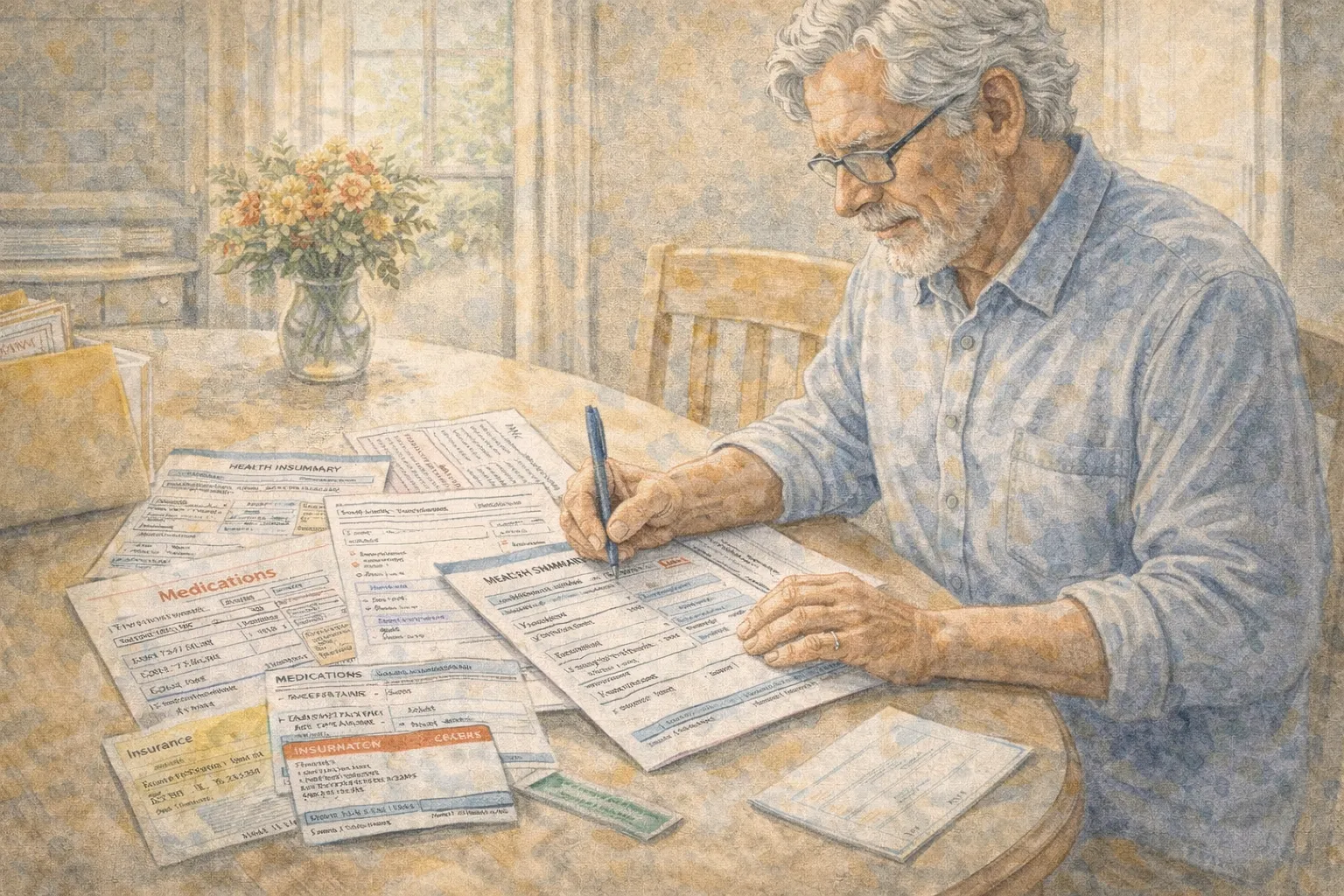
A simple one-page health summary helps seniors organize medical information and reduce stress during doctor visits or emergencies.
Cindy’s Column × Senior AI Money
Many adults over 55 keep important medical information in many different places.
Some documents are in drawers. Some are in folders. Some are on a phone or computer.
During a calm day this may not feel like a problem.
But during a stressful moment— a doctor visit, an emergency, or a sudden health question— finding the right information quickly can become difficult.
That is why many healthcare professionals recommend something simple:
A one-page health summary.
It is not complicated paperwork.
It is simply a clear snapshot of the most important medical information in one place.
Why medical paperwork becomes stressful after 55
Healthcare often becomes more complex with age.
Adults over 55 may manage:
multiple prescriptions
several healthcare providers
insurance information
past medical procedures
emergency contacts
Without a clear system, this information can become scattered.
A one-page summary helps bring calm and clarity.
The One-Page Health Summary Rule
If a doctor or family member needed key health information in one minute, it should all fit on one page.
This does not replace medical records.
It simply creates a quick reference document.
Table: Information to Include in a Health Summary
Category
Example Information
Basic details
Name, birthdate, blood type
Emergency contacts
Family member or trusted friend
Medications
Current prescriptions and doses
Allergies
Medication or food allergies
Doctors
Primary doctor and specialists
Insurance
Provider and policy number
This small summary can prevent confusion.
Part 1: Medication list
Medication errors are one of the most common healthcare issues for older adults.
Your summary should include:
medication name
dosage
frequency
prescribing doctor
Example:
Medication
Dose
Purpose
Lisinopril
10 mg daily
Blood pressure
Atorvastatin
20 mg nightly
Cholesterol
Keep the list updated.
Part 2: Emergency contacts
Include at least two contacts.
Examples:
adult child
close friend
neighbor
caregiver
This helps healthcare providers reach someone quickly if needed.
Part 3: Important medical history
You do not need to list everything.
Focus on key events such as:
surgeries
chronic conditions
major diagnoses
implanted devices
Clarity is more helpful than detail.
Table: Example One-Page Health Summary Layout
Section
Information
Personal Info
Name, birthdate
Emergency Contact
Name and phone
Medications
Name and dose
Allergies
Medication allergies
Doctors
Primary care contact
Insurance
Provider and ID
Keeping everything on one page improves accessibility.
Part 4: Where to store your summary
The goal is accessibility.
Consider placing copies:
in a medical folder at home
inside your wallet or bag
on the refrigerator (common for emergency responders)
shared with a trusted family member
Some seniors also keep a digital copy.
Part 5: When to update your summary
Review the document whenever:
medication changes
a new doctor is added
insurance updates occur
a medical condition changes
Many people review it every six months.
Real-life examples
Janet, 70
“My doctor asked for my medication list. Having it on one page made the appointment easier.”
Robert, 74
“When I visited urgent care, my summary helped them understand my medications quickly.”
Ellen, 67
“I shared my health summary with my daughter so she could help if something happened.”
Printable Health Summary Checklist
✔ basic personal details ✔ emergency contacts ✔ medication list ✔ allergies ✔ doctor contacts ✔ insurance information
Keep the document clear and easy to read.
The goal of a health summary
A one-page summary does not replace your medical records.
It simply creates calm organization during stressful moments.
Prepared information can make healthcare conversations smoother and safer.
Disclaimer
This article is for general educational purposes only and does not provide medical, legal, or insurance advice. Health conditions and documentation needs vary. Readers should consult healthcare providers or qualified professionals for guidance related to personal medical records or emergency preparedness.
These basics support simple, balanced meals anytime.
The goal of a calm pantry
Eating well after 55 does not require complicated cooking.
A thoughtful pantry simply makes good meals easy on low-energy days.
Small preparation today can prevent stress tomorrow.
Disclaimer
This article is for general educational purposes only and does not provide medical or nutritional advice. Individual dietary needs vary based on health conditions, medications, and personal preferences. Readers should consult a qualified healthcare professional or registered dietitian before making significant dietary changes.
☐ Am I overcommitted? ☐ Am I isolating? ☐ Am I sleeping well? ☐ Am I avoiding something important?
Gentle awareness prevents sudden stress.
Printable March Reset Checklist (55+)
☐ List 3 habits that are working ☐ List 3 that feel draining ☐ Drop or reduce 1 draining item ☐ Choose 1 small next step ☐ Schedule it this week ☐ Review energy weekly
The Quiet Power of Resetting
Many seniors feel they must “stay consistent.”
But flexibility is strength.
A reset is not quitting.
It is recalibrating.
When to Seek Professional Guidance
If your review reveals:
Severe financial strain
Persistent sleep disruption
Ongoing sadness
Balance or health changes
Consult qualified medical or financial professionals for individualized guidance.
Disclaimer
This article is for general educational purposes only and does not provide medical, financial, or legal advice. Individual circumstances vary. Consult qualified professionals for personalized recommendations related to health, finances, or legal matters.
A gentle example of how reducing visible clutter—not square footage—can create a safer, lighter home after 55.
Cindy’s Column × Senior AI Money Less space stress. No moving truck required.
After 55, many people feel a quiet pressure:
“Should we move?”
“Is this house too much?”
“What if I fall?”
“What if the stairs become a problem?”
“What if this is too much to manage later?”
But here is something calm and important:
You do not have to downsize to feel lighter.
In 2026, rising costs, emotional attachment, and community ties mean many seniors prefer to stay where they are. The real goal is not smaller square footage.
The real goal is lower stress.
This guide is for adults 55+ who:
Want less overwhelm at home
Feel tired of clutter but don’t want extreme minimalism
Decluttering + minor modifications = same stress reduction without major life disruption.
Add:
Grab bars
Brighter lighting
Fewer rugs
Lighter furniture
Often that’s enough.
The Energy Test
Walk through your home slowly.
Notice:
Where do you feel tight?
Where do you feel calm?
Where do you avoid going?
Decluttering is emotional mapping.
Follow the tension.
Printable Checklist: 2026 Calm Home Reset (55+)
☐ Clear walkways ☐ Remove loose rugs ☐ Reduce visible surface items by 30% ☐ Keep only weekly-use items on counters ☐ Limit duplicates to one backup ☐ Create 3 memory containers ☐ Install night lighting ☐ Remove low trip hazards ☐ Lighten one room this month
The Emotional Side of Staying
You may feel:
“I should move.”
“Everyone downsizes.”
“Am I being stubborn?”
Staying is not stubborn.
Staying is strategic if your home supports you.
The goal is:
Calm living. Lower maintenance. Safer movement. Less overwhelm.
Square footage is secondary.
When Downsizing Is Necessary
Consider moving if:
Multiple staircases are unavoidable
Major repairs exceed your budget
Isolation affects mental health
Maintenance exceeds your energy
Decluttering is step one.
Decision comes later.
Not under pressure.
Prepared does not mean smaller.
Prepared means lighter.
Disclaimer
This article is for general educational purposes only and does not provide medical, financial, or legal advice. Individual mobility, safety, and housing decisions vary. Always consult qualified professionals regarding structural modifications, safety planning, and financial decisions related to housing.
They are no longer about catching up on work. They are about recovering energy.
But here’s what many retirees quietly experience:
Sunday evening tension.
A gentle Sunday reset creates a lighter Monday. Clear surfaces, warm light, and simple routines can reduce stress before the week begins.
Did I forget something?
Why does Monday feel heavy?
Why does the week start with stress instead of steadiness?
The solution is not productivity.
It’s a gentle reset.
This 2026 Weekend Reset is a low-pressure Sunday rhythm designed specifically for adults 55+. It reduces anxiety, improves sleep, and protects energy for the week ahead — without turning Sunday into a chore day.
Why Weekend Resets Matter More After 55
After retirement, structure disappears.
That sounds freeing — but it can quietly increase:
Decision fatigue
Sleep irregularity
Money drift
Health inconsistency
Emotional isolation
A Sunday reset restores light structure without rigidity.
It prevents Monday from feeling chaotic.
The Core Rule
Reset your environment, your schedule, and your mind — lightly, not intensely.
The 5-Part Sunday Reset System (55+ Edition)
Part 1 — The 20-Minute Home Lighten
Not deep cleaning.
Just friction reduction.
Focus on:
Clear walkways
Reset kitchen surfaces
Empty trash
Put visible clutter away
Table 1: What to Reset (And What to Ignore)
Area
Do This
Skip This
Kitchen
Clear counters
Deep scrub oven
Living Room
Clear pathways
Rearrange furniture
Bathroom
Replace towels
Full tile cleaning
Bedroom
Clear nightstand
Closet purge
Goal: Reduce visual noise.
Part 2 — The 10-Minute Money Glance
This is not budgeting.
It is calming awareness.
Look at:
Bank balance
Upcoming bills this week
Any unusual transactions
Do NOT:
Analyze investments deeply
Panic about market shifts
Make big financial moves Sunday night
Table 2: Calm Money Check Framework
Step
Action
Why
1
Check account balance
Awareness reduces anxiety
2
Confirm autopay bills
Prevent late fees
3
Note one small adjustment
Gentle control
4
Close app
Avoid spiral
This prevents “Monday money dread.”
Part 3 — Energy Mapping for the Week
Instead of scheduling tasks first, schedule energy.
Use:
Green Days → High energy Yellow Days → Medium energy Red Days → Low energy
Example:
Day
Energy
Plan
Mon
Yellow
Groceries + light calls
Tue
Green
Appointments
Wed
Red
Rest + short walk
Thu
Yellow
Home admin
Fri
Green
Social outing
This prevents overbooking.
Part 4 — 15-Minute Body Reset
After 55, stiffness accumulates over weekends.
Gentle reset:
5-minute stretch
5-minute walk
5-minute breathing reset
Not exercise.
Activation.
This improves Monday mobility.
Part 5 — Emotional Sweep
Ask:
What felt heavy this week?
What felt good?
Is there one conversation I need to have?
Write one line.
No journaling marathon.
Just clarity.
The 60-Minute Sunday Flow (Total)
Activity
Time
Home Lighten
20 min
Money Glance
10 min
Energy Map
10 min
Body Reset
15 min
Emotional Sweep
5 min
Total: 60 minutes.
Not exhausting.
Just stabilizing.
Real Senior Examples
Linda, 71 Used to feel Sunday anxiety. Now resets surfaces + checks money. Says Mondays feel neutral instead of stressful.
Robert, 68 Energy maps the week. Stopped overbooking medical appointments.
☐ Clear kitchen counters ☐ Remove floor clutter ☐ Empty trash ☐ Check bank balance ☐ Confirm bills ☐ Map energy days ☐ Gentle stretch ☐ 5-minute walk ☐ Write one clarity sentence
When Not to Do a Sunday Reset
Skip or reduce if:
You are ill
You had a long social weekend
You feel emotionally drained
Reduce to:
Clear walkway + money glance only.
Why This Works Psychologically
It closes open loops.
Unfinished tasks create cognitive tension.
A small reset signals safety to the brain.
That improves:
Sleep
Mood
Focus
Confidence
Disclaimer
This article is for general educational purposes only and does not provide medical, financial, or psychological advice. Individual health conditions, financial circumstances, and emotional needs vary. Consult qualified professionals before making significant changes to your health, financial, or care routines.
Calendar (5 min)
[ ] Limited to 2 major commitments per week [ ] Ensured one light week
Energy (5 min)
[ ] Listed one energizer [ ] Listed one drainer [ ] Chose one adjustment
Home (5–7 min)
[ ] Completed one visible reset
Connection (5 min)
[ ] Scheduled one meaningful interaction
Focus
[ ] Wrote one March intention sentence
If you do nothing else this month, do this.
WHY THIS WORKS
It’s small.
Small systems are repeatable.
Repeatable systems reduce anxiety.
Anxiety reduction protects:
sleep
decision-making
patience
financial clarity
March doesn’t need motivation.
It needs steadiness.
WHAT NOT TO DO
Redesign your life in one weekend
Compare your year to someone else’s
Add new habits before stabilizing current ones
Shame yourself for January or February
Adjustment beats ambition.
DISCLAIMER
This article is for general educational purposes only and does not provide financial, medical, or legal advice. Individual circumstances, health conditions, and financial situations vary. Consult qualified professionals before making significant financial or health-related decisions.
Older adult reviewing a spring calendar with green, yellow, and red week markings in a calm, sunlit home setting
Cindy’s Column × Senior AI Money
“Spring is not a race. It’s a reset.”
After a long winter, many seniors feel the same thing:
A sudden urge to do everything.
Schedule all the delayed doctor visits.
Plan trips before prices rise.
Clean the house top to bottom.
Visit family.
Start new exercise routines.
Say yes to every invitation.
By late April, that burst of motivation often turns into:
fatigue
calendar stress
rescheduled appointments
sore joints
quiet regret
This 2026 guide is for adults 55+ who want:
a calm spring schedule
fewer double-booked weeks
time for medical appointments without stress
space for travel and joy without exhaustion
a system that respects energy, not guilt
Spring planning is not about filling your calendar. It’s about protecting your energy.
WHY SPRING GETS OVERLOADED SO FAST
Spring creates pressure in subtle ways:
Healthcare catch-up Winter delays often push appointments into March and April.
Travel season Flights and hotels feel cheaper “if we book early.”
Social momentum Neighbors, friends, and family all want to reconnect at once.
Home projects Repairs, gardening, decluttering, and maintenance stack up.
Internal pressure “I should be more active now.” “I wasted winter.” “I need to get moving.”
That mix can create what I call:
The Spring Compression Effect — too many “important” things squeezed into too few weeks.
THE 2026 SPRING RULE
One Core Rule: No more than 2 major commitments per week.
A “major commitment” includes:
doctor or specialist appointments
travel days
hosting or visiting overnight guests
long-distance drives
physically demanding home projects
Everything else (groceries, light errands, short visits) should fit around those two anchors.
If a week already has two major commitments, that week is full.
This rule alone prevents burnout.
PART 1: SEPARATE APPOINTMENTS FROM ACTIVITIES
Medical appointments drain energy differently than social activities.
Appointments require:
travel
waiting
listening carefully
making decisions
sometimes uncomfortable procedures
Even “routine” visits can be tiring.
Table 1: Appointment Weeks vs Activity Weeks
Week Type
What to prioritize
What to limit
Appointment-Heavy Week
Doctor visits, lab work, follow-ups
Extra travel, hosting guests, long social days
Travel Week
One trip, recovery time
Extra appointments, big house projects
Home Project Week
Repairs, deep cleaning, yard work
Long travel days, multiple appointments
Light Social Week
Lunches, short visits, local events
Major medical scheduling
The goal is rhythm, not chaos.
PART 2: BUILD YOUR SPRING CALENDAR IN LAYERS
Layer 1: Health First
Start with:
annual physical
specialists
lab work
dental or vision visits
medication reviews
Place them first.
Then pause.
Ask: “How many recovery days do I need after each one?”
Many seniors need:
same-day rest
or even the following day lighter than usual
Schedule those buffer days in advance.
Layer 2: Travel and Visits
After medical scheduling, add:
one trip per month if possible
day trips spaced at least two weeks apart
family visits that allow downtime
Avoid:
back-to-back travel weeks
combining travel with multiple appointments in the same week
Layer 3: Home and Projects
Now add:
small repair tasks
seasonal cleaning
yard or balcony projects
Break projects into short blocks:
Instead of: “Spring clean the entire house.” Try: “Closet this week, kitchen next week.”
PART 3: THE GREEN-YELLOW-RED WEEK METHOD
This method protects energy visually.
Green Week
0–1 major commitments
room for spontaneous plans
ideal for creative or joyful activities
Yellow Week
2 major commitments
moderate energy required
keep evenings light
Red Week
3+ major commitments
high stress potential
should be avoided unless absolutely necessary
Table 2: Example Spring Month Layout
Week
Type
Major Commitments
Adjustment
Week 1
Yellow
Dentist + lab visit
Keep weekend free
Week 2
Green
None
Add one lunch with friend
Week 3
Yellow
Day trip + physical therapy
No extra errands
Week 4
Green
None
Small home project only
If you look at a month and see multiple red weeks, your nervous system already knows it’s too much.
PART 4: TRAVEL WITHOUT OVERLOADING THE CALENDAR
Spring travel is wonderful—but stacking it carelessly creates fatigue.
Before booking, ask:
What week is this? Green or Yellow?
Do I have appointments near that date?
Will I need two quiet days after returning?
Golden spacing guideline for seniors 55+:
At least 10–14 days between larger trips
At least 3–5 days between a major appointment and travel
This spacing allows:
physical recovery
medication adjustments
emotional reset
You want to return from a trip thinking:
“That was lovely.” Not:
“I need a vacation from my vacation.”
PART 5: HOME PROJECTS WITHOUT EXHAUSTION
Spring invites overcommitment at home.
Instead of “Fix everything in April,” use the 3-Project Cap.
Choose:
1 essential project
1 comfort project
1 optional project
Example:
Essential: Fix loose bathroom grab bar Comfort: Wash windows in living room Optional: Reorganize hallway closet
If essential and comfort are done, optional becomes a bonus—not a burden.
PART 6: REAL-LIFE EXAMPLES
Example 1: Helen, 74
Before:
Scheduled eye doctor, cardiologist, and dentist in the same week
Hosted grandchildren that weekend
Started deep spring cleaning
Result: Exhausted, irritable, rescheduled one appointment.
2026 Plan:
Spread appointments across three weeks
Added one full recovery day after each
Moved deep cleaning to May
Her words:
“I felt organized instead of ambushed.”
Example 2: Daniel, 69
Before:
Two weekend trips in a row
Yard overhaul the week after
Result: Back pain flare-up.
2026 Plan:
One April trip
One May trip
Yard broken into four small sessions
Result:
“I enjoyed both the travel and the garden.”
PART 7: PRINTABLE SPRING PLANNING CHECKLIST (2026)
Before scheduling:
[ ] I placed health appointments first. [ ] I added recovery time after each appointment. [ ] I limited myself to 2 major commitments per week. [ ] I avoided back-to-back travel weeks. [ ] I chose no more than 3 home projects this season.
Calendar check:
[ ] I can see at least one Green Week each month. [ ] No week contains 3 or more major commitments. [ ] Travel is spaced at least 10 days apart. [ ] I have buffer days after longer outings.
Mindset check:
[ ] I am planning for energy, not guilt. [ ] I accept that slower does not mean lesser. [ ] I would feel comfortable if a friend saw this calendar.
If your calendar feels breathable, you planned it correctly.
Spring should feel like opening windows, not holding your breath.
DISCLAIMER
This article is for general educational purposes only and does not provide medical, financial, or legal advice. Health conditions, mobility levels, medication effects, and travel risks vary by individual. Always consult qualified healthcare or professional advisors before making decisions that affect your medical care, travel safety, or financial commitments.
“Older adult planning meals and a grocery list at a kitchen table using a calm AI assistant on a tablet with a handwritten list beside it”
Cindy’s Column × Senior AI Money
“AI doesn’t replace your judgment. It just helps your brain carry the small stuff.”
If you’re 55+ and the words “artificial intelligence” or “AI” make you think of confusing headlines, you’re not alone.
Many older adults tell me:
“I’m curious, but I don’t want to break anything.” “I worry about privacy and scams.” “I only need help with everyday tasks, not robots.”
This 2026 guide is for adults 55+ who want:
simple ways to use AI for real life (not tech buzzwords)
help with shopping lists, meal ideas, and gentle reminders
clear safety boundaries so they stay in control
small steps they can try this week, then repeat if it feels good
No coding. No complicated apps list. Just practical, calm ways AI can take a little weight off your mind.
Why AI help matters more after 55
After 55, your brain carries a lot:
medications, appointments, and check-ups
grocery needs, household supplies, and price watching
energy levels that change day to day
health recommendations that sometimes conflict
family updates, birthdays, and social plans
Add in:
rising food prices
more special diets in the family
less energy for big shopping trips
…and “keeping track of it all” can feel like a second job.
Used safely, AI can become a quiet assistant that:
remembers details so you don’t have to
suggests simple meals based on what you already have
helps you build clear, realistic shopping lists
nudges you with gentle reminders you control
The key words are “used safely.” That’s where our rule comes in.
The 2026 AI Rule
One Core Rule:
AI can suggest. You decide.
That means:
AI can write lists, ideas, and options.
You choose what fits your health, your budget, and your taste.
You never share sensitive information you’re not comfortable sharing.
You always remain the final decision-maker.
Think of AI as a friendly note-taker, not a doctor, cook, or financial planner.
Part 1: What AI can realistically do for seniors in daily life
Let’s remove the mystery.
For everyday home life, AI is mostly good at:
turning your spoken or typed ideas into tidy lists
suggesting meal ideas from ingredients you mention
planning simple weekly menus
drafting reminder lists (you still enter them into your calendar or phone)
rephrasing information more simply (“Explain this like I’m 70.”)
Areas where AI should NOT replace professional advice:
medical diagnoses or medication changes
financial planning and investments
legal decisions or contracts
urgent safety decisions
Table 1: “Good Use” vs “Not for AI” for Seniors (2026)
Use case
Good use for AI assistant
Not a good use for AI
Shopping
Turn “what do I need?” into a neat list; group items by store section
Telling you which brand or product is “best” for a serious medical condition
Meals
Suggest simple recipes from foods you mention; help plan low-waste menus
Telling you what you “should” eat with complex health issues instead of your doctor
Reminders
Draft list of weekly reminders you can copy into your calendar
Making medical or financial decisions automatically without you checking
Information
Explain bills, letters, or labels in simpler words
Providing final legal, tax, or medical answers for your situation
Used this way, AI becomes like a patient note-taker with good handwriting.
Part 2: Start with one AI helper, not ten
You don’t need every new app. Choose one AI helper you’re comfortable with.
This might be:
the built-in assistant on your phone or tablet
a trusted AI chat app you open in a browser
an AI feature built into a note-taking or list app you already use
Safe starting steps:
Use AI only on devices you already trust (your main phone or home computer).
Avoid entering full names, addresses, or ID numbers.
Start with harmless tasks: “Make a grocery list,” “Plan three simple dinners,” “Suggest reminders.”
You can even tell it:
“I am 68 and new to AI. Explain everything in simple steps.”
A good assistant will slow down for you.
Part 3: Using AI for shopping lists (so you stop forgetting the important things)
Shopping lists sound simple—until you add:
changing prices
store layouts
food preferences
“I forgot the one thing I really needed”
AI can help turn a jumble of thoughts into a clear, grouped list.
Example conversation:
You: “I’m cooking for one this week. I want 3 simple dinners with leftovers and 3 easy breakfasts. I like soup, eggs, and oatmeal. Please make a grocery list based on that, with sections (produce, dairy, pantry, frozen). Keep it budget-conscious.”
AI might respond with:
a short proposed menu
a categorized list of ingredients
You then:
cross off what you already have at home
add specific brands you prefer
remove anything you don’t like
You remain the boss of what goes in the cart.
How to keep the list senior-friendly:
Ask for small package sizes if you live alone.
Ask for low-prep or pre-cut options if your hands or energy are limited.
Ask it to avoid ingredients you dislike or can’t eat.
Example prompt you can copy:
“Make a simple grocery list for 1–2 people for 3 dinners and 3 breakfasts. Focus on affordable ingredients, short prep time, and items that keep well in the fridge or pantry. Group the list by store section so it’s easier to shop.”
Part 4: Simple meal planning with AI (without becoming a diet book)
AI cannot replace a dietitian or your doctor. But it can suggest structure when you’re tired of thinking about food.
Helpful ways to use AI for meals:
“I have chicken, carrots, rice, and frozen peas. Suggest 2 simple dinner ideas with minimal chopping.”
“Plan a 3-day meal plan for one person using canned beans, eggs, oats, and frozen vegetables. Easy, low-waste, and affordable.”
“I live alone and get tired easily. Suggest dinners I can cook once and eat twice.”
Table 2: Example AI Meal Prompts and What They Do
Prompt idea
What AI returns
How you still decide
“I have these ingredients…”
2–4 recipe ideas using what you listed
You choose which one matches your energy and tools
“Plan 3 dinners for one person…”
Short menu + ingredient list
You remove foods you dislike and adjust portion sizes
“Use mostly pantry and frozen items…”
Recipes that rely less on fresh produce
You add fresh items if you want them
“Make meals I can reheat…”
Ideas that create leftovers
You confirm safe storage time and follow food safety practices you trust
Important:
Always follow your doctor’s or dietitian’s advice if you have conditions like diabetes, kidney disease, or severe allergies.
AI should never override professional dietary guidance.
You can even tell AI:
“I’m following my doctor’s guidance for [condition]. Please keep suggestions general and remind me to check with my doctor for details.”
Part 5: Using AI to draft reminders (so your brain can rest)
AI can’t manage your calendar for you, but it can help you think through what to remember.
For example:
You: “I am 73 and live alone. Help me list weekly reminders for: medications, trash day, bill check, and one social connection. Keep the list short and realistic.”
AI might create:
“Morning: check meds”
“Tuesday: trash out”
“Friday: look at bills for 10 minutes”
“Weekend: call or message one friend or family member”
You can then:
copy those into your calendar or reminder app
print the list and tape it near your phone or fridge
adjust wording so it sounds like you
You can also ask:
“Turn this into a checklist I can print on one page.”
Reminders AI can help you think about:
medication timing (you still follow doctor’s exact instructions)
weekly “money check-in” moments
gentle health habits (short walks, water, stretching)
AI doesn’t ring the bell. It just helps you decide which bells to ring.
Part 6: Safety and privacy basics (using AI without losing sleep)
A calm AI routine includes clear boundaries.
Simple safety rules:
Personal data
Avoid entering full ID numbers, credit card numbers, or bank logins.
Avoid sharing someone else’s sensitive information without consent.
Health and medical
Use AI to organize questions for your doctor, not to decide on medications or treatments.
If AI suggests something medical, treat it as a question to discuss, not a plan to follow.
Money and accounts
Never let an AI tool move money or pay bills directly from your accounts unless you fully understand the system and trust the provider.
Be cautious of apps that combine AI with aggressive selling.
Scams
Be wary of messages that claim to be “AI support” or ask for logins.
Download apps only from official app stores, not from links in messages.
You are allowed to be careful. Healthy skepticism is a feature, not a flaw.
Part 7: Real-life senior examples (calm, realistic)
Example 1: Denise, 67 – Shopping list calm
Before: Denise would walk into the store, remember two items, then feel overwhelmed and forget the rest.
She started using a simple AI assistant once a week:
She said: “Help me plan 3 simple dinners and make a short list for one person.”
AI suggested soups, stir-fry, and roasted vegetables, plus a list.
Denise crossed off what she already had at home and added specific brands she liked.
After a month, she told me: “I still decide what to buy, but I no longer wander the aisles trying to remember.”
Example 2: Leo, 74 – Meal ideas from the pantry
Leo lived on a fixed income and didn’t want to waste food.
He asked AI:
“I have canned beans, rice, onions, frozen spinach, and eggs. Suggest three simple recipes with minimal chopping and low cost.”
AI responded with:
bean and rice bowls
spinach and egg scramble
simple soup
Leo chose the two that sounded best, checked his spice shelf, and felt less pressure to buy new ingredients.
Example 3: Miriam, 79 – Reminder drafting
Miriam had multiple medications and felt overwhelmed by routines.
She used AI to create a structure:
“Make a weekly reminder list for a woman in her late 70s who takes meds morning and evening, has a trash day on Wednesday, and wants one social call per week. Keep it short.”
AI gave her a clear list. She then entered the reminders into her existing paper calendar and phone.
Her comment: “It didn’t change my treatment, it just stopped all the ‘don’t forget, don’t forget’ noise in my head.”
Printable checklist: 2026 Safe & Simple AI Helper (Seniors 55+)
You can copy, print, or rewrite this in your own words:
I treat AI as a helper for ideas and lists, not as a doctor, lawyer, or financial advisor.
I use AI only on devices and apps I trust.
I avoid typing in full ID numbers, card numbers, or logins.
I use AI for shopping lists, meal ideas, and reminder drafts—not for medical or financial decisions.
I ask for simple, low-waste meal ideas that fit my energy and budget.
I check all suggestions against my own health needs and my doctor’s advice.
I copy any reminder lists into my own calendar or planner.
If a message about AI asks for urgent action or money, I pause and verify before doing anything.
I remind myself that I can stop using any AI tool that makes me feel pressured or uncomfortable.
Small reminder: Using AI is completely optional. You’re not “behind” if you take it slowly. Even one helpful list a week can be enough.
Disclaimer
This article is for general educational purposes only and does not provide medical, nutritional, financial, legal, or cybersecurity advice. AI tools and apps vary in quality, privacy, and safety. Always follow guidance from your healthcare providers and qualified professionals for decisions about your health, money, and legal matters, and use official sources for sensitive information.
A few gentle setting changes can turn your phone from a stress source into a steady helper
Cindy’s Column × Senior AI Money
Your phone should make life calmer, not noisier.
If you’re 55+ and feel tired just looking at your phone, you’re not alone.
Many seniors tell me:
“I’m afraid of tapping the wrong thing.”
“The text is too small, but I don’t know how to fix it.”
“Notifications never stop. It’s like a barking dog in my pocket.”
“I only use a few apps, but the screen feels packed.”
This 2026 guide is for older adults who want:
bigger, clearer text without messing up everything
fewer beeps, buzzes, and flashing banners
a home screen with only the things they actually use
safety features set up calmly (emergency contacts, medical info)
a simple routine to keep the phone feeling friendly, not stressful
No new device. No complicated tech talk. Just a few settings you can change this week.
Why phone settings matter more after 55
Your phone isn’t just a gadget anymore. For many seniors, it’s:
a safety tool (calls, maps, emergency contacts)
a health tool (pharmacy apps, doctor portals, reminders)
a connection tool (family, friends, group chats)
a money tool (banks, bills, two-step verification codes)
But after 55, a few things shift:
eyesight changes—small text and low contrast are exhausting
hearing changes—some tones are hard to notice, others feel harsh
joints and grip change—small icons and tiny buttons are frustrating
attention and energy are more precious—you can’t respond to every ping
If your phone feels too bright, too small, too loud, or too complicated, that’s not you “failing at technology.” It just means the settings were never tuned for your current life.
The 2026 Phone Rule
One Core Rule: Every setting you change should make the phone feel calmer, not more confusing.
If a change makes things worse, you’re allowed to switch it back. A senior-friendly phone is one you’re not afraid to touch.
Part 1: Decide what you want your phone to do (and not do)
Before you touch any settings, take 2–3 minutes with a pen and paper.
Write two short lists:
“My phone must help me with…”
“My phone does NOT need to do…”
Examples:
My phone must help me with…
calls and texts with family
emergency calls and location
photos of important documents
reminders for meds or appointments
simple banking or bill checks
My phone does NOT need to…
show me every news alert immediately
notify me about games or shopping apps
interrupt me late at night
show three pages of apps I never use
This tiny step makes every change easier. You’re not copying what “tech experts” say; you’re building your phone.
Part 2: Make the screen easier to see (text, contrast, brightness)
If reading your screen feels like work, everything else will feel harder too.
Focus on three friendly adjustments:
Text size – make letters bigger and bolder
Contrast – stronger difference between text and background
Brightness – softer indoors, brighter outdoors
Most phones have these under “Display” or “Accessibility” settings.
Table 1: Senior-Friendly Screen Settings (What to Look For)
Setting
What it helps
Typical menu words to look for
Gentle tip
Text size / Font size
Small, hard-to-read text
“Display”, “Text size”, “Font size”
Increase one step at a time; stop when it feels easy
Bold text
Thin letters
“Bold text”, “Font weight”
Turning this on can help more than jumping to the largest size
Screen brightness
Glare or eye strain
“Brightness”, “Auto brightness”
Turn auto on, then nudge brightness down indoors
Dark mode
bright white background
“Dark mode”, “Appearance”
Many find it softer at night; try for a day or two
Zoom / Magnification
reading small details
“Accessibility”, “Magnification”, “Zoom”
Set a shortcut so you can zoom only when needed
You don’t have to change everything at once. Start with text size and brightness. For many seniors, those two alone make a huge difference.
Part 3: Tame notifications so your phone stops shouting
A lot of phone stress comes from a simple problem: too many alerts.
Your goal is:
calls: allowed
texts from important people: allowed
critical apps (bank, meds, calendar): allowed
everything else: quiet unless you open the app
Three gentle steps:
Silence non-essential alerts
Go into settings → notifications
Turn off notifications for: games, shopping apps, random news, apps you rarely open
Change how alerts appear
Banner vs. badge vs. sound
Many people like: sound + badge for texts, silent badge only for email
Set a “quiet time”
Use “Do Not Disturb” or similar
Choose hours (for example, 9 p.m. to 8 a.m.)
Table 2: Notification Tidy-Up Guide
App type
Recommended setting for many seniors
Why
Phone calls
Sound + vibration (if comfortable)
Safety and connection
Text messages
Sound (gentle tone) + small badge
Important but frequent
Family group chat
Sound or vibration only during the day
Turn off at night if it overloads you
Bank / card / bills
Badge + quiet sound
Useful for fraud alerts or payments
Health / pharmacy
Badge + sound
Appointment and refill reminders
News
Badge only or off
You can choose when to read news
Games / shopping / coupons
Off
Protects your attention and wallet
Remember: you’re not being rude by turning things off. You’re making your phone serve your life, not interrupt it.
Part 4: Simplify your home screen (less hunting, less stress)
A cluttered home screen feels like trying to cook in a kitchen where every drawer is open.
Goal: First screen = only what you use weekly or daily. Everything else can live in folders or a second screen.
Try this:
Look at your home screen.
Ask: “What do I use at least once a week?”
Keep those apps on page one.
Move everything else into a folder (for example: “Rarely Used” or “Extras”).
Helpful sections to keep front and center:
Phone / contacts
Text messages
Camera
Photos
Calendar
Notes / Reminders
One map app
One weather app
One health/pharmacy app
One bank app
You can also:
place your most important four apps in a bottom “dock”
keep at least one clean space on the home screen to reduce visual stress
Your eyes and brain will thank you.
Part 5: Turn on safety features calmly (emergency contacts & medical info)
Phones now have powerful safety tools—but many seniors never turn them on because they feel complicated.
You don’t need to use everything. Focus on two things:
Emergency contacts (ICE – In Case of Emergency)
Basic medical info on lock screen (if you’re comfortable)
Look in your settings for words like:
“Emergency SOS”
“Medical ID”
“Health”
“Emergency information”
What to include (if you choose):
your name and birth year
emergency contacts
key conditions (for example, diabetes, epilepsy, blood thinner use)
allergies (especially to medications)
Only share what you’re comfortable with. The goal is to help responders help you if needed.
You can also practice using emergency call features on your phone without actually calling—just so you know where they are.
Part 6: Small scam-safety upgrades (without making you afraid)
Many scam attempts now come through phones:
suspicious texts
unknown numbers
fake “delivery” or “bank” links
A few settings can quietly reduce your risk:
turn on spam call filtering if your phone provider offers it
send unknown callers to voicemail (and let voicemail do the sorting)
avoid tapping links in texts/emails from unknown senders
never share codes sent to your phone with someone who calls you
You can use a simple rule:
“If I didn’t expect this call or message, I will not give information or tap links. I’ll go to the app or website myself.”
This keeps your phone useful without letting it become a doorway for scams.
Part 7: A 10-minute weekly “phone reset” (so settings don’t drift)
Phones change over time—new apps, new alerts, new icons. A short weekly ritual keeps things sane.
Here’s a 10-minute reset you can do once a week:
Clear the home screen (2 minutes)
Delete one app you never use
Move one “rarely used” app off the first screen
Review notifications (3 minutes)
Open the notifications screen
For any app that interrupts you a lot, tap and choose “turn off” or “deliver quietly”
Check brightness and sound (3 minutes)
Adjust if your eyes or ears felt tired this week
Change the ringtone if you miss calls or find it harsh
Safety glance (2 minutes)
Check battery level (is it charging well?)
Make sure emergency contacts are still correct
You can do this while drinking tea, not in a rush. The goal is to feel slightly more in control each week—not perfect.
Real senior examples (what changed when settings changed)
Example 1: Judith, 72 — “The notifications finally quieted down”
Judith used her phone for texts and photos but felt harassed by alerts from news, weather, and shopping apps.
Changes she made in 2026:
turned off notifications for 8 apps
set “Do Not Disturb” from 9 p.m. to 8 a.m.
kept sound on only for calls and texts from favorites
Result:
fell asleep easier without late-night alerts
checked her phone less during the day
missed no important messages
Her words: “I still feel connected. I just don’t feel hunted.”
Example 2: Samuel, 69 — “Bigger text, calmer eyes”
Samuel loved reading on his phone but strained his eyes.
Changes:
increased text size two levels
turned on bold text
set dark mode after sunset
Result:
fewer headaches
less squinting
could read in bed without the screen feeling like a flashlight
He said: “I didn’t need new glasses as much as I needed new settings.”
Example 3: Elena, 77 — “Emergency info in place”
Elena lived alone and worried what would happen if she fell.
Changes:
added two emergency contacts
entered basic medical info (blood thinner, allergy)
practiced the emergency call sequence once with a neighbor nearby
Result:
slept easier knowing responders would have basic info
felt less pressure to carry paper notes everywhere
Her reflection: “It didn’t make me more anxious. It made me feel more prepared.”
Use this list as you go through your phone this week:
I wrote two lists: what my phone must do, and what it doesn’t need to do.
I increased text size and/or turned on bold text until reading felt easier.
I adjusted brightness or turned on dark mode for comfort.
I turned off notifications for at least 3 non-essential apps.
I set (or reviewed) quiet hours so my phone doesn’t disturb sleep.
I simplified my home screen so only weekly/daily apps are on the first page.
I checked or updated emergency contacts and basic medical info (if I chose to share it).
I practiced my scam-safety rule: I don’t tap links or share codes from unexpected calls or messages.
I scheduled a 10-minute weekly phone reset so these changes stick.
Your phone doesn’t have to be perfect. If it feels friendlier and calmer than last week, that is a real success.
Disclaimer
This article is for general educational purposes only and does not provide medical, legal, cybersecurity, or device-specific technical advice. Phone models, operating systems, and safety features vary. For help with your particular device or accessibility needs, consider asking a trusted tech helper, your phone provider, or a qualified professional.
A gentle weekly rest day can do more for your energy than one more busy to-do list.
A rest day isn’t “wasted time.” It’s the quiet engine that keeps the rest of your week running.
Many adults 55+ tell me:
“I feel like I never fully recover.” “If I slow down, I feel guilty.” “My body wants rest, but my mind won’t let me.”
If that sounds familiar, this 2026 guide is for you.
This is not a productivity plan. It’s a calm, realistic rest day ritual especially for older adults who want:
• more steady energy, not perfect energy • fewer “crash days” after busy weeks • simple habits that don’t require apps or strict schedules • a way to rest without feeling lazy or behind
You don’t need a whole weekend. You need one gentle, repeatable weekly rhythm.
Why rest days matter more after 55
When you were younger, you might have bounced back from late nights, long errands, or busy family days with just a little sleep.
After 55, your body often needs:
• more time to recover from activity or stress • more care for joints, muscles, and balance • more consistent routines for sleep and digestion • more emotional space for grief, change, or worry
Without a rest rhythm, many seniors live in a cycle of:
push → crash → feel guilty → push again
A weekly rest day ritual breaks that cycle.
It doesn’t remove responsibility. It gives your body and mind a predictable chance to reset.
The 2026 Rest Rule
One Core Rule: Plan one “gentle day” each week where you do less than usual on purpose.
On this day, your goals are:
• no heavy appointments • no big house projects • no long travel if possible • more softness: slower pace, gentler food, calmer evening
Your rest day is not about doing nothing. It’s about doing only what genuinely supports recovery.
Part 1: What rest actually is (and what it isn’t)
Rest is not just sleep or lying down (though those matter).
For older adults, rest includes:
• physical recovery (joints, muscles, fatigue) • mental quiet (less noise, fewer decisions) • emotional breathing room (time to process or feel) • social balance (less overload, less loneliness) • sensory break (less noise, bright light, constant screens)
Many seniors never learned to think about rest this way. But once you see the categories, it’s easier to build a ritual that fits you.
Table 1: Types of Rest and Gentle Ideas for Seniors (55+)
Rest type
What it helps
Simple examples (10–30 minutes)
Signs you might need more
Physical
Soreness, stiffness, fatigue
stretching while seated, warm shower, feet up with cushion, short nap
body feels “heavy,” more balance wobbles, slower recovery after errands
Mental
Worry, overthinking, decisions
quiet reading, puzzle, journaling a few lines, 10-minute “no phone” time
mind jumps between tasks, hard to focus, scrolling without joy
Emotional
Grief, stress, mood swings
talking with a safe person, gentle music, prayer/meditation, looking at nature
quick tears, irritability, feeling “full” inside
Social
Loneliness or overload
one phone call, short visit, or intentionally saying “no” to one invite
feeling isolated or drained after social events
Sensory
Noise, light, screens
dim lights, lower TV volume, no notifications, soft sounds
headaches, tension, feeling “jangled” by noise
Your weekly rest day doesn’t need all five. But including at least two types of rest is often very helpful.
Part 2: Choosing your weekly rest day (or half-day)
You don’t have to pick Sunday. You can choose any day that fits your life.
Many seniors like:
• Sunday: natural “reset” feel • Monday: quiet day after weekend with family • Wednesday: midweek pause before more appointments • A rotating day: based on medical visits or caregiving schedule
Good questions:
• “Which day is often already quieter?” • “Which day would be easiest to protect from big errands?”
If choosing a full day feels impossible, start with:
• one “rest morning” or • one “rest evening” each week
Consistency matters more than length.
Part 3: The 3-part weekly rest ritual (simple enough to remember)
Think of your rest day in three gentle parts:
Morning: slow start
Midday: light movement + simple food
Evening: early wind-down
You can write this on one index card:
“Slow start – soft middle – early finish.”
Morning ideas
• wake without an alarm if possible • move slowly: gentle stretches in bed or seated • warm drink + 5–10 quiet minutes (no phone) • write three words: “Today I need…”
Midday ideas
• short, comfortable walk (or indoor laps) • simple meal: soup, sandwich, eggs, leftovers • limited tasks: one light chore only (ex: folding laundry) • short lie-down or feet-up break
Evening ideas
• screens off a little earlier • softer lights • warm shower or bath if safe • simple gratitude note: one thing from the week
Table 2: Rest Day vs Normal Day (Example for a 68-year-old)
Time
Normal day
Rest day version (gentle)
Morning
Alarm, quick breakfast, errands early
Slow wake, tea, light stretching, no early appointments
Late morning
Groceries + pharmacy + bank
One short walk, one small indoor task, light snack
Afternoon
Housework, long calls, caregiving tasks
Easy meal, short rest, quiet reading or puzzle
Evening
TV until late, scrolling phone
One show or short movie, dim lights, earlier bed
You don’t have to copy this exactly. The idea is to intentionally step down the intensity.
Part 4: How a rest day works with pain, chronic illness, or mobility changes
If you live with chronic pain or illness, “rest” can be complicated.
You may already spend a lot of time lying down—but still feel exhausted.
In that case, your weekly ritual might focus more on:
• reducing mental and sensory load • planning smaller movements that support circulation • gentle comfort (heat packs, soft clothing, favorite chair) • simplifying food so you don’t exhaust yourself cooking
Supportive small adjustments:
• keep frequently used items at waist level to avoid bending • plan any necessary medications or treatments early in the day • use timers so you don’t sit or lie in one position too long • say no to at least one non-urgent task
Rest day doesn’t mean ignoring health routines. It means making them kinder and less rushed.
Part 5: Rest and emotions (guilt, sadness, “I should be doing more”)
Many older adults feel guilty when they rest.
Thoughts like:
• “I should be using my time better.” • “Other people my age are doing more.” • “If I stop, I feel sad, so I keep busy.”
Here are a few reframes that help:
• Rest is maintenance, not indulgence. • You’re not “behind” because you protect your health. • Slowing down can bring up feelings—that’s normal, not failure.
You can even write one permission sentence at the top of your rest day page:
“Today I am resting so I can keep showing up for my life.”
That’s not laziness. It’s long-term care.
Part 6: Real-life senior examples (how a rest day changed their week)
Example 1: John, 71 – “My Mondays stopped feeling like a crash”
Before:
John spent weekends with grandkids, did church on Sunday, and tried to catch up on chores. By Monday he felt “hit by a truck.”
Change:
He chose Monday as his rest day and adjusted:
• no Monday appointments unless urgent • simple lunch (soup and bread) • short walk only if energy allowed • 20 minutes of reading after lunch
Result after 4 weeks:
• less Monday headache • fewer naps that lasted too long • more stable energy Tuesday–Thursday
His words:
“I still get tired, but it doesn’t feel like falling off a cliff.”
Example 2: Aisha, 66 – “Sunday evenings became kind again”
Before:
She spent Sundays doing laundry, prep, and finance. She went to bed wired and woke up anxious.
Change:
She kept chores in the morning but turned Sunday evening into a ritual:
• soft lighting • comfortable pajamas early • one TV show instead of many • quick update of her weekly calendar and then closed it
Result:
Her Monday mornings felt less frantic, and her sleep improved slightly.
Example 3: Patrick, 78 – “A half-day was all I could manage, and it worked”
Patrick cared for his spouse and felt a full rest day was impossible.
Change:
He chose Wednesday afternoons:
• no extra errands after lunch • a shared calm activity (music, old movies) • easy dinner (leftovers or frozen meal)
Result:
He told me,
“It didn’t remove stress, but it gave me one small stretch of breathable time.”
Part 7: Making your own 2026 rest day ritual (step-by-step)
Here’s a simple process you can copy.
Step 1 – Pick your day (or half-day) Choose the day that’s easiest to protect. Mark it on your calendar.
Step 2 – Decide what you won’t do Examples:
• no appointments unless medically necessary • no major errands or heavy cleaning • no serious money decisions
Step 3 – Choose 3 “yes” items For example:
• one comfort food or drink • one light movement (short walk or stretches) • one quiet activity (reading, music, craft, puzzle)
Step 4 – Add one connection This can be:
• a brief call • a message • a short visit • even greeting a neighbor outside
Step 5 – Give the day a name Names help you remember the purpose:
• “What helped my body?” • “What helped my mood?” • “What felt like too much?”
Adjust next week. This is a living ritual, not a fixed rule.
Printable Checklist: 2026 Weekly Rest Day Ritual (Seniors 55+)
You can copy or print this:
[ ] I picked one weekly rest day (or half-day). [ ] I decided which activities I do NOT schedule that day (appointments, big errands, heavy cleaning). [ ] I chose at least two types of rest (physical, mental, emotional, social, sensory). [ ] I planned three gentle “yes” activities (comfort food or drink, light movement, quiet time). [ ] I added one simple connection (call, message, short visit). [ ] I created a small permission sentence for myself. [ ] I gave my rest day a name that feels kind. [ ] I review at the end of the day what actually helped. [ ] I adjust next week without guilt if my needs change.
Your rest day does not need to impress anyone. It only needs to support the real you.
Disclaimer
This article is for general educational purposes only and does not provide medical, mental health, or therapeutic advice. Energy levels, health conditions, and emotional needs vary widely among older adults. Before making significant changes to your activity level, exercise, or daily routines, consider speaking with a qualified healthcare professional who understands your personal medical history.