Discover the best hobbies for seniors to try in 2025. Explore fun, safe, and meaningful activities that boost health, creativity, and connection.
Summary Audio Script
“In 2025, seniors have more opportunities than ever to explore hobbies that bring joy, creativity, and connection. From gardening and painting to digital photography and group classes, these activities support mental, emotional, and physical well-being. Let’s discover the best hobbies for seniors to try this year.”
Getting Started
Retirement opens the door to new possibilities, and one of the best ways for seniors to enjoy this stage of life is through hobbies. Hobbies provide more than entertainment—they support brain health, reduce stress, improve mobility, and encourage social connection.
In 2025, the range of hobbies available to seniors is wider than ever. Technology makes it easier to try new activities from home, while local communities continue to offer accessible classes and groups. Whether you prefer quiet solo projects or active group events, there’s a hobby for everyone.
This guide explores some of the best hobbies for seniors in 2025, focusing on creativity, movement, technology, and social engagement. Each section includes real-life examples to show how hobbies can transform daily life.
How We Chose
Ease of Access — Hobbies that require minimal setup or are available locally or online.
Health Benefits — Activities that support mental sharpness, emotional balance, or physical health.
Affordability — Low-cost options that don’t require expensive equipment.
Safety — Senior-friendly activities with low risk of injury.
Social Value — Opportunities for connection and community.
Section 1 — Gardening for Relaxation and Health
Gardening continues to be a favorite among seniors. It encourages gentle physical activity, provides fresh air, and offers the satisfaction of nurturing plants. In 2025, smart gardening tools like self-watering planters and raised beds make it even more accessible.
👉 Case Example:Margaret, 76, started a small balcony garden with herbs and flowers. Tending to her plants daily has become her favorite relaxation routine.
Painting, knitting, woodworking, or pottery allow seniors to express creativity while keeping their hands and minds active. Art therapy is also shown to reduce stress and improve mood. In 2025, many community centers and online platforms offer classes designed for older adults.
👉 Case Example:Robert, 80, joined an online watercolor class. Not only did he improve his painting skills, but he also connected with new friends across the country.
Exercise doesn’t have to mean a gym membership. Tai chi, dance, and walking groups are popular hobbies that combine fitness with fun. These activities improve balance, strength, and flexibility while reducing the risk of falls.
👉 Case Example:Helen, 72, joined a community tai chi class. She says the slow movements improved her balance and helped her feel calmer throughout the day.
In 2025, more seniors are exploring digital hobbies. Options include photography, learning new languages with apps, or even joining virtual book clubs. These hobbies keep the brain sharp while opening doors to new skills.
👉 Case Example:James, 78, started using a digital camera and editing software. Photography gave him a creative outlet and an easy way to share moments with his grandchildren online.
Helping others can be a fulfilling way to spend time. Many organizations now offer flexible volunteering opportunities, including online mentoring, community gardening, or library support. Volunteering provides purpose, social engagement, and emotional satisfaction.
👉 Case Example:Linda, 74, volunteers as a reading mentor for children at her local library. She feels connected to her community and enjoys sharing her love of books.
Start small—try one new hobby before committing to several.
Look for group classes to stay motivated and make friends.
Choose hobbies that fit your mobility level and energy.
Use online platforms to learn new skills at your own pace.
FAQ
Q1: What are the easiest hobbies for seniors to start in 2025? A1: Gardening, walking, painting, and knitting are among the easiest. They require little setup and can be enjoyed at home or with local groups. These hobbies promote relaxation and gentle movement.
Q2: Can hobbies improve senior health? A2: Yes. Many hobbies support mental sharpness, reduce stress, and encourage physical activity. Creative activities like art can improve mood, while fitness hobbies enhance mobility and balance.
Q3: Are there hobbies for seniors who prefer staying at home? A3: Absolutely. Seniors can enjoy digital photography, online language learning, virtual book clubs, or crafts. Technology in 2025 makes it easier than ever to explore hobbies from the comfort of home.
Conclusion
Hobbies are more than just pastimes—they are keys to healthier, happier senior living. In 2025, seniors can choose from a wide variety of activities, from gardening and art to digital learning and volunteering.
The right hobby brings joy, builds community, and supports mental and physical well-being. Seniors don’t need to take on too many at once—starting with one new activity can bring meaningful change.
Minimal effort, affordable tools, and community support make hobbies in 2025 accessible for every senior. Whether you want to stay active, be creative, or connect with others, the perfect hobby is waiting to be discovered.
Discover the best nutrition plans for seniors in 2025. Learn safe, balanced, and senior-friendly diets that support health, energy, and independence.
Summary Audio Script
“In 2025, seniors have more nutrition options than ever before. From heart-healthy diets to personalized meal plans, eating well can boost energy, protect against disease, and improve quality of life. Let’s explore the best senior-friendly nutrition plans to stay healthy at home.”
Getting Started
Good nutrition is one of the most powerful tools for healthy aging. As we grow older, our bodies require fewer calories but more nutrients to maintain strength, protect the heart, and support the brain. Seniors who follow balanced nutrition plans often enjoy better energy, stronger immunity, and reduced risk of chronic illnesses such as diabetes, osteoporosis, and heart disease.
In 2025, new research and technology make healthy eating easier than ever. From personalized nutrition apps to meal delivery services designed for seniors, older adults now have convenient ways to access safe and balanced diets at home. But with so many choices, it can be difficult to know which plans are most beneficial.
This guide highlights four of the best nutrition plans for seniors in 2025. Each plan emphasizes whole foods, accessibility, and long-term sustainability. We’ll also share practical tips and examples to help you choose the right approach for your lifestyle.
How We Chose
Ease of Use — We focused on nutrition plans that are simple to follow, with foods commonly available in local grocery stores.
Accessibility — Each plan works for different health needs, including heart health, bone strength, and brain wellness.
Price — Affordability matters. The highlighted plans avoid expensive supplements and emphasize budget-friendly options.
Safety — All diets are evidence-based, senior-friendly, and endorsed by nutrition experts or medical professionals.
Availability — These nutrition plans can be easily adapted using everyday foods and widely available meal resources in 2025.
Section 1 — The Mediterranean Diet
The Mediterranean diet remains one of the top recommendations for seniors in 2025. Rich in fruits, vegetables, whole grains, fish, and healthy fats like olive oil, this plan supports heart health and reduces inflammation. Studies show it may lower the risk of dementia and cognitive decline while helping maintain a healthy weight.
It’s flexible, delicious, and easy to adapt at home. Seniors can enjoy simple meals such as grilled fish with vegetables, salads topped with nuts, or whole-grain pasta with olive oil and herbs.
👉 Case Example:Eleanor, 74, switched to the Mediterranean diet in 2024. After one year, her cholesterol levels improved, and she reported feeling more energetic in her daily walks.
Section 2 — The DASH Diet (Dietary Approaches to Stop Hypertension)
The DASH diet is specifically designed to lower high blood pressure, a common concern among older adults. It emphasizes fruits, vegetables, lean proteins, and low-fat dairy while limiting salt, sugar, and processed foods.
In 2025, digital meal-planning tools make following DASH even simpler, providing grocery lists and recipes tailored to individual tastes. Seniors using this plan often see improvements in cardiovascular health and reduced medication dependence.
👉 Case Example:Robert, 76, began following the DASH diet with his wife. Within three months, his blood pressure dropped, and his doctor was able to reduce his medication dosage.
Plant-forward diets don’t require becoming fully vegetarian but instead focus on adding more vegetables, beans, legumes, and whole grains. In 2025, senior-friendly plant-based recipes are widely available through meal delivery services, making this style of eating easier than ever.
Plant-forward nutrition supports digestion, reduces cholesterol, and provides essential nutrients like fiber and antioxidants. Seniors who adopt this plan often experience more energy and improved gut health.
👉 Case Example:Susan, 71, incorporated two plant-based meals into her weekly routine. She noticed improved digestion and felt lighter and more energetic.
Technology is transforming senior nutrition in 2025. Apps now use AI to create personalized meal plans based on age, health goals, and dietary restrictions. Meal delivery services also cater specifically to seniors, offering portion-controlled, nutrient-dense meals delivered straight to the doorstep.
These tools reduce the stress of meal planning and ensure seniors meet daily nutritional needs without complicated preparation.
👉 Case Example:James, 80, uses a nutrition app that tailors meals to his diabetes management. The reminders and recipe suggestions help him stay consistent without guesswork.
Stay hydrated—seniors often underestimate thirst, leading to dehydration.
Add calcium and vitamin D-rich foods for strong bones.
Limit processed foods and focus on whole, nutrient-dense meals.
FAQ
Q1: What nutrition plan is best for seniors with heart disease? A1: The Mediterranean and DASH diets are both excellent choices. They emphasize heart-healthy foods like fish, vegetables, whole grains, and healthy fats while reducing salt and processed foods. Seniors following these diets often experience improved blood pressure, cholesterol, and overall heart function.
Q2: Can seniors follow a vegetarian or plant-based diet safely? A2: Yes, but it’s important to include enough protein sources such as beans, lentils, tofu, or dairy. Seniors should also monitor vitamin B12, calcium, and iron intake, which may require supplements. Plant-forward diets are safe and beneficial when planned carefully.
Q3: How can seniors make healthy eating more affordable? A3: Focus on seasonal produce, frozen vegetables, beans, and whole grains, which are budget-friendly and nutrient-rich. Planning meals in advance and avoiding pre-packaged processed foods can reduce costs. Meal services may be convenient but should be balanced with at-home cooking for affordability.
Conclusion
Nutrition plays a vital role in healthy aging, and in 2025 seniors have more resources than ever to make informed choices. Whether through the Mediterranean diet, the DASH plan, plant-forward eating, or personalized apps, older adults can maintain strong bodies, sharp minds, and overall independence.
The best nutrition plan is the one that fits seamlessly into your lifestyle. Start by making small changes—adding an extra serving of vegetables, reducing salt, or trying one plant-based meal per week. Over time, these habits add up to better energy, improved health, and a more enjoyable daily life.
Healthy eating in 2025 is about balance, variety, and sustainability. Seniors who embrace these nutrition trends will not only live longer but also live better.
Discover how AI retirement planning helps seniors in 2025. Learn smarter, safer strategies to manage savings, income, and retirement goals with AI tools.
Summary Audio Script
Planning for retirement can feel overwhelming, but in 2025, AI is making it easier for seniors to stay financially secure. From automating income plans to creating personalized savings strategies, today’s AI tools remove the guesswork. In this article, we’ll explore how seniors can use AI retirement planning to make smarter financial decisions, reduce stress, and enjoy peace of mind in their golden years. These tools are not about replacing human advisors but about giving seniors confidence and clarity with every choice.
Getting Started
Retirement is a major milestone, but it also brings financial challenges. Seniors must balance fixed incomes, rising healthcare costs, and the desire to enjoy life without overspending. Traditional financial planning tools can be complex, filled with jargon and numbers that feel intimidating.
In 2025, artificial intelligence is stepping in to simplify the process. AI retirement planning apps provide personalized recommendations, track progress, and even predict future expenses using smart algorithms. For seniors, this means less stress and more confidence when managing money.
This article will guide you through the best AI tools, strategies, and real-world examples to help seniors take control of their retirement plans.
How We Chose
When reviewing AI retirement planning strategies, we looked at five important factors:
Ease of Use – Tools should be senior-friendly with large text, simple layouts, and clear instructions.
Accessibility – Compatibility with phones, tablets, and voice assistants for seniors with different preferences.
Price – Affordable plans that don’t eat into retirement income.
Privacy & Security – Safe data handling with bank-level encryption.
Availability – Tools widely available in 2025 with reliable customer support.
1. Wealthfront AI Retirement Planner
Best for
Seniors who want automated savings and retirement income projections.
Pros
Uses AI to estimate retirement income needs.
Automatically adjusts investments over time.
Offers tax-efficient withdrawal strategies.
Cons
Requires comfort with online platforms.
Minimum investment of $500.
Quick Start
Create a Wealthfront account.
Enter details like age, income, and retirement goals.
Let AI generate a personalized retirement roadmap.
Case Example
Robert, 70, used Wealthfront’s retirement planner to estimate healthcare costs. The AI helped him adjust investments to cover future needs.
Seniors who want detailed control and future scenario testing.
Pros
AI forecasts future expenses like healthcare and inflation.
Allows “what-if” planning for travel or downsizing.
Detailed dashboards with easy visuals.
Cons
More complex than some basic apps.
Paid subscription required for full features.
Quick Start
Create a NewRetire account.
Enter your retirement income and lifestyle goals.
Test different scenarios and review AI suggestions.
Case Example
James, 71, wanted to see if he could afford a yearly trip with his grandchildren. NewRetire’s AI showed it was possible by adjusting other expenses.
Bonus Tips for AI Retirement Planning in 2025
Review Plans Annually – AI tools improve over time; check updates yearly.
Pair AI with Human Advice – Use apps for insights but confirm major moves with a financial advisor.
Plan for Healthcare – AI can estimate costs, but always allow extra budget for medical needs.
Keep Security in Mind – Always use strong passwords and enable two-factor authentication.
Test Scenarios – Try “what-if” situations (like downsizing or extra travel) to prepare for surprises.
FAQ
Q1: Can AI replace a financial advisor for retirement planning? AI can provide helpful insights and automated strategies, but many seniors benefit from combining AI tools with human advisors for complex decisions.
Q2: Are AI retirement planning tools expensive? Most tools are free or low-cost, though some advanced platforms require subscriptions. Seniors can often start with no upfront cost.
Q3: How accurate are AI retirement forecasts? AI uses historical data and trends to estimate costs and income. While not perfect, these forecasts can give seniors a clearer picture of financial readiness.
Q4: Do seniors need investment experience to use these tools? No, most AI retirement apps are designed with beginners in mind, using plain language and simple visuals.
AI bill payment reminders help seniors stay organized in 2025. Discover safe, simple tools that prevent late fees and make money management stress-free.
Summary Audio Script
Keeping track of bills can be overwhelming, especially with multiple due dates for utilities, healthcare, and subscriptions. Luckily, AI-powered bill reminders in 2025 make it easier for seniors to stay on top of payments without stress. In this article, we’ll explore the best senior-friendly apps and tools that send gentle reminders, help avoid late fees, and keep life organized. Whether you’re managing monthly utilities or prescription renewals, these AI reminders give peace of mind and more time to enjoy retirement.
Getting Started
For many seniors, staying organized with bills can feel like a juggling act. Between utilities, medical payments, phone bills, and subscriptions, it’s easy to lose track of due dates. A missed payment can quickly result in late fees, penalties, or even service interruptions.
This is where AI-powered bill reminders come in. These tools use smart technology to track bills, send alerts, and even suggest payment strategies. Unlike paper calendars or sticky notes, AI systems automatically sync with accounts, making organization simple.
In this guide, we’ll look at the top AI bill reminder tools in 2025 that are safe, easy to use, and designed with seniors in mind. Each option provides peace of mind while helping older adults stay financially secure.
How We Chose
When reviewing AI bill reminder tools for seniors, we considered the following:
Ease of Use – Simple interfaces with large buttons and easy navigation.
Accessibility – Voice commands, customizable text size, and cross-device compatibility.
Price – Affordable or free options that fit senior budgets.
Privacy & Security – Strong encryption and transparent data policies.
Availability – Widely accessible in 2025, with support resources for seniors.
Seniors who want an all-in-one app that tracks and pays bills automatically.
Pros
Syncs directly with banks and billing companies.
AI organizes bills by due date and amount.
Clear color-coded dashboard.
Cons
Requires linking accounts, which may feel uncomfortable for some seniors.
Limited support for smaller utility providers.
Quick Start
Download Prism and connect your bank or credit card accounts.
Add your recurring bills.
Receive AI alerts when due dates approach.
Case Example
Richard, 74, often forgot to pay his water bill. After using Prism, he received friendly reminders a week in advance and hasn’t missed a payment since.
2. Truebill (Rocket Money AI)
Best for
Seniors who also want to monitor subscriptions while managing bill payments.
Pros
AI scans accounts for recurring bills.
Cancels unused subscriptions automatically.
Provides spending summaries.
Cons
Some advanced features require a paid plan.
Requires linking bank accounts.
Quick Start
Download Truebill.
Connect accounts for automatic bill scanning.
Use reminders and payment scheduling.
Case Example
Diane, 70, was paying for two magazine subscriptions she no longer read. Truebill cancelled them and helped her set reminders for her internet bill.
Seniors looking for a free, beginner-friendly option with simple reminders.
Pros
Tracks expenses and sends payment alerts.
User-friendly with clear graphs and summaries.
Free to use.
Cons
Ads and offers may feel distracting.
Limited customization for payment scheduling.
Quick Start
Create a Mint account.
Add bank or credit card accounts.
Enable bill alerts for due dates.
Case Example
George, 76, appreciated Mint’s clear monthly calendar view. It showed exactly which bills were due and when.
4. Google Calendar with AI Assistants
Best for
Seniors who want a simple, familiar option with voice control.
Pros
Works with Google Assistant for voice reminders.
Syncs across devices (phone, tablet, computer).
Free and easy to set up.
Cons
Requires basic setup.
No automatic bill scanning.
Quick Start
Add bill due dates to Google Calendar.
Set recurring reminders.
Ask Google Assistant: “What bills are due this week?”
Case Example
Mary, 72, asked her Google Nest speaker for reminders each morning, ensuring she never missed a due date.
5. Apple Wallet & Siri AI
Best for
Seniors who use iPhones and want bill reminders integrated with Apple Pay.
Pros
Sends reminders for payments linked to Apple Wallet.
Voice-controlled through Siri.
Secure with Apple’s privacy features.
Cons
Only available on Apple devices.
Limited to bills paid through Apple Wallet.
Quick Start
Add recurring payments in Apple Wallet.
Enable bill reminders in settings.
Ask Siri: “What bills are due today?”
Case Example
Evelyn, 69, paid her electric bill through Apple Wallet. Siri reminded her of due dates automatically, keeping her stress-free.
Bonus Tips for Seniors to Stay Organized with AI in 2025
Set Reminders Early – Schedule notifications a week in advance.
Use Voice Assistance – Siri, Alexa, and Google Assistant make reminders hands-free.
Consolidate Bills – Fewer accounts mean fewer reminders to track.
Keep a Backup System – Pair AI with a simple calendar for peace of mind.
Ask Family for Help – Children or grandchildren can help set up reminders.
FAQ
Q1: Are AI bill reminder apps safe for seniors? Yes, most apps use bank-level encryption. Seniors should still choose apps from trusted providers and avoid sharing passwords.
Q2: Do I need to link my bank account? Not always. Tools like Google Calendar let you set reminders without linking financial accounts.
Q3: Which app is the simplest for seniors? Mint and Google Calendar are considered the easiest, thanks to straightforward setup and clear alerts.
Q4: Can AI reminders actually pay my bills? Yes, some apps like Prism allow automatic payments, but seniors may prefer manual approval for security.
Discover the best senior-friendly smart home gadgets in 2025. Learn how AI-powered devices make daily life safer, easier, and more comfortable for older adults.
Summary Audio Script
Home should feel like a safe, comfortable place. In 2025, smart home gadgets are helping seniors live more independently while staying connected with loved ones. From voice-activated lights to AI-powered safety sensors, these tools bring convenience and peace of mind. In this article, we’ll explore the top senior-friendly smart devices designed to simplify everyday living—without complicated setups. Whether you want to save energy, improve security, or just make life easier, these gadgets can help.
Getting Started
Smart home gadgets aren’t just for tech-savvy younger generations anymore. In 2025, these devices are designed with seniors in mind, offering simplicity, safety, and comfort. They can help reduce fall risks, remind you of important tasks, and even connect you with family in emergencies.
Instead of dealing with confusing remotes or tiny buttons, today’s smart gadgets often work with simple voice commands, smartphone apps, or even automatic AI scheduling. This means seniors can enjoy the benefits of modern technology without the stress of complicated setups.
In this article, we’ll highlight the most senior-friendly smart home gadgets available in 2025. Each device is chosen for its ease of use, accessibility, and ability to improve quality of life.
How We Chose
When selecting smart home gadgets for seniors, we considered:
Ease of Use – Devices must be intuitive with minimal learning curves.
Accessibility – Voice control, large text, and integration with everyday routines.
Price – Affordable options that provide real value.
Privacy & Security – Strong encryption and safe data-sharing features.
Availability – Widely available in 2025 with good customer support.
Reduces physical strain for seniors with mobility issues.
Cons
Expensive compared to standard vacuums.
Requires occasional emptying of the dustbin.
Quick Start
Place Roomba on charging base.
Press “Clean” or use voice command.
Let Roomba vacuum floors automatically.
Case Example
George, 74, has arthritis and finds vacuuming painful. Roomba now handles the task for him daily.
Bonus Tips for Seniors Using Smart Home Gadgets in 2025
Start with One Device – Don’t feel pressured to automate everything at once.
Enable Voice Control – Voice assistants make gadgets easier to use.
Keep Emergency Features Active – Use devices with SOS or alert functions for added safety.
Review Privacy Settings – Check which data is shared with manufacturers.
Ask Family for Setup Help – Younger relatives can quickly handle technical installations.
FAQ
Q1: Are smart home gadgets safe for seniors? Yes, most are designed with strong security features, but seniors should update devices regularly and use trusted brands.
Q2: Do I need Wi-Fi for these gadgets? Yes, most smart devices require Wi-Fi to function properly, especially for voice control and remote monitoring.
Q3: What’s the easiest smart gadget for seniors to start with? Smart lighting or voice assistants like Amazon Echo are the simplest and most immediately useful.
Q4: Can family members monitor these devices remotely? Yes, many apps allow caregivers or relatives to check in and receive alerts.
Start 2025 right: simple, senior-friendly AI wellness routines for mornings—meds, vitals, movement, and calm. Practical steps, trusted tools, and safety tips.
Summary Audio Script
Hi! In this episode, we’ll walk through calm, senior-friendly AI routines that help you wake up rested, take your meds on time, check key vitals, and move safely—without tech overwhelm. You’ll discover which apps are easiest, how to set up smart reminders, and gentle ways to stretch or breathe with confidence. Think of it as a friendly companion putting wellness on “auto-pilot” while you enjoy the best part of your day.
Getting Started: Why Morning AI Routines Help Seniors Thrive
Mornings set the tone for your day. A steady routine can make it easier to take medications on time, get your body moving safely, and feel less rushed. Artificial intelligence (AI) may sound complicated, but today’s tools are designed to be friendly and low effort. They can suggest the right activity at the right time, learn your preferences, and even remind you—politely—when something important is due.
In this guide, we’ll show you how to build a simple, reliable morning routine with AI that takes about 15–25 minutes. You’ll learn how to: (1) confirm medications, (2) check key vitals or symptoms, (3) hydrate and stretch, (4) add a short breathing or mindfulness practice, and (5) log your progress. We’ll highlight easy apps and devices, step-by-step setup, and safety tips. We’ll also share real-life examples and trusted resources so you feel confident trying new things at your own pace. Whether you’re brand-new to technology or you already wear a smartwatch, you can start with one tool and grow from there. Small steps, done consistently, may add up to a steadier mood, better mobility, and greater independence.
[See also: Related Article — “Gentle 10-Minute Chair Yoga for Seniors”]
How We Chose: Senior-Friendly Criteria That Matter in 2025
1) Ease of Use (Plain Language, Big Buttons, Voice Help)
We prioritized apps and devices that keep screens uncluttered, with large text and clear icons. Voice assistants are a plus, letting you ask for reminders or start a routine hands-free. We also favored tools that guide you step-by-step and avoid jargon.
Accessibility features—adjustable font sizes, high-contrast colors, captions, and haptic feedback—make daily wellness smoother. We looked for tools that offer on-wrist vibrations, spoken prompts, and one-tap actions for people with limited dexterity or vision.
3) Price (Free Tiers, Senior Value)
Costs can add up. We highlight options with free plans or modest subscriptions and explain what you truly gain at each level. When hardware is involved, we note whether lower-cost alternatives exist and how to get value without paying for features you won’t use.
4) Privacy & Security (Data You Control)
Health information is personal. We prefer tools that explain clearly what is collected and offer settings to limit sharing. Wherever possible, turn on a device PIN, use strong passwords, and review data-sharing options so you keep control.
5) Availability (Widely Supported in 2025)
We focused on tools that work across common phones (iPhone and Android) and are available in many regions. Good customer support and active updates are important so you’re not left behind as technology evolves.
The Morning Stack: 5 Senior-Friendly AI Tools to Build a Calm Routine
Your goal: Pick one tool to start. Add more only when you feel ready.
1) Apple Watch + Apple Health (iPhone)
Best for: iPhone users who want a gentle, on-wrist guide. Apple Watch can nudge you to take medications, breathe, stand, or stretch, and it can surface morning “Smart Stack” cards with what’s most useful now. Fall detection and irregular rhythm notifications may add peace of mind for active seniors.
Pros:
On-wrist haptics and large complications make prompts hard to miss without being loud.
Apple Health centralizes meds, vitals, sleep, and activity so your morning view is simple.
Voice with Siri helps you start a routine hands-free—“Start my morning stretch” or “What meds now?”
Cons:
Requires iPhone; watch models vary in price.
Some features work best after a few days of wear as the system learns your patterns.
Too many notifications can feel noisy if you don’t adjust settings.
Quick Start:
On iPhone, open Health → Browse → Medications; add your meds and schedule.
In the Watch app, customize Complications (big, readable options like Meds, Activity, Breathe).
Create a Focus or Smart Stack for mornings: include Medications, Hydration, Mindfulness, Weather.
Say: “Siri, remind me to stretch at 8 a.m.” and “Log water 8 oz.”
Try the Mindfulness app for 3 minutes of breathing after meds.
Case Example: Evelyn, 72, keeps forgetting her thyroid pill. Her Apple Watch taps her wrist at 7:30 a.m., shows her Medications card, and logs it when she confirms. She follows with a 5-minute Breathe session, then a gentle stand reminder to walk to the kitchen for water.
2) Fitbit App + Google Assistant Routines (Android & iOS)
Best for: Seniors who want a simple step goal, sleep insights, and voice-driven routines. Fitbit’s daily readiness-style nudges (availability varies by model/plan) can help you choose a lighter or more active morning. Google Assistant can chain tasks—weather, reminders, a 5-minute stretch video—to run with one command.
Pros:
Friendly dashboard: steps, sleep, heart rate at a glance.
Works with both Android and iPhone; many affordable tracker options.
Voice routines can start a music playlist, tell you the day’s meds, and open a stretch guide.
Cons:
Advanced metrics may require a subscription; not all trackers have the same sensors.
If you dislike wearing a band at night, sleep insights are limited.
App layout updates can briefly change where things are.
Quick Start:
Install Fitbit and pair your device; set a calm step goal (e.g., 3,000–5,000).
In Google Assistant, create a “Good Morning” routine: announce time, today’s meds, weather; play a stretching video; set “hydrate now” reminder.
Enable Notifications for meds and movement.
Use Tiles/Shortcuts to log water with one tap.
Case Example: Luis, 68, says “Good morning” to his phone. Assistant confirms his blood pressure pill, shares the weather, and starts a 5-minute chair stretch video. Fitbit records his heart rate, and he logs 8 oz of water before breakfast.
3) Medisafe (Medication + Smart Reminders)
Best for: Anyone who needs reliable, easy medication management with clear visuals and optional family alerts. Medisafe’s AI-style “Medtones” and smart reminders adapt to when you usually respond, helping reduce missed doses.
Pros:
Big pill icons, color coding, and simple “I took it” buttons.
Optional Medfriend feature can notify a loved one if a dose is missed.
Refill reminders may prevent gaps in treatment.
Cons:
Free version is strong; premium adds custom themes and more insights if you want them.
If schedules change frequently, you’ll need to update times.
Alerts can feel repetitive unless you fine-tune snooze intervals.
Quick Start:
Download Medisafe; add each medication, dose, and time (e.g., levothyroxine 7:30 a.m.).
Turn on Snooze and choose a friendly voice tone.
Invite a Medfriend (optional).
Enable Refill Reminders and Notes to log how you feel.
Case Example: Ruth, 76, manages three morning medications. Medisafe pings her at 8 a.m.; she confirms each pill and adds a note: “No dizziness.” If she forgets, her daughter receives a gentle message to check in.
4) Calm or Headspace (Mindfulness + Guided Breathing)
Best for: A 3–7 minute mental warm-up to steady mood and focus. Both apps include short breathing, beginner meditations, and sleep-adjacent content. Newer, AI-assisted recommendations can surface shorter sessions that match your morning energy.
Pros:
Short, soothing sessions with captions and adjustable background sounds.
Daily programs designed for consistency; favorites make it one-tap easy.
Can pair with wearables to note heart rate before/after (model-dependent).
Cons:
Subscription cost after free trial; check senior discounts or family plans.
Too many choices can be overwhelming—save 2–3 favorites and ignore the rest.
Requires headphones or a quiet space to feel effective.
Quick Start:
Open Calm or Headspace; search “morning” or “breathe” and save two favorites (3 and 5 minutes).
Add a Home-screen widget for one-tap start.
Schedule a daily reminder right after meds or water.
Optional: pair with your watch to see heart rate trends.
Case Example: George, 70, uses a 3-minute “Morning Reset” after logging meds. He feels less tense and notices steadier breathing during breakfast.
Best for: Seniors who like simple, reliable hardware for weight, blood pressure, and activity with a clean app. AI-style insights highlight trends and prompt short actions—like a hydration nudge or a 5-minute stroll—based on your morning measurements.
Pros:
One-tap syncing from Wi-Fi scale and BP monitor; large, readable displays.
Clear trend lines with weekly summaries you can share with a clinician.
Battery-friendly devices; you don’t need to charge daily.
Cons:
Hardware cost upfront; choose essentials (scale or BP) to start.
Don’t over-measure—daily BP checks can cause worry; follow your clinician’s guidance.
Exporting data requires a few taps; practice once to remember.
Quick Start:
Pair the Withings scale/BP monitor with the Health Mate app.
In Reminders, set “Weigh in (optional)” or “BP check” for the mornings your clinician recommends.
Enable Weekly Report emails for easy sharing.
Add a Hydration card to log water with a tap.
Case Example: Anita, 74, weighs in on Monday/Thursday only. When her weight trends up, Health Mate suggests a morning walk and extra water. She appreciates the nudge without daily pressure.
Your 15–25 Minute AI Morning: A Gentle Template (2025)
Wake & Hydrate (2 min): Sip 8–12 oz of water.
Medications (2–5 min): Confirm doses in Medisafe or Apple/Google Health.
Vitals Check (2–4 min): As advised by your clinician—BP, heart rate, or weight on Withings (or skip if not needed).
Move & Stretch (5–8 min): Chair stretches or a short guided routine via Apple Watch/Google Assistant.
Calm Mind (3–5 min): Breathe or quick meditation in Calm/Headspace.
Log & Plan (1–2 min): Mark what you completed; set one small goal (e.g., 10-minute walk later).
[See also: Related Article — “How to Share Health Data Safely With Family”]
Bonus Tips: Make It Stick Without Overwhelm
Start with one anchor. Choose the easiest piece—often medications or water—and attach everything else after it.
Use voice everywhere. “Hey Siri/Google, start my morning routine” reduces taps and strain.
Quiet the noise. Turn off non-essential notifications so only your morning nudges come through.
Print a cheat card. Write your 6 steps and place it by the kettle; check off with a pen for the first two weeks.
Review weekly. If something feels annoying, shorten it. Consistency beats perfection.
Share kindly. If you have a caregiver, ask them to join your routine once a week; gentle accountability helps.
Evidence & Trusted Resources (External)
Mayo Clinic—older-adult exercise and fall-prevention guidance; routines may improve balance and mood.
CDC—physical activity recommendations for older adults; hydration basics.
National Institute on Aging (NIA/NIH)—safe strength, flexibility, and medication management tips.
We avoid medical claims. Always ask your clinician which measurements fit your situation.
FAQs
1) How long should a morning AI wellness routine take for seniors?
Most people do well with 15–25 minutes. The key is consistency, not length. A short routine that includes medication confirmation, a vital if recommended by your clinician, gentle movement, and 3 minutes of breathing may help you feel steady for the day. If you’re just starting, try 10 minutes and add more as it feels natural.
2) I’m not “tech-savvy.” Which single tool should I start with?
Begin with the tool that solves your biggest pain point. If medications are tricky, Medisafe is a friendly first step. If you already wear a watch, use its built-in morning cards and a 3-minute breathing session. Practice one action daily for two weeks before adding anything else.
3) Do I need to measure blood pressure every morning?
Not everyone needs daily measurements. According to experts, frequency depends on your health plan. Some people check BP a few mornings per week, while others check only during medication changes or when symptoms appear. Ask your clinician what’s right for you, and let the app remind you on those specific days.
4) How do I keep my data private?
Use a phone passcode or biometric lock, set a watch passcode, and review sharing settings in each app. Turn off any community or social features you don’t need. Export health reports only to trusted recipients, and periodically clean up apps you no longer use.
5) What if I miss a step?
No problem—just pick up where you are. These routines are guides, not rules. If you miss a medication reminder, follow your clinician’s instructions (some meds allow a later dose; others do not). The goal is a kind rhythm that supports your day, not perfection.
Artificial Intelligence (AI) is transforming how seniors live — not just through smart homes and health monitors, but through companionship. In 2025, AI companions are going beyond voice assistants like Siri and Alexa. They’re offering comfort, conversation, cognitive stimulation, and emotional support to older adults, especially those living alone. Here’s how AI companions are changing the face of aging with dignity and connection.
1. What Are AI Companions?
Unlike simple voice assistants, AI companions are designed to engage emotionally and socially. They remember past conversations, understand mood, and adapt to personal interests. These digital companions aim to fill emotional gaps, combat loneliness, and promote mental wellness.
2. Top AI Companion Tools for Seniors
1. Replika – The Emotional Chat Companion
Replika creates a personalized digital friend that talks, listens, and learns from you. Seniors can chat daily, play word games, reflect on life, or even practice mindfulness together.
2. ElliQ – The AI Robot for Aging at Home
ElliQ is a physical AI companion designed specifically for seniors. It offers reminders, health tips, light conversation, and gentle encouragement — with a friendly face and voice.
3. ChatGPT – The Versatile Everyday Helper
Beyond writing or scheduling help, ChatGPT can act as a thoughtful conversational partner. Seniors can ask it for jokes, advice, history lessons, or just a listening ear when feeling isolated.
4. MyndYou – AI That Listens for Health Signals
This advanced tool passively monitors speech patterns to detect changes that may signal cognitive decline or emotional distress. It’s used in eldercare settings to identify early health risks.
5. CareCoach – Talking Tablet Companion
This AI-powered app uses avatars to speak with seniors, reminding them to drink water, take medicine, or talk about their day. It’s used in nursing homes and private homes alike.
3. How AI Companions Improve Quality of Life
Reduce loneliness: Offer consistent interaction and emotional connection
Encourage wellness habits: Remind about hydration, exercise, or medication
Build routine: Provide structure to days with friendly check-ins
4. Real Stories of Impact
Margaret, 81 (UK): Chats with Replika every morning to feel less lonely and mentally sharp.
George, 74 (Canada): Uses ElliQ to manage his blood pressure routine and stay connected with family via video calls.
Lina, 70 (Philippines): Uses ChatGPT to write poems, journal, and practice English daily.
5. Are AI Companions Safe?
Yes — with proper use. Always protect your personal information, avoid sharing passwords, and use tools from trusted providers. Many AI companions include privacy settings and caregiver dashboards for safety.
6. Choosing the Right Companion
Need physical interaction? Try ElliQ or CareCoach
Want emotional conversation? Replika or ChatGPT work well
Looking for mental health monitoring? Consider MyndYou
Conclusion: Companionship in the Digital Age
AI companions aren’t meant to replace human relationships — but they can enhance everyday life, offer comfort, and provide meaningful engagement for seniors. In a world where isolation is common among older adults, AI offers a friendly voice, a caring presence, and a reminder that no one has to grow old alone.
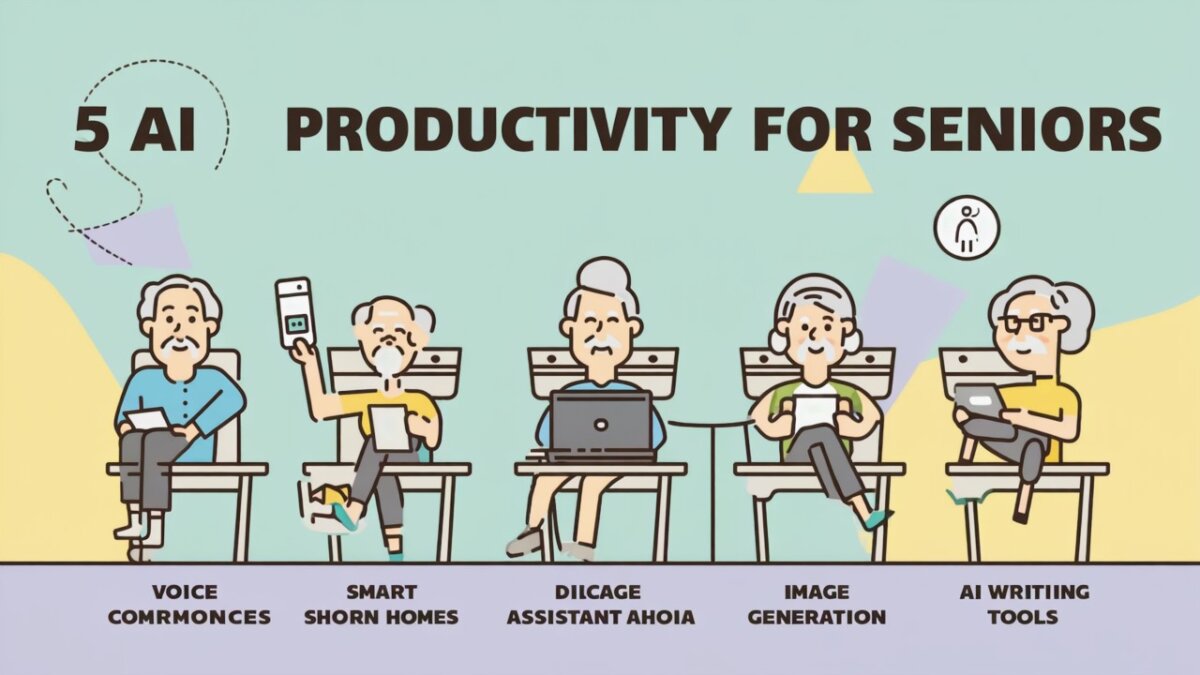
Staying productive doesn’t mean doing more — it means doing smarter. Thanks to AI, seniors in 2025 have powerful tools at their fingertips to simplify daily life, manage tasks, and stay sharp. Here are five AI productivity hacks every older adult should try to make life easier, healthier, and more enjoyable.
1. Use ChatGPT as Your Personal Task Assistant
Forget paper to-do lists. Simply ask ChatGPT, “Help me plan my day” or “Make a shopping list for dinner.” You can even have it organize appointments or remind you of important dates. It’s like having a free secretary — no typing skills required.
Try This:
“Remind me to water my plants every Tuesday.”
“Plan a weekly meal for two seniors with low-sodium diet.”
2. Automate Medication Reminders with Medisafe
Managing medications is easier with AI-based apps like Medisafe. Set it once, and it will send friendly alerts when it’s time to take your pills. Caregivers can also receive alerts if something is missed.
Bonus Tip:
Link Medisafe with your phone calendar or smart speaker for added convenience.
3. Dictate Instead of Type with Otter.ai
If typing is tiring or difficult, try Otter.ai — an AI voice transcription app. You speak, and it writes everything down. Perfect for writing journals, notes, or recording doctor visits.
Use Cases:
Record and transcribe conversations with your doctor
Dictate family memories or stories for grandchildren
4. Simplify Online Searches with Google Assistant
Looking something up? Don’t type — just ask. “Hey Google, how do I grow tomatoes?” or “What’s on my calendar today?” Google Assistant can also send texts, read the news, or make calls — all hands-free.
Senior-Friendly Features:
Voice-activated help
Simple commands, no menus
5. Use AI Journaling Tools to Track Habits & Wellness
Apps like Reflectly and Journey use AI to help you track moods, set goals, and reflect daily. Even just 5 minutes of journaling can boost focus and emotional health — especially with AI prompting you with questions like “What made you smile today?”
Why It Works:
Consistency is easier with AI reminders, prompts, and mood analysis.
Final Thoughts: Productivity, the Smart Way
Being productive isn’t about being busy — it’s about feeling accomplished, focused, and in control. These AI tools empower seniors to live independently, stay organized, and enjoy their time more fully. In 2025, a smarter lifestyle is just a click — or a voice command — away.
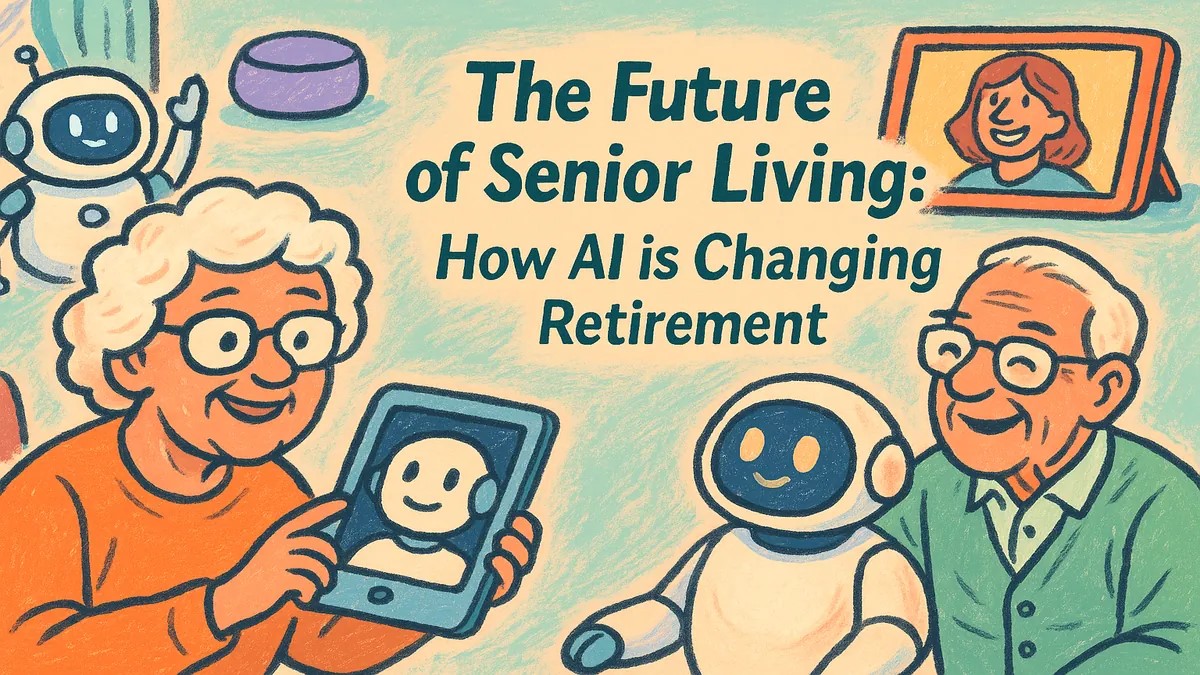
Retirement used to mean slowing down. Today, it means leveling up — thanks to artificial intelligence (AI). From smart homes to digital companions, AI is transforming how older adults live, stay healthy, and stay connected. This article explores the future of senior living and how AI is helping retirees live better, longer, and more independently than ever before.
1. What AI Means for Retirees
AI refers to smart technology that can learn, adapt, and help with daily tasks. It powers everything from voice assistants to health-monitoring devices. For seniors, AI means less stress, more freedom, and better quality of life.
2. AI-Powered Smart Homes
Voice-Controlled Lights & Thermostats: Say “Turn on the lights” or “Make it warmer”
Fall Detection Sensors: Alert family or emergency services instantly
These technologies help older adults live safely at home — even alone — longer than ever before.
3. Digital Companions and Mental Wellness
AI chatbots like Replika and robots like ElliQ offer conversation, memory games, and emotional support. These tools help reduce loneliness, stimulate the brain, and offer daily structure — especially important for seniors living alone.
4. Personalized Healthcare with AI
AI in health apps now tracks your blood pressure, medication schedule, and sleep. Smartwatches can detect irregular heartbeats, while apps like Medisafe and Apple Health send personalized alerts and wellness suggestions. AI can even remind you to drink water or go for a walk!
5. AI for Lifelong Learning
Curious retirees are using AI-powered tools like ChatGPT and Duolingo to explore new hobbies, write life stories, learn languages, and stay mentally active — all from their living room.
6. Financial Safety & Assistance
AI tools can detect suspicious bank activity or phishing attempts, helping protect retirees from scams. Budgeting apps now include AI advisors that help track spending and plan for long-term care costs.
7. Community Connection Through Technology
From virtual senior centers to AI-assisted video calling, retirees can stay socially engaged. Smart displays like Alexa Echo Show make it easy to join book clubs, attend church services, or video chat with grandchildren — all by voice command.
8. Real Stories of AI in Senior Living
John, 73: Lives independently with a smart home system that monitors safety and controls appliances.
Alice, 78: Uses ChatGPT daily to write memoirs and email her family.
Leo, 69: Practices Spanish every morning with Duolingo AI and joins online classes.
9. The Future Outlook: Aging with AI
The future of retirement isn’t passive — it’s empowered. AI will continue to evolve, offering even smarter tools for transportation, caregiving, home design, and emotional wellbeing. Expect senior living communities to integrate AI fully within the next 5–10 years.
Conclusion: Aging Smarter, Not Slower
AI is not just about convenience — it’s about possibility. From enhancing independence to extending wellness, AI is rewriting the retirement story. Seniors now have more tools than ever to shape their own futures, stay safe, and live richly. The future is here — and it’s smarter, safer, and more connected than we ever imagined.
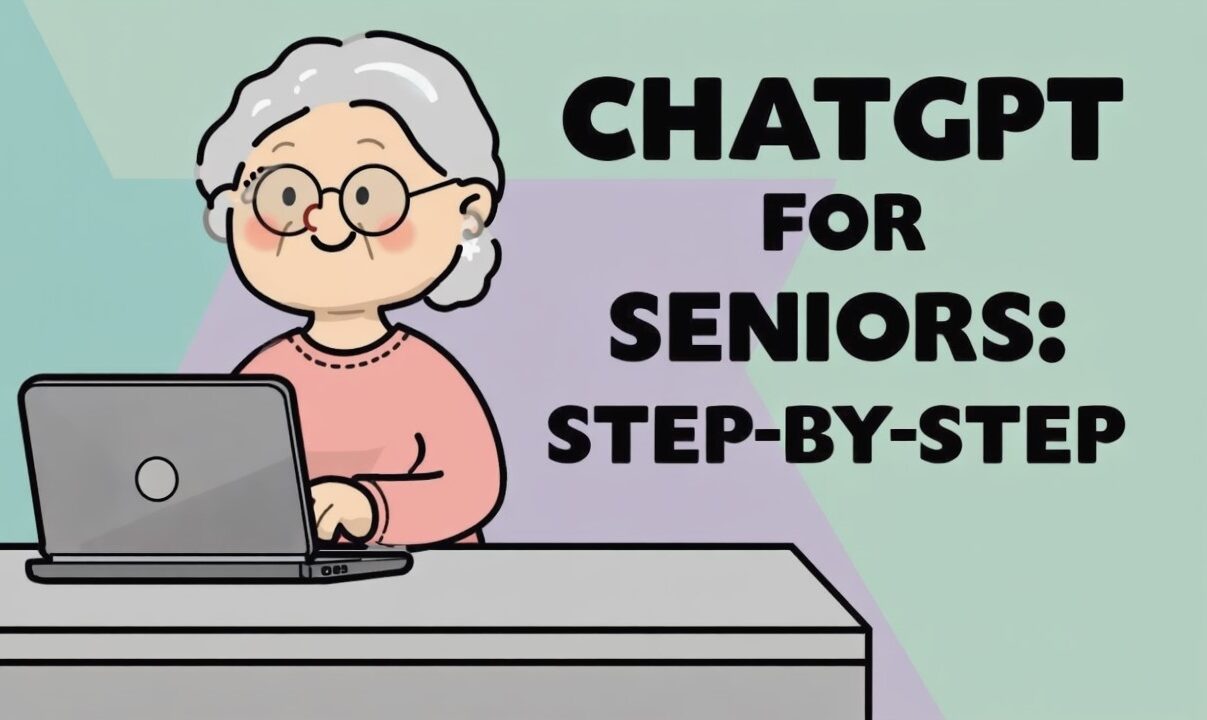
Are you curious about ChatGPT but unsure how to get started? Don’t worry — this beginner-friendly guide is designed just for seniors. Whether you want help writing, learning, chatting, or simply staying organized, ChatGPT can be your friendly digital assistant. Let’s walk through it step by step.
What is ChatGPT?
ChatGPT is an AI chatbot that understands your questions and responds like a helpful friend. You can ask it to write messages, answer questions, create recipes, tell stories, and more — just by typing or speaking.
Why Seniors Love ChatGPT
It’s easy to use: No complicated setup
It’s helpful every day: Get reminders, summaries, or even jokes
It’s free to try: No app needed, just an internet connection
It’s like talking to someone smart and friendly 24/7
Click “Sign Up” and enter your email address. You’ll also choose a password. You can also sign in with Google or Microsoft if you prefer.
Step 3: Start a New Chat
Once logged in, you’ll see a box that says “Send a message.” Type anything like “Hello!” or “What can you do?” — and ChatGPT will respond.
Step 4: Try These Easy Prompts
“Remind me to take my medicine at 9 AM.”
“Tell me a joke about cats.”
“Write a short message to thank my neighbor.”
“Help me plan a simple dinner for 2.”
Step 5: Explore More Fun Uses
Learn: “Explain arthritis in simple terms.”
Create: “Help me write a poem for my granddaughter.”
Play: “Let’s play a trivia quiz.”
Relax: “Tell me a relaxing bedtime story.”
Tips for Making the Most of ChatGPT
Talk to it like you would a helpful assistant.
Be specific in your questions for better answers.
No need to be perfect — ChatGPT understands natural language.
Ask follow-up questions — it’s always ready to help.
Safety Tips for Seniors Using ChatGPT
Never share personal info: Avoid giving passwords, bank details, or ID numbers.
Double-check important info: Always verify health or legal advice with a professional.
Use a secure internet connection at home or with trusted Wi-Fi networks.
Common Questions
Is ChatGPT free?
Yes, there’s a free version available with plenty of features. A paid version (ChatGPT Plus) offers faster replies and more advanced tools — optional for most users.
Do I need to install anything?
No. ChatGPT works right from your web browser like Chrome, Safari, or Edge.
Can I use it on my phone?
Yes. You can use it on smartphones, tablets, or computers — just open your browser and go to the ChatGPT site.
Conclusion: Give It a Try!
ChatGPT is like a friendly helper ready to assist you anytime — whether you’re 60 or 90. Don’t be afraid to explore and ask questions. It’s simple, safe, and surprisingly fun. Try it today — you’ll love how easy it is to get started!